Drone Authority · Review · Beginner / selfie drone
DJI Neo
Built from published specifications and cross-checked against the sources listed at the foot of this page. We have not flown this aircraft ourselves.
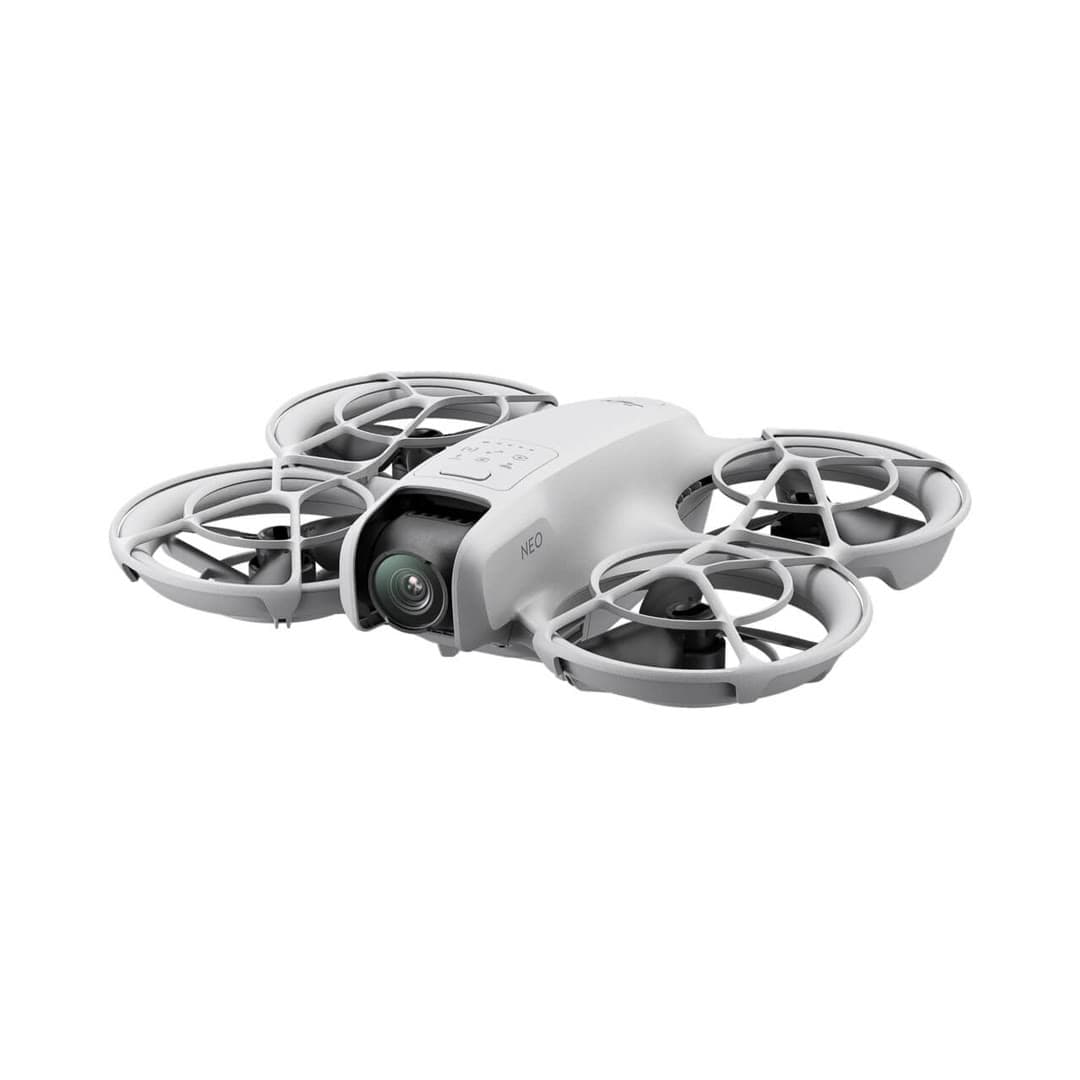
The finding
Best ValueFirst-timers who mainly want hands-free selfie and follow clips, not landscape photography.
Price band only. Affiliate link: we may earn a commission at no extra cost to you. Disclosure
- Our score
- 8.1/10
- Typical price
- $140 – $200
- Category
- Beginner / selfie drone
Published figures
- Weight
- 135 g (recreational registration exempt)
- Camera
- 4K/30 stabilized
- Flight time
- ~18 min
- Control
- Palm / phone / RC
- Wind resistance
- Level 4
- Best use
- Selfies, social clips
Against the 250 g registration line
135 g
Below the line. Flown recreationally and unmodified, this aircraft does not need FAA registration. Any Part 107 flight still does, and added gear can push it over. Registration rules
Drone Authority score
Editorial composite from researching Neo. Not a lab measurement, not an aggregate of retailer stars.
8.1/10
- Flight and cameraCapability for its lane
- Excellent8.5
- Owner sentimentCross-checked owner reports
- Excellent8.5
- Build and reliabilityHardware and dependability
- Strong7.5
- ValuePrice against category peers
- Excellent8.5
Palm takeoff and AI subject tracking with no controller needed.
Cheapest way into the DJI ecosystem; recreational registration exempt at 135 g.
In its favour
- Takes off and lands in your hand; true no-controller flying
- 135 g means no FAA registration for recreational use
- Lowest-cost entry into DJI's app and accessory ecosystem
Buy it for this. First-timers who mainly want hands-free selfie and follow clips, not landscape photography.
Against it
- No obstacle sensing and only digital (not gimbal) stabilization on some modes
- Short ~18-minute flight time and light-wind limits
- Fixed-focus camera is a clear step below the Mini line
Skip it if this matters. No obstacle sensing and only digital (not gimbal) stabilization on some modes
Owner desk
Mature entry platformLiving with the Neo.
Neo is easiest when its control method matches the mission. Palm and phone control are close-range capture tools; a compatible controller changes it into a conventional aircraft.
Configuration
Palm-launch selfie drone
Weight
Approximately 135 g
Legal configuration
Registration, Remote ID, and what changes them.
Guards, strobes, transceivers, or other mounted gear add weight and can block airflow or sensing.
- Recreational
- Stock recreational flights can qualify for the under-250 g registration exception.
- Part 107
- Register Neo for any Part 107 operation.
- Remote ID
- Remote ID is required when Neo is registered or otherwise required to be registered. Confirm the exact declaration and firmware for the chosen control configuration.
- Control stack
- DJI Fly with palm, phone, compatible controller, or supported goggles
First 30 minutes
Set it up before the launch site.
- 01
Charge and inventory the whole system
Charge the aircraft battery and the phone or compatible controller. Remove every transport protector, confirm the correct propellers, and inspect for shipping damage.
- 02
Activate in DJI Fly
Connect to the internet, activate the aircraft, bind any service plan, and complete every prompted aircraft, controller, and battery update before leaving home.
- 03
Set the safety envelope
Confirm return-to-home altitude, obstacle behavior, signal-loss action, units, storage location, and camera defaults. These are aircraft settings, not assumptions.
- 04
Run a close first hover
Use a wide legal area, wait for a stable home point, hover at eye level, test controls and braking, then verify return-to-home without sending the aircraft far away.
Compatible kit
What to buy first.
A case and verified spare propellers matter more than decorative add-ons. Buy the controller or goggles only when that control style is the actual goal.
What not to change
Keep the propeller cage and cooling paths clear. Do not assume Neo 2 batteries, transceivers, or controller bundles fit the original Neo.
Amazon links are affiliate links. We may earn a commission at no extra cost to you. Fit notes and ordering are editorial decisions.
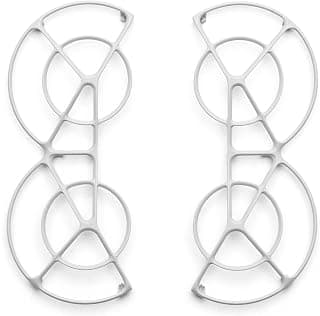
01 · Add later
Neo Propeller Guard
A reasonable protection part for palm-drone practice.
Check at Amazon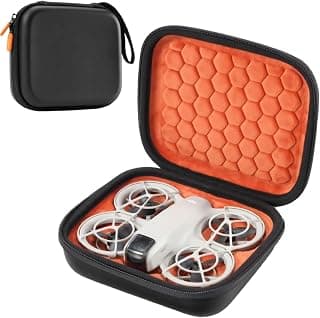
Maintenance
What to check, and how often.
- Before every launch
- Check the enclosed propeller cage, propeller tips, camera window, and subject-tracking sensors. Hair, grass, and lint can hide inside the guard.
- After a hand catch or bump
- Stop the motors, inspect every blade and guard joint, then perform a low hover in a clear area before another tracking run.
- Every 10 flights
- Clean the lens and sensors with a blower and microfiber cloth, review battery health, and export footage before internal storage fills.
- Before storage
- Store dry, unfolded only if the manual calls for it, and away from heat that can deform guards or stress batteries.
Troubleshooting
Common symptoms and what to check.
Tracking loses the subject or chooses the wrong person
Use open contrast-rich terrain, simplify the background, keep the subject inside the supported speed and distance envelope, and restart the tracking mode before moving.
Stop the automated run when the route approaches people, traffic, branches, wires, or an unrecoverable landing area.
Palm launch or landing will not start cleanly
Confirm the correct mode, battery state, sensor cleanliness, level hand position, and a clear area around every propeller guard.
Use a normal landing surface if the aircraft oscillates, misreads the hand, or wind makes the catch uncertain.
Video looks soft or stabilization jumps
Clean the lens, verify the intended resolution and stabilization mode, check free storage, and inspect the guards and propellers for impact damage.
Stop if the camera module is loose or the aircraft vibrates in a steady hover.
Official support
Manuals, firmware, parts.
Learn next
Where to go next.
- Registration checkerSee how weight, recreation, and Part 107 change the answer.
- First-flight checklistTurn setup into a controlled first launch.
- Can I fly here?Check airspace, authorization, TFRs, weather, and launch permission.
- Better aerial footageUse deliberate moves, exposure, and shot planning instead of relying on automation.
The short answer
The Neo is a palm-launch camera for filming yourself. At 135 grams it is easy to carry, it takes off from your hand without a controller, and it turns out stabilized social clips quickly. Its limits are short flight time, a single-axis mechanical gimbal backed by electronic stabilization, and very little margin in wind.
What changes the decision
01
Palm launch is the reason to buy it
The Neo takes off from your hand, flies preset subject-tracking moves, and comes back, all without unpacking a controller. A phone, a compatible remote controller, a motion controller, or FPV goggles can be added later. Few drones at this price offer that many ways to fly.
Each of those paths changes range, precision, setup time, and how well you can see what the aircraft is doing. Palm and phone flying suit close, deliberate clips. Use a real controller when you care where the aircraft sits in the frame.
02
The camera hands you a finished clip
DJI lists 4K/30 recording with RockSteady or HorizonBalancing electronic stabilization and a single-axis mechanical tilt gimbal. That gets you smooth footage you can share as shot. It does not get you the three-axis mechanical stabilization, the RAW still workflow, or the 10-bit color of a Mini 4 Pro.
The Neo suits people who want the framing handled and the clip out fast. Landscape photographers, and anyone expecting a conventional flying camera, should start with the Potensic Atom, the DJI Flip, or the Mini line.
03
Eighteen minutes is the lab number
DJI rates the Neo at about 18 minutes, or about 17 minutes with propeller guards, in controlled conditions. Wind, tracking, repeated takeoffs, cold, and the reserve you keep for the flight home all cut into that. Plan on spare batteries for a full outing rather than treating them as an extra.
The light weight that makes palm launch work also costs the Neo authority in wind. A forecast that is fine for a heavier GPS camera drone can still be a bad Neo day.
Travel, Remote ID, and support
- Battery on a plane
- Intelligent Flight Battery: 10.5 Wh, no airline approval needed. Spares ride in the cabin only. Battery airline check
- Remote ID
- Not on the FAA list. No FAA-accepted declaration for the DJI Neo. Recreational flights need no Remote ID if it weighs under 250 g as flown; otherwise use a broadcast module or a FRIA. Remote ID lookup
- Maker support
- Latest firmware found: V01.00.0400 (November 6, 2024). Support tracker
Compare it with the real alternatives
- DJI Neo vs Potensic Atom: Budget Drone Showdown (2026)DJI Neo vs Potensic Atom compared. The Neo is a palm-launch selfie drone; the Atom is a gimbal-stabilized budget camera drone unaffected by the DJI import freeze. Our pick for each buyer.
- DJI Neo vs DJI Flip (2026): Is the Flip Worth It?DJI Neo vs DJI Flip compared on camera, gimbal, flight time, wind, control, and price. Choose the Neo for quick selfie clips or the Flip for stronger footage and longer flights.
- DJI Neo 2 vs Neo: What Actually Changed? (2026)DJI Neo 2 vs original Neo compared on tracking, camera, sensing, storage, control, U.S. availability, and price. Find the right palm-launch DJI.
Sources behind this review
Manufacturer specifications set the hardware claims. Independent reviews are used to test that positioning and surface the practical tradeoffs. We did not receive or fly a review unit.
- DJI Neo specifications
Manufacturer weight, control, camera, stabilization, and endurance claims.
- DJI Neo product overview
Manufacturer positioning and supported capture modes.
- The Drone Girl review
Independent hands-on review used to cross-check the use case and limitations.
Before you choose
Is the DJI Neo a good first drone?
Yes, if you mainly want close selfie, follow, and social clips. It launches from your hand and flies the moves for you. No, if you mainly want landscape photography, long flights, wind performance, or a conventional three-axis-gimbal camera drone.
Does the DJI Neo need FAA registration?
At about 135 grams, a Neo flown only for recreation can use the sub-250-gram registration exception. Every Part 107 aircraft must be registered, and recreational flyers still need TRUST.
Does the DJI Neo have a three-axis gimbal?
No. It has a single-axis mechanical tilt gimbal plus electronic image stabilization. That is enough for stabilized social video, but it is not the capture system a conventional three-axis-gimbal camera drone gives you.
Ready to buy the DJI Neo?
Typical price $140 – $200. Check availability before you commit. Buy through this link and we may earn a commission at no extra cost to you. Disclosure.
Compare with
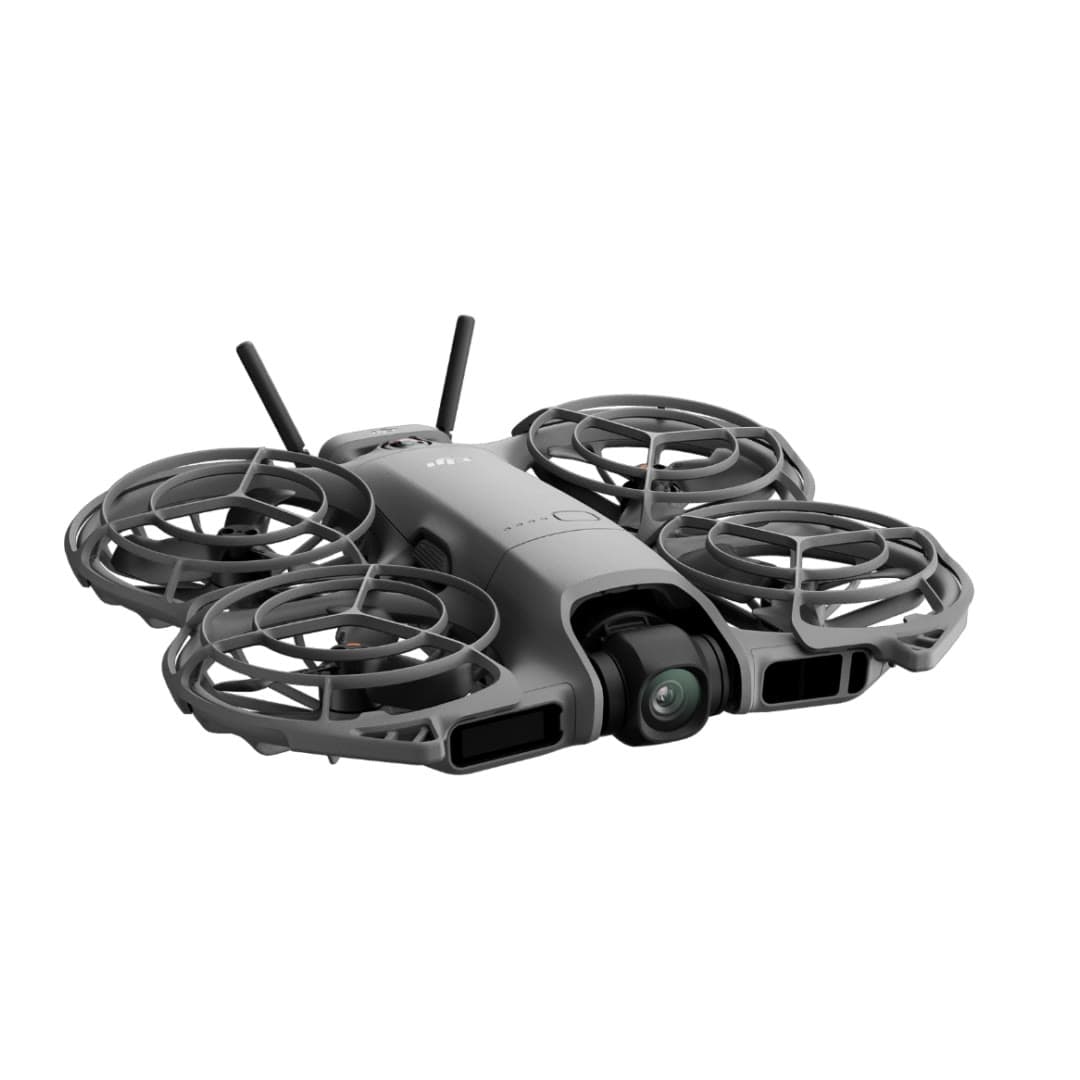
DJI
Neo 2
DJI's second palm-launch personal camera is a substantial upgrade: two-axis stabilization, 4K/60 video, faster tracking, 49 GB of storage, and omnidirectional sensing with forward LiDAR at 151 g before the optional O4 transceiver.
Strengths
- Two-axis gimbal, 4K/60, and omnidirectional sensing fix the original Neo's biggest limits
- Fast subject tracking, palm launch, gesture control, and return-to-palm work without a controller
- 49 GB internal storage and optional O4, RC, goggles, and FPV control paths
Tradeoffs
- Small sensor, JPEG-only stills, Normal color, and no microSD slot limit camera latitude
- Nineteen minutes is a controlled maximum; recording, wind, and the transceiver reduce usable time
- No normal DJI U.S. launch, so seller, region, bundle contents, returns, and support need scrutiny
- Weight
- 151 g; 160 g with O4 transceiver
- Camera
- 12MP 1/2in; 4K/60, 4K/100 slow motion
- Gimbal
- 2-axis mechanical + RockSteady
- Sensing
- Omnidirectional vision + forward LiDAR
- Flight time
- 19 min max; practical time varies
- Control
- Palm / gesture / phone / RC / goggles
Best for: Solo creators who value automatic tracking and instant self-filming more than RAW photos, long endurance, or Mini-series image quality.
Amazon comes first when available. Official links stay visible for exact specs, stock, and manufacturer support. We may earn a commission at no extra cost to you. Disclosure
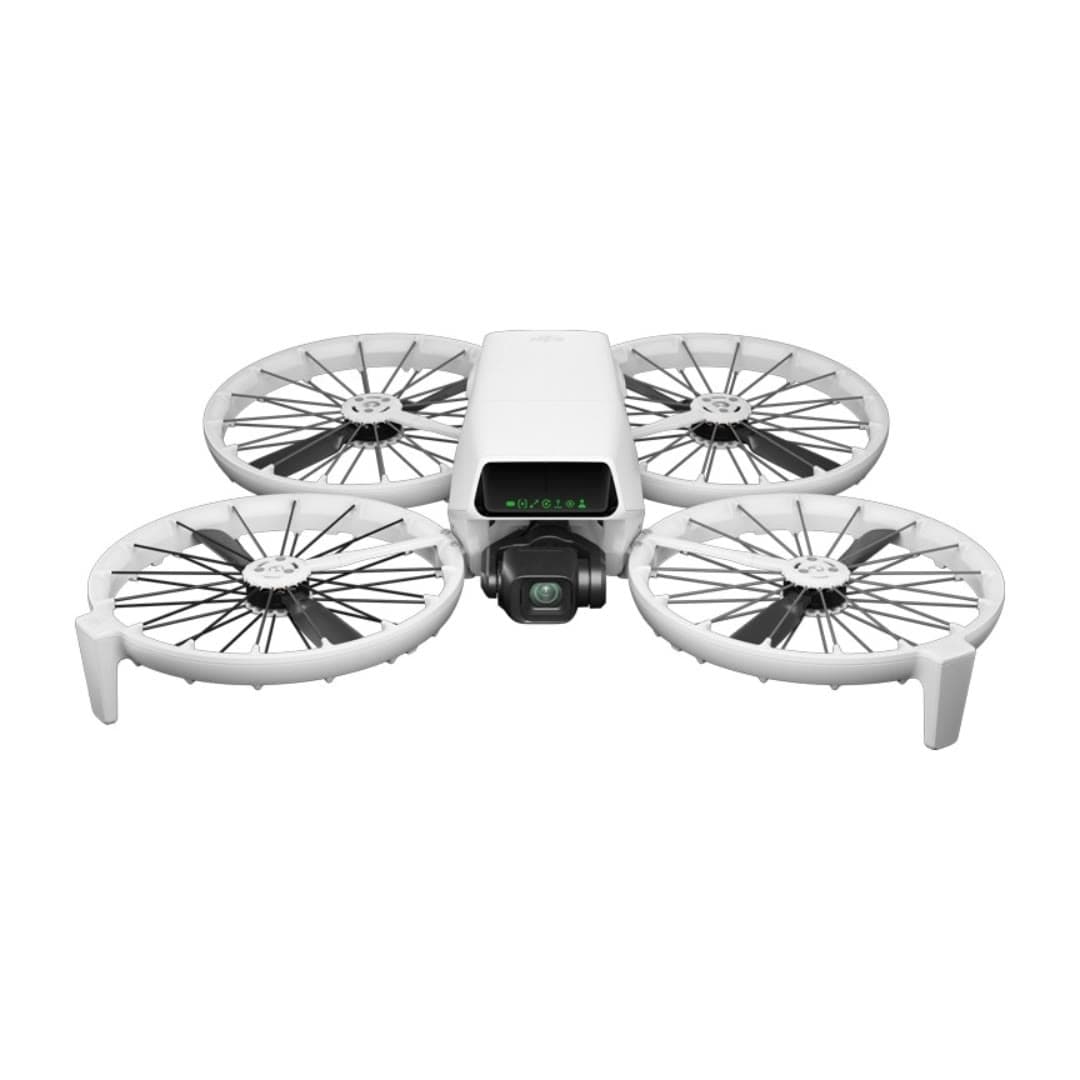
DJI
Flip
DJI's most beginner-friendly real camera drone: a strong 1/1.3-inch camera, folding full-coverage propeller guards, palm launch, and subject tracking without requiring a phone or controller.
Strengths
- Strong 1/1.3-inch sensor, RAW stills, 4K/60 HDR, and optional 10-bit D-Log M
- Built-in propeller guards reduce contact risk while learning; they do not create permission to fly over people
- Under 249 g, registration-free for recreational flying
Tradeoffs
- Forward infrared braking and downward positioning are not omnidirectional; tracking modes do not avoid obstacles
- Guards add bulk and slightly cut flight time vs. the Mini
- U.S. price and stock can move with DJI supply and regulatory pressure; verify the seller and warranty path
- Weight
- Under 249 g
- Camera
- 4K/60 HDR, 1/1.3in
- Flight time
- Up to 31 min in controlled conditions
- Safety
- Full prop guards
- Subject tracking
- Yes
- Wind resistance
- Level 5
Best for: Nervous first-time pilots who still want genuinely good 4K footage and a safety-first design.
Amazon comes first when available. Official links stay visible for exact specs, stock, and manufacturer support. We may earn a commission at no extra cost to you. Disclosure
Aircraft to operation
Before first launch
Buying the aircraft is one decision. Use this sequence to get from the box to a deliberate, legal first flight.
Aircraft under consideration
DJI Neo
DJI Neo: 135 g (recreational registration exempt)
- 01Check registration
Aircraft status
Set the registration path
DJI Neo is listed at 135 g (recreational registration exempt). Recreational-only use may qualify for the sub-250 g exception. Part 107 flights still require registration, so confirm takeoff weight with the flight battery and accessories fitted.
- 02Start the airspace check
Launch location
Check the exact airspace
The aircraft does not decide whether a location is clear. Check the launch point, planned altitude, date, and time for controlled airspace, restrictions, and local launch rules.
- 03Check commercial requirements
Only when it is work
ConditionalDecide whether Part 107 applies
A small drone does not create a business-use exception. If the flight serves a client, employer, listing, monetized project, or another non-recreational purpose, check the Part 107 path first.
- 04Open the first-flight checklist
Props still off
Run the first-flight preflight
Confirm aircraft condition, firmware, battery health, controller link, home point, return-to-home settings, weather, people, obstacles, and the lost-link plan before takeoff.
How we score
The score is an editorial composite of four axes: flight and camera capability, owner sentiment drawn from published reviews, build and reliability, and value for the money. It reflects research and cross-checking rather than lab measurement, and we do not invent star counts. Prices are typical U.S. street bands and move around, especially for DJI while the import freeze lasts.
Affiliate relationships do not change our scores or rankings. Read the full affiliate disclosure.