Drone Authority · Review · Sub-250g flagship
DJI Mini 4 Pro
Built from published specifications and cross-checked against the sources listed at the foot of this page. We have not flown this aircraft ourselves.
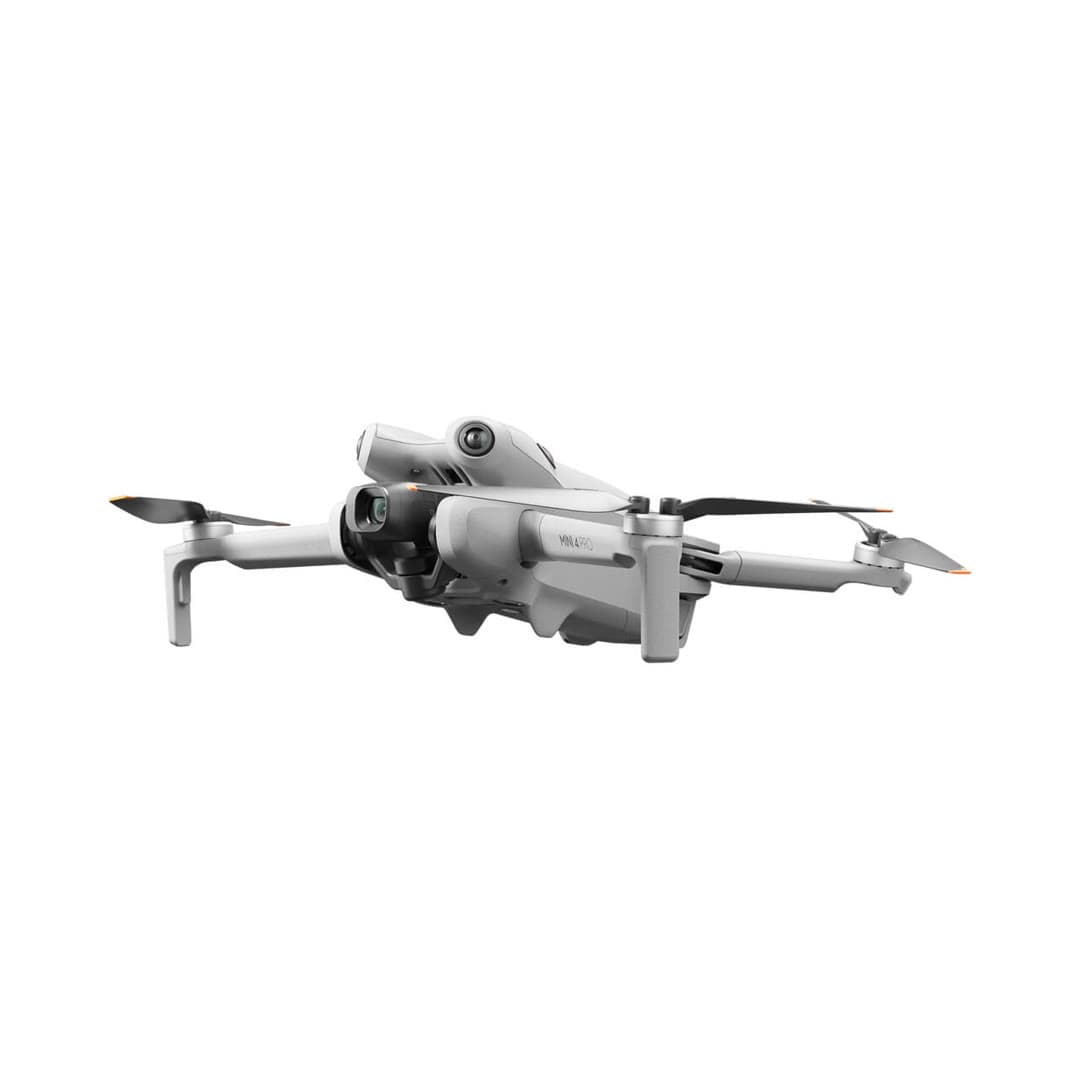
The finding
Best Overall (Sub-250g)Buyers who want the best all-round Mini and can use the recreational sub-250 g registration exception with a standard configuration.
Price band only. Affiliate link: we may earn a commission at no extra cost to you. Disclosure
- Our score
- 9.0/10
- Typical price
- $760 – $1,100
- Category
- Sub-250g flagship
Published figures
- Weight
- Under 249 g
- Camera
- 4K/60 HDR, 1/1.3in
- Flight time
- ~34 min (45 w/ Plus)
- Obstacle sensing
- Omnidirectional
- Transmission
- DJI O4, ~20 km
- Wind resistance
- Level 5
Against the 250 g registration line
249 g
Below the line. Flown recreationally and unmodified, this aircraft does not need FAA registration. Any Part 107 flight still does, and added gear can push it over. Registration rules
Drone Authority score
Editorial composite from researching Mini 4 Pro. Not a lab measurement, not an aggregate of retailer stars.
9.0/10
- Flight and cameraCapability for its lane
- Excellent9.5
- Owner sentimentCross-checked owner reports
- Excellent9.0
- Build and reliabilityHardware and dependability
- Excellent9.0
- ValuePrice against category peers
- Strong8.0
Omnidirectional sensing and a strong sensor, all under 249 g.
Premium for a Mini, and DJI stock pressure pushes the band higher.
In its favour
- Omnidirectional obstacle sensing, rare in a sub-250 g drone
- Strong 1/1.3-inch sensor with 4K/60 HDR and 10-bit D-Log M
- Long ~34-minute flight time and reliable O4 transmission
Buy it for this. Buyers who want the best all-round Mini and can use the recreational sub-250 g registration exception with a standard configuration.
Against it
- Costs roughly double an entry drone once you add the controller
- Affected by the DJI import freeze: finite U.S. stock, drifting prices
- Overkill if you only want quick social clips
Skip it if this matters. Costs roughly double an entry drone once you add the controller
Owner desk
Mature ecosystemLiving with the Mini 4 Pro.
Mini 4 Pro is easy to carry and easy to overconfigure. The standard battery, Plus battery, guards, strobes, and mounts can put the same aircraft on different legal and performance paths.
Configuration
Sub-250 g camera flagship
Weight
Under 249 g with the standard battery; heavier with Plus battery or some accessories
Legal configuration
Registration, Remote ID, and what changes them.
The Mini 3 Pro Plus battery can work, but DJI says it pushes total weight over 249 g and can reduce propulsion margin with additional payloads.
- Recreational
- The stock standard-battery configuration can qualify for the under-250 g recreational exception. The Plus battery takes it above 250 g.
- Part 107
- Register every Mini 4 Pro used under Part 107, regardless of battery.
- Remote ID
- Use the exact aircraft serial and current firmware when adding it to DroneZone. Registration triggers Remote ID compliance even below 250 g.
- Control stack
- DJI Fly with DJI RC 2 or RC-N2
First 30 minutes
Set it up before the launch site.
- 01
Charge and inventory the whole system
Charge the aircraft battery and DJI RC 2 or RC-N2. Remove every transport protector, confirm the correct propellers, and inspect for shipping damage.
- 02
Activate in DJI Fly
Connect to the internet, activate the aircraft, bind any service plan, and complete every prompted aircraft, controller, and battery update before leaving home.
- 03
Set the safety envelope
Confirm return-to-home altitude, obstacle behavior, signal-loss action, units, storage location, and camera defaults. These are aircraft settings, not assumptions.
- 04
Run a close first hover
Use a wide legal area, wait for a stable home point, hover at eye level, test controls and braking, then verify return-to-home without sending the aircraft far away.
Compatible kit
What to buy first.
Start with standard batteries and charging, then add a camera-specific filter set and a case cut for the aircraft, batteries, and your exact controller.
What not to change
Mini 3-series batteries and the charging hub have documented shared paths, but filters, gimbal guards, landing gear, propeller guards, and fitted cases remain model-specific decisions.
- Battery
- Use the documented Mini 3, Mini 3 Pro, and Mini 4 Pro battery family; distinguish standard and Plus weight.
- Filters
- Match the Mini 4 Pro camera. Lens diameter and gimbal clearance make a filter an exact-fit part.
- Controller
- A case or sun hood must match RC 2, RC-N2, or another named controller, not just the aircraft.
Amazon links are affiliate links. We may earn a commission at no extra cost to you. Fit notes and ordering are editorial decisions.
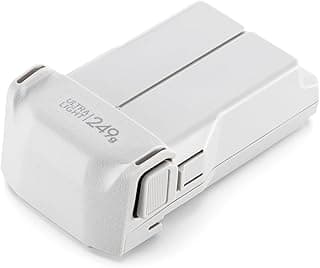
01 · Buy first
Mini 3 / Mini 3 Pro / Mini 4 Pro Intelligent Flight Battery
The first accessory most Mini pilots should buy.
Check at Amazon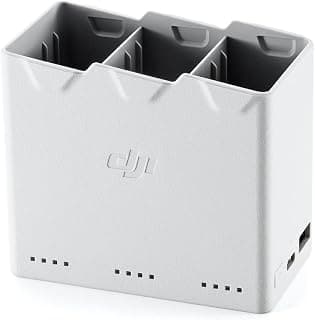
02 · Buy first
Mini 3 / Mini 4 Pro Two-Way Charging Hub
Turns loose batteries into an actual field workflow.
Check at Amazon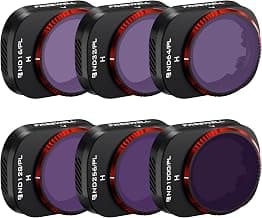
03 · Buy first
Mini 4 Pro Bright Day ND/PL Filter 6-Pack
The camera upgrade that matters most in bright sun.
Check at Amazon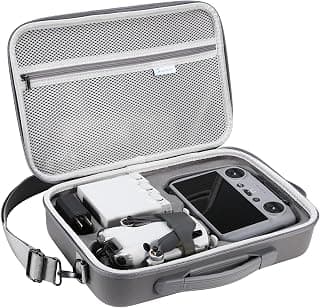
04 · Buy first
Mini 4 Pro RC 2 Shoulder Case
The practical case shape for short walks and car trips.
Check at Amazon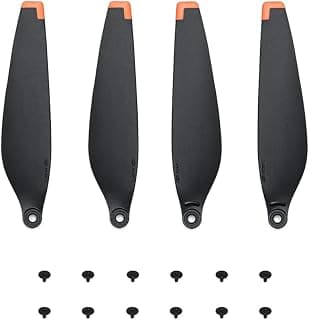
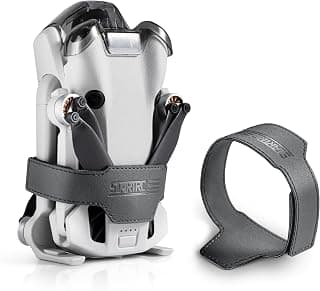
Model fit questions
- Which DJI Mini 4 Pro accessories are worth buying first?
- A second standard battery, a charging hub for multi-pack owners, and an exact-fit case solve more real friction than cosmetic accessories. Add ND filters when you are controlling shutter speed for video.
- Can the Mini 4 Pro use Mini 3 batteries?
- DJI documents a shared standard battery family across Mini 3, Mini 3 Pro, and Mini 4 Pro. Confirm the exact battery listing and remember that Plus packs change weight.
- Will an RC 2 case fit an RC-N2 controller?
- Not reliably. Fitted cases and controller accessories should name the exact controller because screen, antenna, stick, and phone-holder geometry differ.
Maintenance
What to check, and how often.
- Before every flight
- Inspect every propeller, motor bell, arm hinge, sensor window, and gimbal guard area. Replace a nicked or warped propeller instead of trying to straighten it.
- After dust, sand, salt, or moisture
- Power down, remove the battery, brush away loose debris, and let the aircraft dry fully. Do not use compressed air to drive grit into motors or gimbal bearings.
- Every 10 flights
- Review battery swelling, cell warnings, propeller screws, storage capacity, return-to-home altitude, and the app flight log.
- Before storage
- Let intelligent batteries manage themselves at room temperature, keep them out of a hot vehicle, and recheck charge state before the next job.
Troubleshooting
Common symptoms and what to check.
The aircraft drifts, will not hold position, or reports a compass warning
Move away from vehicles, reinforced concrete, speakers, and large metal objects. Confirm satellite status and follow the manufacturer calibration prompt only when the app asks for it.
Do not launch while position or compass warnings remain.
The horizon is tilted or footage vibrates
Remove the gimbal guard, inspect the gimbal dampers and propellers, clean the lens, and run the official gimbal calibration on a level surface.
Stop if the gimbal binds, chatters, or was struck hard enough to deform its mount.
Firmware update stalls or components show mismatched versions
Charge the aircraft and controller above the manufacturer minimum, keep every component powered and close together, use a stable network, and update each intelligent battery when required.
Do not fly through a version mismatch or repeated update failure. Use official support.
Official support
Manuals, firmware, parts.
Learn next
Where to go next.
- Registration checkerSee how weight, recreation, and Part 107 change the answer.
- First-flight checklistTurn setup into a controlled first launch.
- Can I fly here?Check airspace, authorization, TFRs, weather, and launch permission.
- Better aerial footageUse deliberate moves, exposure, and shot planning instead of relying on automation.
The short answer
The DJI Mini 4 Pro remains the most complete travel-size camera drone for buyers who value a sub-249-gram standard configuration, true vertical video, omnidirectional sensing, and a mature flight app. The Air 3S is the better camera platform when a larger aircraft and registration are acceptable; the Mini 4 Pro is the easier aircraft to carry and deploy.
What changes the decision
01
The 249-gram advantage has an asterisk
DJI lists the standard Mini 4 Pro below 249 grams with its standard Intelligent Flight Battery, propellers, and microSD card. That can remove the FAA registration requirement only for a flight conducted exclusively under the recreational exception. Every Part 107 aircraft must still be registered, and DJI's higher-capacity Battery Plus pushes the aircraft above 249 grams.
Accessories and payload choices matter at takeoff. The useful buying distinction is not 'this drone has no rules'; it is that the standard configuration gives recreational travelers a simpler registration path while preserving a capable camera and obstacle-sensing system.
02
Camera quality is strong, but the Air 3S still has more latitude
The Mini 4 Pro uses a 1/1.3-inch 48-megapixel sensor with a 24 mm-equivalent f/1.7 lens. It records 4K/60 HDR, 4K/100 slow motion, 10-bit D-Log M and HLG, DNG stills, and native vertical video through the rotating gimbal. That is a serious capture set for travel, social production, real-estate establishing shots, and daylight commercial work.
The limit is sensor area and the lack of a second optical focal length. The Air 3S combines a larger 1-inch wide camera with a 70 mm-equivalent tele camera, which gives it more flexibility for compressed perspectives and lower-light work. Buy the Mini for portability and vertical capture; buy the Air when the camera brief outranks pack weight.
03
Obstacle sensing helps, but it is not collision insurance
The omnidirectional binocular vision system is a major reason to choose the Mini 4 Pro over cheaper folding drones. DJI's own specification notes that the vision sensors depend on discernible surface patterns and adequate light. Fine branches, wires, reflective surfaces, low-texture walls, darkness, and high closing speeds can still defeat a vision system.
Treat sensing as a recovery layer after route planning and visual line of sight, not permission to thread the aircraft through obstacles. That distinction matters more than the marketing label when a beginner is deciding whether the extra cost is justified.
04
Battery claims are ceilings, not a mission plan
DJI rates the standard battery for up to 34 minutes and the Battery Plus for up to 45 minutes under controlled conditions. Wind, temperature, climbing, hovering, obstacle avoidance, camera use, battery age, and the required return reserve shorten practical time. The longer battery also changes the weight category.
For real work, plan around usable on-station time after transit and reserve rather than the box number. A standard three-battery kit is usually more operationally useful than treating one maximum-duration flight as normal.
Travel, Remote ID, and support
- Battery on a plane
- Intelligent Flight Battery: 18.96 Wh, no airline approval needed; Intelligent Flight Battery Plus: 28.4 Wh, no airline approval needed. Spares ride in the cabin only. Battery airline check
- Remote ID
- Built in; turns on with the heavier battery. FAA declaration RID000000713. Requires aircraft firmware V01.00.03.00 or later. Remote ID lookup
- Maker support
- Latest firmware found: v01.00.1100 (November 5, 2025). Support tracker
Compare it with the real alternatives
- DJI Mini 4 Pro vs Air 3S: Which Should You Buy? (2026)DJI Mini 4 Pro vs Air 3S compared on camera, range, flight time, and registration. Our research-backed pick for each type of buyer, with the DJI import situation factored in.
- DJI Flip vs Mini 4 Pro (2026): Which Should You Buy?DJI Flip vs Mini 4 Pro compared for 2026. Choose the Flip for guarded beginner flights and value, or the Mini 4 Pro for omnidirectional sensing, vertical capture, and a stronger long-term camera workflow.
- DJI Mini 3 Pro vs Mini 4 Pro: Is the Upgrade Worth It? (2026)DJI Mini 3 Pro vs Mini 4 Pro compared for 2026. See how sensing, tracking, transmission, camera modes, batteries, and used-buying risk change the decision.
- DJI Mini 4 Pro vs Autel EVO Lite+: DJI or Not? (2026)DJI Mini 4 Pro vs Autel EVO Lite+ compared. Sub-250g convenience and a mature ecosystem versus a larger 1-inch sensor from a non-DJI maker that is winding down its consumer line. Our honest pick.
- DJI Mini 5 Pro vs Mini 4 Pro: Is the Upgrade Worth It? (2026)DJI Mini 5 Pro vs Mini 4 Pro compared on camera, weight, flight time, sensing, U.S. availability, and registration. See which compact DJI fits your work.
Sources behind this review
Manufacturer specifications set the hardware claims. Independent reviews are used to test that positioning and surface the practical tradeoffs. We did not receive or fly a review unit.
- DJI Mini 4 Pro specifications
Weight, camera, gimbal, sensing, transmission, and battery claims.
- DJI Mini 4 Pro support and product FAQ
Feature behavior, battery compatibility, and manufacturer caveats.
- Amateur Photographer review
Independent camera-focused review used to cross-check the editorial position.
- TechGearLab review
Independent comparative review used as a second check on strengths and tradeoffs.
Before you choose
Is the DJI Mini 4 Pro still worth buying in 2026?
Yes for buyers who prioritize sub-249-gram portability, omnidirectional sensing, native vertical video, and the DJI ecosystem. Buyers who prioritize a larger sensor, a telephoto camera, wind margin, or longer standard-battery flights should compare it with the Air 3S.
Does the DJI Mini 4 Pro need FAA registration?
A standard-battery Mini 4 Pro used only for recreation can qualify for the sub-250-gram registration exception. Every Part 107 aircraft must be registered, and the Battery Plus pushes the Mini 4 Pro above 249 grams.
Is the Mini 4 Pro good enough for paid work?
It can handle many daylight photo, social, real-estate, and travel assignments when the deliverable fits its single 1/1.3-inch camera. Paid or business use requires Part 107 registration and compliance regardless of the aircraft's weight.
Ready to buy the DJI Mini 4 Pro?
Typical price $760 – $1,100. Check availability before you commit. Buy through this link and we may earn a commission at no extra cost to you. Disclosure.
Compare with
DJI
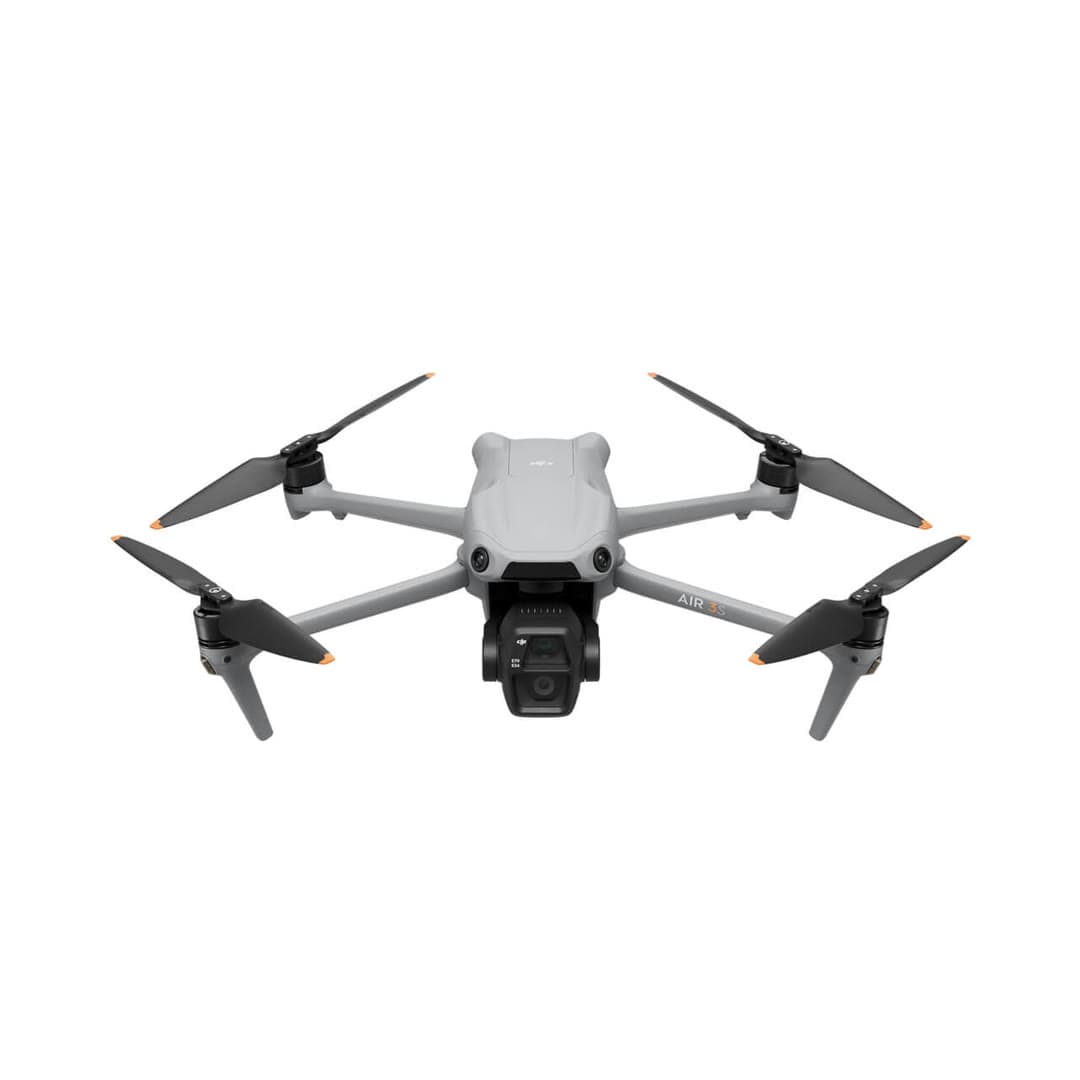
Air 3S
The everyday sweet spot of the DJI lineup: a 1-inch main camera plus a 70 mm telephoto, omnidirectional sensing with forward LiDAR, and a ~45-minute flight time: most of the Mavic's capability for roughly half the price.
Strengths
- Dual camera (1-inch wide + 70 mm tele) covers most real shots
- Long ~45-minute flight time and LiDAR-assisted obstacle sensing
- Far cheaper than the Mavic 4 Pro for everyday work
Tradeoffs
- Over 249 g, requires FAA registration
- Affected by the DJI import freeze; U.S. stock is finite
- Lacks the Mavic 4 Pro's 100MP Hasselblad and third tele lens
- Cameras
- 1in (24mm) + 70mm tele
- Flight time
- ~45 min
- Obstacle sensing
- Omni + forward LiDAR
- Transmission
- DJI O4
- Weight
- ~724 g (register)
- Wind resistance
- Level 5
Best for: Serious hobbyists and creators who want flagship-class results without flagship price.
Amazon comes first when available. Official links stay visible for exact specs, stock, and manufacturer support. We may earn a commission at no extra cost to you. Disclosure
DJI
Flip
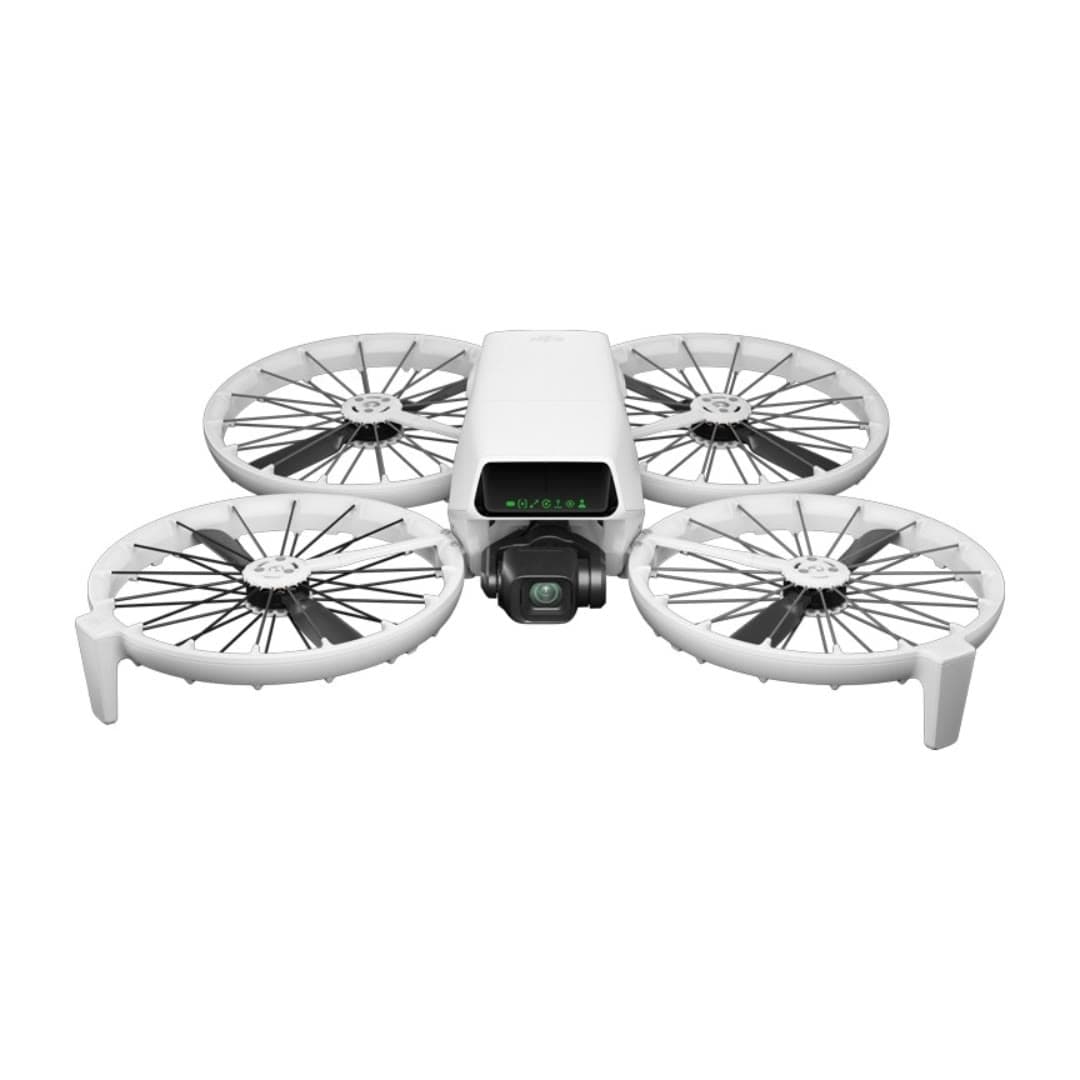
DJI's most beginner-friendly real camera drone: a strong 1/1.3-inch camera, folding full-coverage propeller guards, palm launch, and subject tracking without requiring a phone or controller.
Strengths
- Strong 1/1.3-inch sensor, RAW stills, 4K/60 HDR, and optional 10-bit D-Log M
- Built-in propeller guards reduce contact risk while learning; they do not create permission to fly over people
- Under 249 g, registration-free for recreational flying
Tradeoffs
- Forward infrared braking and downward positioning are not omnidirectional; tracking modes do not avoid obstacles
- Guards add bulk and slightly cut flight time vs. the Mini
- U.S. price and stock can move with DJI supply and regulatory pressure; verify the seller and warranty path
- Weight
- Under 249 g
- Camera
- 4K/60 HDR, 1/1.3in
- Flight time
- Up to 31 min in controlled conditions
- Safety
- Full prop guards
- Subject tracking
- Yes
- Wind resistance
- Level 5
Best for: Nervous first-time pilots who still want genuinely good 4K footage and a safety-first design.
Amazon comes first when available. Official links stay visible for exact specs, stock, and manufacturer support. We may earn a commission at no extra cost to you. Disclosure
Aircraft to operation
Before first launch
Buying the aircraft is one decision. Use this sequence to get from the box to a deliberate, legal first flight.
Aircraft under consideration
DJI Mini 4 Pro
DJI Mini 4 Pro: Under 249 g
- 01Check registration
Aircraft status
Set the registration path
DJI Mini 4 Pro is listed at Under 249 g. Recreational-only use may qualify for the sub-250 g exception. Part 107 flights still require registration, so confirm takeoff weight with the flight battery and accessories fitted.
- 02Start the airspace check
Launch location
Check the exact airspace
The aircraft does not decide whether a location is clear. Check the launch point, planned altitude, date, and time for controlled airspace, restrictions, and local launch rules.
- 03Check commercial requirements
Only when it is work
ConditionalDecide whether Part 107 applies
A small drone does not create a business-use exception. If the flight serves a client, employer, listing, monetized project, or another non-recreational purpose, check the Part 107 path first.
- 04Open the first-flight checklist
Props still off
Run the first-flight preflight
Confirm aircraft condition, firmware, battery health, controller link, home point, return-to-home settings, weather, people, obstacles, and the lost-link plan before takeoff.
How we score
The score is an editorial composite of four axes: flight and camera capability, owner sentiment drawn from published reviews, build and reliability, and value for the money. It reflects research and cross-checking rather than lab measurement, and we do not invent star counts. Prices are typical U.S. street bands and move around, especially for DJI while the import freeze lasts.
Affiliate relationships do not change our scores or rankings. Read the full affiliate disclosure.