Drone Authority · Owner guide · Supported guarded FPV drone
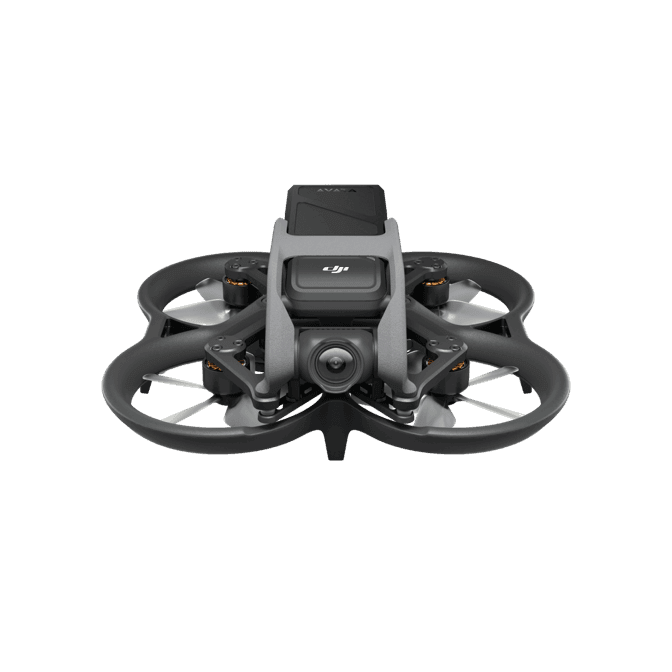
DJI Avata
Built from official manuals, FAA records, current support pages, and model-specific compatibility checks. It is an ownership guide, not a hands-on review.
Ownership brief
Original Guarded FPVOwners who want a supported guarded FPV platform and can verify the exact goggles, controller, firmware, and crash history.
Price band only. Official manufacturer page. We earn no commission.
- Typical price
- $350 - $750 used by goggles and controller bundle
- Category
- Supported guarded FPV drone
Owner desk
Legacy platform, software support through 2026Living with the Avata.
Original Avata ownership is an aircraft, goggles, controller, battery, firmware, and practice system. Later-firmware compatibility widened the control stack, but Avata 2 batteries and body parts are still a different ecosystem.
Configuration
Original guarded cinematic FPV system
Weight
Approximately 410 g
Legal configuration
Registration, Remote ID, and what changes them.
Guards are part of the airframe, not a license to contact obstacles. Added lights, mounts, camera protection, and repaired ducts can affect airflow, sensing, balance, and endurance.
- Recreational
- Registration is required because the aircraft is over 250 g.
- Part 107
- Register the Avata aircraft serial in the Part 107 inventory before any non-recreational operation.
- Remote ID
- The FAA lists an accepted declaration for model AVATA. With Goggles 2 or DJI FPV Goggles V2, DJI requires a GNSS-capable phone connected to the goggles with DJI Fly running and location permission enabled; Goggles Integra has built-in GNSS.
- Control stack
- DJI Fly with a documented Avata goggles and controller pair
First 30 minutes
Set it up before the launch site.
- 01
Identify the complete control stack
Record the exact goggles, controller, aircraft, battery, firmware, and phone setup. Later official support includes Goggles 2, Goggles Integra or DJI FPV Goggles V2 with the documented compatible controller.
- 02
Update and verify Remote ID location
Update every component in DJI Fly, bind the system, confirm the aircraft serial and Remote ID broadcast, and connect a location-enabled phone when the chosen goggles do not contain GNSS.
- 03
Walk the route before wearing goggles
Inspect the full path for people, wires, traffic, branches, reflective surfaces, drop-offs, and unrecoverable landing areas. Establish the visual observer and communication plan.
- 04
Fly stabilized before manual
Prove Normal and Sport control, braking, signal loss, and return behavior in an open legal area. Use a simulator and staged field progression before enabling Manual mode.
Compatible kit
What to buy first.
Buy original-Avata batteries, matched props, durable storage, and simulator time before filters or cosmetic protection. Choose goggles and controller as a documented pair, not independent accessories.
What not to change
Do not fit Avata 2 batteries, props, frame, or guards to original Avata. Avoid unofficial transmission unlocks, unsupported firmware, blocked ducts, and manual mode until the control progression is complete.
We have not verified any third-party exact-fit parts yet.
Nothing has passed our fit check for this model yet, so we are not going to guess. Use the official parts path below and check the model name on every flight-critical part. The wider store still carries field gear that never touches the aircraft.
Browse field gearMaintenance
What to check, and how often.
- Before every pack
- Check propellers, guards, motor shafts, battery retention, camera angle, video link, and failsafe behavior. A previous impact can loosen more than the visible part.
- After any crash
- Disarm, disconnect the battery, inspect the frame and motors, clear debris, and test at low power before returning to full flight.
- Every session
- Log damaged packs, retire puffed or punctured LiPos, and return reusable packs to storage voltage with the correct charger.
- After firmware or controller changes
- Recheck control direction, arming, mode switches, failsafe, video, and return behavior in a controlled area.
Troubleshooting
Common symptoms and what to check.
The goggles, controller, and aircraft will not link as one system
Confirm the exact official compatibility pair, update every component, bind in the documented order, and verify that the controller is supported by those goggles rather than by Avata generally.
Do not launch with a borrowed or mixed control stack that has not completed a stable close-range test.
Remote ID or location warning remains
Check aircraft firmware, DJI Fly, phone cable, phone GNSS and location permission, account region, and whether the goggles provide built-in GNSS or require the connected phone.
Do not use the aircraft in an operation requiring Standard Remote ID until the warning is resolved and the broadcast is confirmed.
The aircraft vibrates, yaws, or sounds different after a strike
Disarm, remove the battery, inspect the full duct, props, motor shafts, frame, camera mount, and debris path, then perform a protected low hover.
Stop if a duct is cracked, a motor binds, a prop is damaged, or vibration remains.
Official support
Manuals, firmware, parts.
Learn next
Where to go next.
- Registration checkerSee how weight, recreation, and Part 107 change the answer.
- First-flight checklistTurn setup into a controlled first launch.
- Can I fly here?Check airspace, authorization, TFRs, weather, and launch permission.
- FPV simulator guideBuild control memory in a simulator before switching to manual mode.
- First FPV flightSet up a safe progression from stabilized flight to manual control.
Published figures
- Weight
- Approximately 410 g
- Camera
- 1/1.7in, 12 MP output; 4K/60
- Protection
- Integrated propeller guards
- Flight time
- 18 min published hover time
- Control
- Documented Avata goggles and controller pair
- App
- DJI Fly through compatible goggles; phone GNSS may be required
Against the 250 g registration line
410 g
Above the line. Register this aircraft with the FAA before you fly it, recreationally or under Part 107, and meet Remote ID. Registration rules
Ownership strengths
- Integrated propeller guards and stabilized modes lower the entry barrier to immersive flight
- 4K/60 capture, 20 GB internal storage, and accepted Standard Remote ID
- Works with several official goggles and controller combinations when firmware is matched
Best fit. Owners who want a supported guarded FPV platform and can verify the exact goggles, controller, firmware, and crash history.
Owner cautions
- No forward obstacle avoidance and limited published endurance
- Manual-mode skill still requires simulator work and a visual observer where goggles are used
- Avata 2 batteries, props, guards, and body-fit accessories are not interchangeable
Look elsewhere if. No forward obstacle avoidance and limited published endurance
What the DJI Avata is
The original Avata remains a capable guarded cinematic FPV system. Owners need an exact goggles-controller compatibility pair, current Remote ID firmware, undamaged ducts and frame, and original-Avata batteries and props rather than Avata 2 parts.
This page is organized around setup, legal configuration, exact-fit parts, maintenance, troubleshooting, and current official support. It is not presented as a hands-on Drone Authority review.
Travel, Remote ID, and support
- Battery on a plane
- Intelligent Flight Battery: 35.71 Wh, no airline approval needed. Spares ride in the cabin only. Battery airline check
- Remote ID
- Standard Remote ID built in. FAA declaration RID000000008. Remote ID lookup
- Maker support
- Latest firmware found: V01.05.0000 (December 28, 2023). Support tracker
Compare it with the real alternatives
Shopping for the DJI Avata?
Typical price $350 - $750 used by goggles and controller bundle. Check availability before you commit.
Compare with
DJI
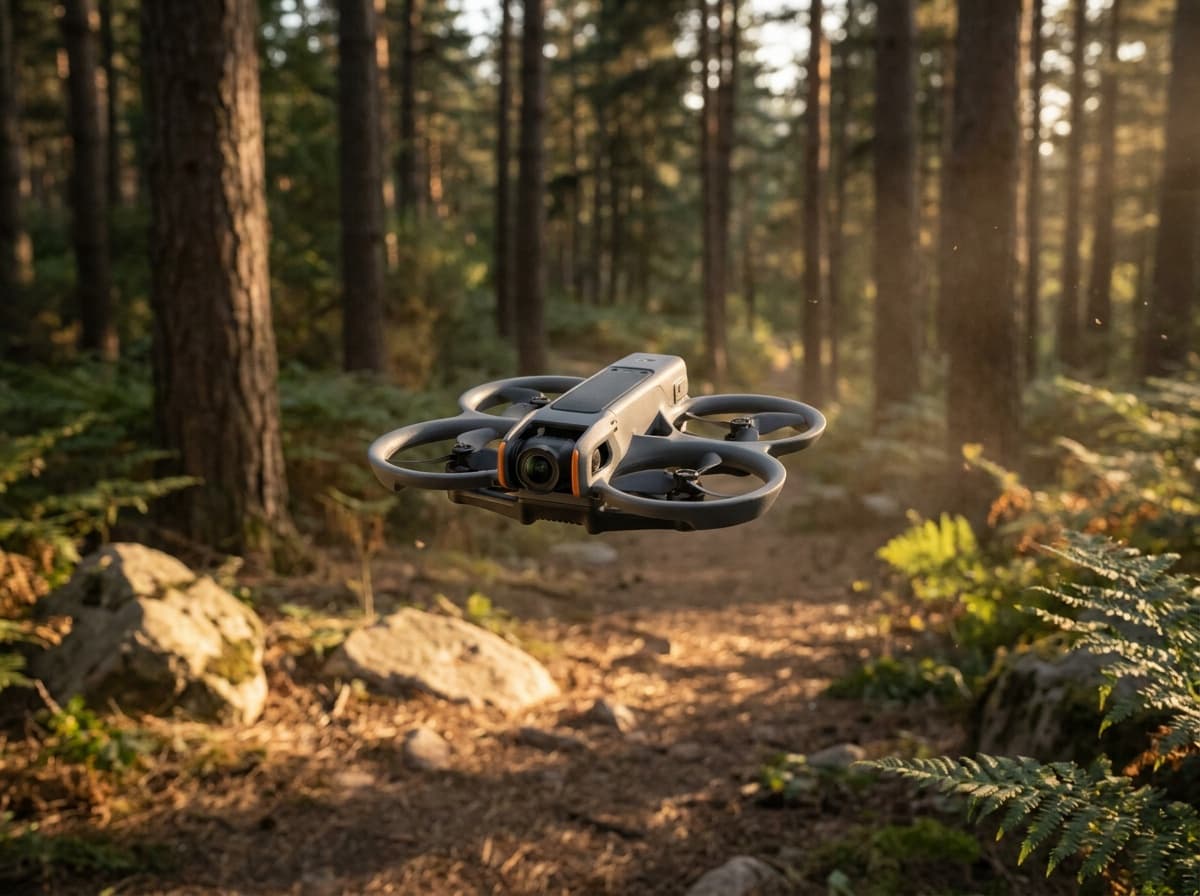
Avata 2
DJI's ready-to-fly FPV package: a ducted 4K cinewhoop with Goggles 3 and the Motion 3 controller in the box, one-button flips and rolls, and prop guards that forgive beginner mistakes.
Strengths
- Complete FPV kit in one box: no building, binding, or soldering
- Goggles 3 pairing with one-button acro makes immersive flying instantly accessible
- Ducted design is far safer indoors and near people than open-prop quads
Tradeoffs
- Locked DJI ecosystem: no custom parts path when you outgrow it
- Heavier than 250 g, so registration always applies
- Camera
- 1/1.3-in, 4K HDR, 155° FOV
- Kit
- Goggles 3 + RC Motion 3 included (Fly More combo)
- Safety
- Built-in prop guard, RTH, binocular sensing
- Transmission
- O4, up to 8 mi
Best for: Pilots who want goggle flying today, without building a quad first.
Amazon comes first when available. Official links stay visible for exact specs, stock, and manufacturer support. We may earn a commission at no extra cost to you. Disclosure
DJI
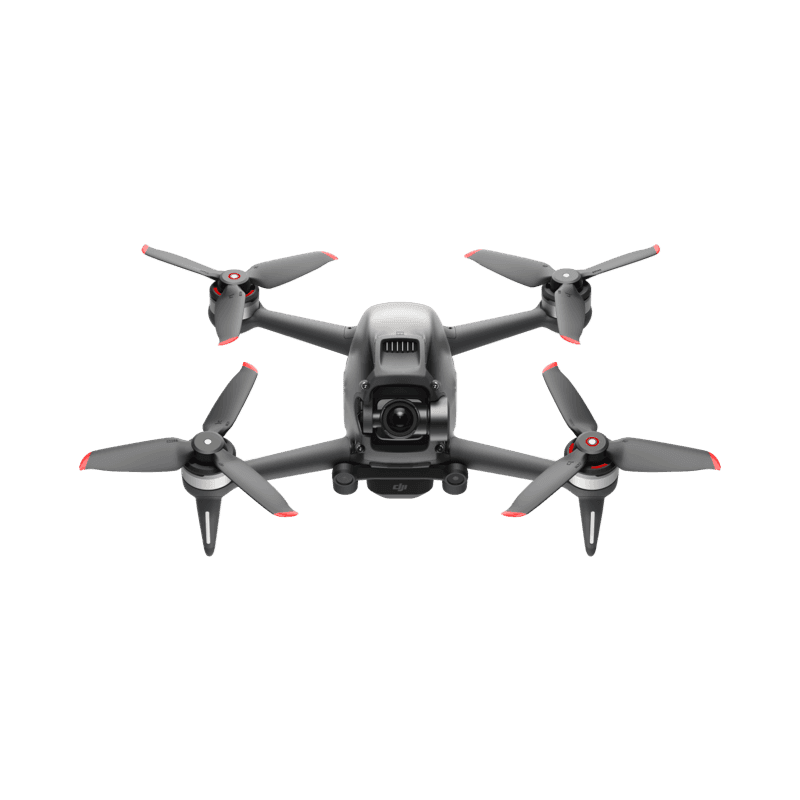
DJI FPV
DJI FPV is a fast integrated aircraft, goggles, and controller system rather than a repairable freestyle quad. The safe ownership path is simulator-first manual training, accepted Remote ID firmware, exact marked propellers, healthy batteries, and a sober crash-cost calculation.
Strengths
- Fast stabilized and manual flight with an integrated HD video system
- Emergency brake, GPS return behavior, and accepted Standard Remote ID
- Official replaceable arms, landing gear, shell, and camera-gimbal parts were designed into the platform
Tradeoffs
- Heavy and expensive to crash compared with a conventional repairable FPV quad
- Forward sensors slow the aircraft but do not automatically brake in normal operation
- Manual mode removes most assistance and demands simulator skill plus deliberate field progression
- Weight
- Approximately 795 g
- Camera
- 1/2.3in, 12 MP; 4K/60
- Sensing
- Forward and downward slowdown, not full avoidance
- Flight time
- 20 min published max
- Control
- FPV Remote Controller 2, Motion Controller, or documented Explorer stack
- App
- DJI Fly through compatible goggles
Best for: Existing owners and disciplined pilots who want DJI's integrated fast-FPV experience and accept its repair, battery, and ecosystem limits.
Amazon comes first when available. Official links stay visible for exact specs, stock, and manufacturer support.
Aircraft to operation
Before first launch
Buying the aircraft is one decision. Use this sequence to get from the box to a deliberate, legal first flight.
Aircraft under consideration
DJI Avata
DJI Avata: Approximately 410 g
- 01Check registration
Aircraft status
Set the registration path
DJI Avata is listed at Approximately 410 g. Plan on registration before launch. Part 107 registration is per aircraft.
- 02Start the airspace check
Launch location
Check the exact airspace
The aircraft does not decide whether a location is clear. Check the launch point, planned altitude, date, and time for controlled airspace, restrictions, and local launch rules.
- 03Check commercial requirements
Only when it is work
ConditionalDecide whether Part 107 applies
A small drone does not create a business-use exception. If the flight serves a client, employer, listing, monetized project, or another non-recreational purpose, check the Part 107 path first.
- 04Open the first-flight checklist
Props still off
Run the first-flight preflight
Confirm aircraft condition, firmware, battery health, controller link, home point, return-to-home settings, weather, people, obstacles, and the lost-link plan before takeoff.
How this guide is built
This guide draws on official manuals and support pages, FAA Remote ID records, published specifications, and compatibility data. It separates confirmed exact-fit parts from universal gear, and it does not imply we have flown the aircraft.
Affiliate relationships do not change our scores or rankings. Read the full affiliate disclosure.