FPV flight school · simulator bench
Choose the simulator by what you need to learn
Pick the flight discipline, computer, and graphics headroom. Then use a real radio and a pass-or-repeat syllabus so the screen time turns into controlled first packs.
 RADIO > SIM > MICRO > FIELD
The real buying decision
Buy the radio once. Change the simulator whenever you need.
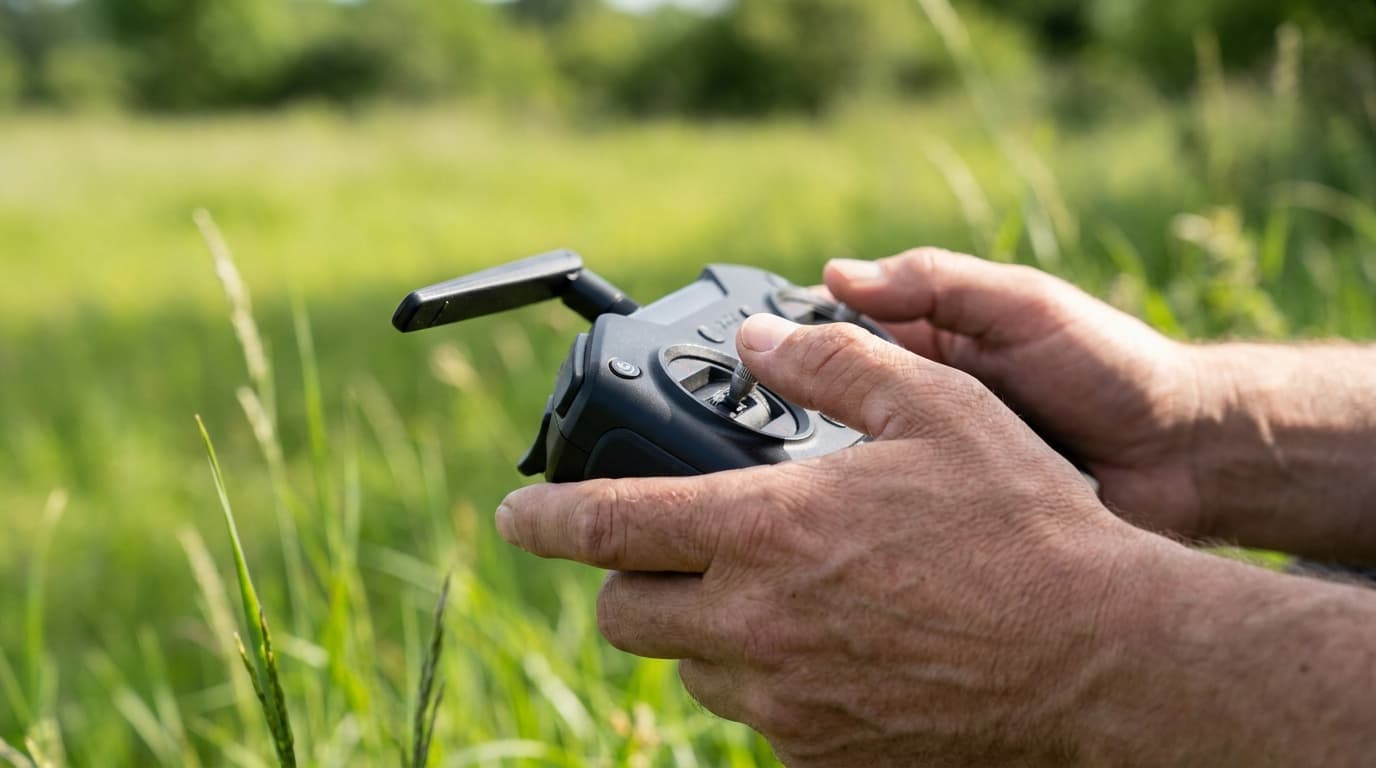
The software is inexpensive compared with the control system and first crash. A USB-capable FPV radio can train the same hands that will later fly the aircraft. Match rates and stick mode before chasing scenery or leaderboards.
Simulator selector
Match the simulator to the skill.
Best match for this setup
Liftoff: FPV Drone Racing
The strongest all-round first simulator
A guided first setup, freestyle, racing, community tracks, and pilots who want one polished starting point
Know before installing
Its broad, game-like progression is useful for learning, but a race specialist may still prefer VelociDrone for repeated track work.
Sold through Steam; verify the current listing and requirements
Before session one
A simulator only teaches the setup you give it.
Radio
Use the transmitter you intend to keep. Confirm that the operating system sees it as a controller before blaming the simulator.
Stick mode
Most U.S. FPV pilots use Mode 2, with throttle and yaw on the left. Match your real setup rather than copying a random video.
Rates
Begin with a moderate preset. Save the numbers and reproduce them on the flight controller instead of relearning sensitivity outdoors.
Camera angle
Start low enough to fly slowly and see the line. A steep angle forces speed and hides weak throttle control.
Pass or repeat
Six blocks from calibration to first pack.
Do not count idle time. Each practice block ends with a skill you can repeat. If you cannot repeat it reliably, practice the block again before adding speed or flying a real aircraft.
Block 01
Calibrate and remove assists
Confirm every channel, center point, endpoint, stick mode, and switch. Use acro or manual behavior for the skill you intend to fly.
The quad stays still when the sticks are centered and responds in the expected direction.
Block 02
Build throttle memory
Launch, hold a band of altitude, descend without dropping, and land on a chosen mark. Keep the camera angle conservative.
Ten controlled takeoffs and landings without a reset.
Block 03
Own the circuit
Fly left and right circuits, figure eights, and coordinated turns. Keep speed low enough to see every correction.
Three clean circuits in both directions at a repeatable altitude.
Block 04
Practice the mistake
Begin from a poor attitude, recover to level flight, then return to the line. Rehearse disorientation instead of avoiding it.
Five recoveries without pausing, resetting, or adding random throttle.
Block 05
Train the mission
Race gates for precision, rehearse one freestyle move, fly a smooth cinematic line, or use a micro-sized map that matches the first quad.
A repeatable line, not one lucky run.
Block 06
Cross the bridge deliberately
Move to a durable micro, a large clear area, a spotter, short packs, and one objective per battery. End before fatigue does.
A complete first session with no improvisation in the launch area.
Passing the simulator gate is permission to start the ownership sequence, not to arm immediately. Learn the battery first, then prove the radio link and configure the flight controller with the props removed.
Start the bench sequenceCurrent field
Six current choices, one legacy warning.
Checked July 21, 2026 against official publisher or storefront pages. Prices, operating-system support, Early Access status, controller handling, and requirements can change.
Legacy software
DJI Virtual Flight
DJI ended maintenance on March 21, 2024.
Existing compatible installations may still work. DJI directs users toward third-party simulators, so we no longer present Virtual Flight as a free current recommendation.
Read DJI's noticeReset is not recovery
Practice returning from a bad attitude before reaching for the reset key.
Fatigue changes inputs
Short deliberate blocks beat long sessions after attention and hand control decay.
The sim is not the law
Airspace, VLOS, spotters, TRUST or Part 107, Remote ID, and site permission remain real-world work.
Direct answers
FPV simulator questions
- What is the best FPV simulator?
- There is no universal winner. VelociDrone is the strongest race-practice bench, Liftoff is the most approachable all-round starting point, Uncrashed emphasizes freestyle environments, TRYP emphasizes cinematic terrain, and FPV Freerider is the lightweight budget trainer. The matcher on this page filters by goal, platform, and computer headroom.
- Do FPV simulator skills transfer to a real drone?
- The control skill transfers best when the simulator uses the same radio, stick mode, rates, and manual or acro behavior you will fly outside. A simulator does not transfer propeller danger, battery handling, radio-link judgment, visual-observer coordination, airspace knowledge, weather decisions, or the physical consequences of a crash.
- How many simulator hours do I need before a first flight?
- Use a performance gate instead of a magic hour count. Before flying a real microdrone, you should be able to launch, hold altitude, fly repeated coordinated circuits, pass through a wide gate, recover from a bad attitude, return, and land deliberately without relying on resets.
- Is DJI Virtual Flight still supported?
- No. DJI says Virtual Flight stopped maintenance on March 21, 2024. Existing compatible installations may continue working, but DJI directs users toward third-party simulators. It should not be the foundation of a new Avata or FPV training setup.
- Can I learn with a gamepad?
- Some simulators accept a gamepad, but a real USB-capable FPV radio gives you the stick length, gimbal feel, switch layout, and rate setup that you can carry into the aircraft. Buy the control system once and use it in the simulator before binding a quad.
Ready for the complete path? The FPV flight school connects simulator choice to radio, compatibility, first aircraft, field practice, and U.S. flight rules.
Open FPV flight school