Drone Authority · Review · Self-flying camera
HOVERAir AQUA
Current status: sourced aggregate review. Original Drone Authority field testing is planned, and the complete protocol is published below.
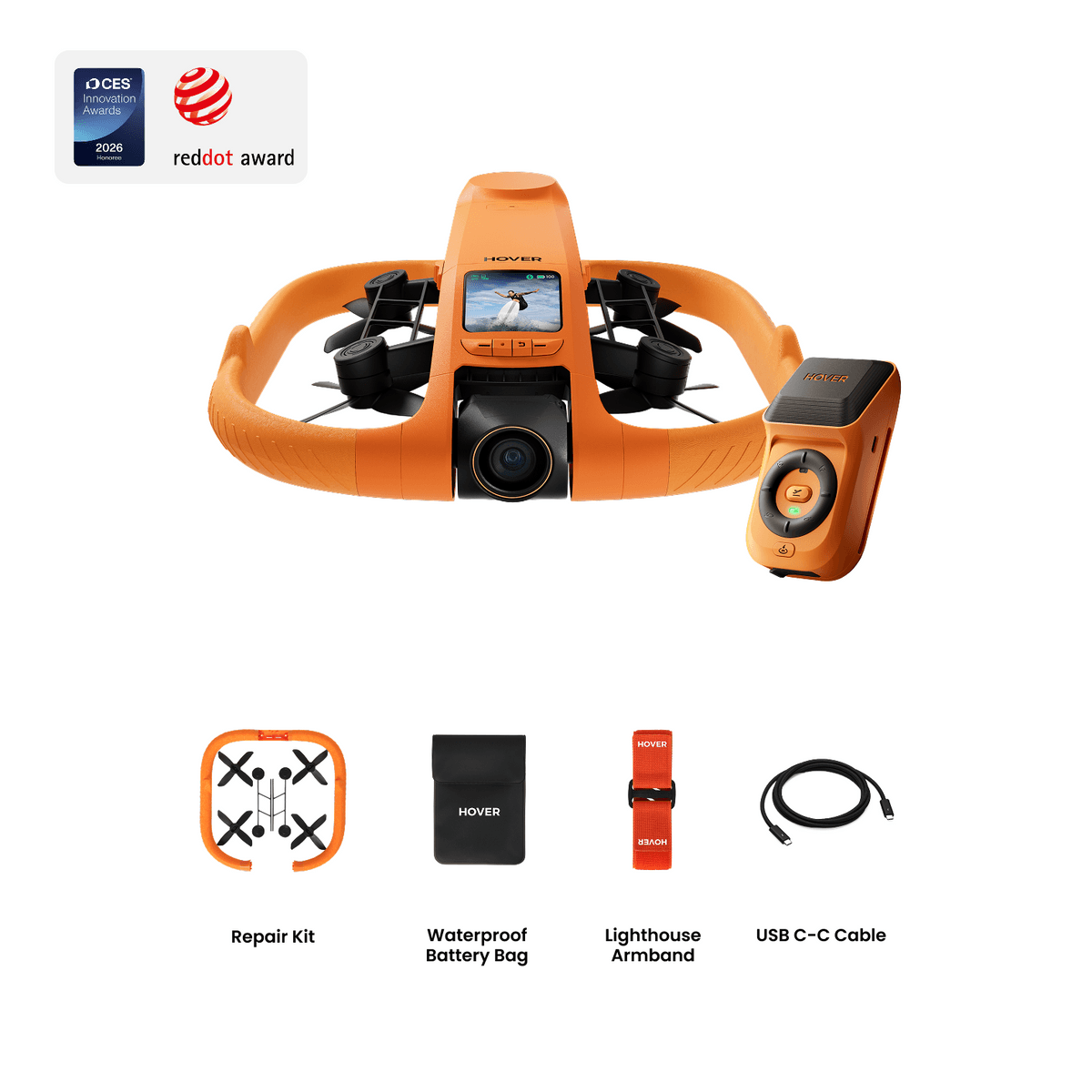
The finding
Water-sports athletes outside the U.S. who need hands-free tracking, can keep the aircraft in sight, and will follow the documented rinse and drying routine.
HOVERAir does not currently offer AQUA through its normal U.S. sales channel. Confirm lawful import, warranty coverage, registration, and Remote ID before any U.S. operation.
Price band only. Official manufacturer page. We earn no commission.
- Our score
- 7.9/10
- Typical price
- Not officially available in the U.S.
- Category
- Self-flying camera
Published figures
- Weight
- 249 g published takeoff weight
- Water
- IP67, positive buoyancy, water takeoff and landing
- Camera
- 1/1.28in sensor, 4K/100, 10-bit H-Log
- Stabilization
- 1-axis gimbal, EIS, horizon leveling
- Flight time
- Up to 23 min
- Storage
- 128 GB internal, no microSD
Against the 250 g registration line
249 g
Below the line. Flown recreationally and unmodified, this aircraft does not need FAA registration. Any Part 107 flight still does, and added gear can push it over. Registration rules
Drone Authority score
Editorial composite from researching AQUA. Not a lab measurement, not an aggregate of retailer stars.
7.9/10
- Flight and cameraCapability for its lane
- Strong8.4
- Owner sentimentCross-checked owner reports
- Strong7.6
- Build and reliabilityHardware and dependability
- Strong7.6
- ValuePrice against category peers
- Strong7.8
In its favour
- IP67 body, positive buoyancy, and water takeoff and landing solve the recovery problem around open water
- Lighthouse tracking and water-specific modes are designed for riders who cannot hold a controller
- 4K/100, 10-bit H-Log, and 23-minute published endurance are strong for an autonomous action camera
Buy it for this. Water-sports athletes outside the U.S. who need hands-free tracking, can keep the aircraft in sight, and will follow the documented rinse and drying routine.
Against it
- No conventional all-direction obstacle-avoidance system
- Saltwater use requires a full fresh-water rinse and careful drying after every session
- No normal official U.S. sales path or verified FAA Standard Remote ID declaration found as of August 22, 2026
Skip it if this matters. No conventional all-direction obstacle-avoidance system
Owner desk
New specialty platformLiving with the AQUA.
AQUA changes the recovery environment, not the rules of flight. Water launch capability still demands a walked route, battery margin, wind judgment, wildlife distance, and a dry post-flight routine.
Configuration
Water follow camera
Weight
249 g published takeoff weight; confirm the actual ready-to-fly configuration
Legal configuration
Registration, Remote ID, and what changes them.
Tethers, mounts, flotation additions, and saltwater residue can alter the aircraft or block its intended water-handling design.
- Recreational
- The stock published weight can qualify for the under-250 g exception only when flown exclusively for recreation. Confirm the actual ready-to-fly weight.
- Part 107
- Register the aircraft for every Part 107 operation, regardless of weight.
- Remote ID
- Confirm Standard Remote ID status for the exact AQUA serial and firmware before a registered operation. Water capability is unrelated to Remote ID compliance.
- Control stack
- HOVER App with AQUA firmware
First 30 minutes
Set it up before the launch site.
- 01
Charge, unfold, and clear the guards
Charge every battery, inspect the enclosed propellers, and remove lint, hair, grass, or packaging from the guards and sensors.
- 02
Activate in the Hover X1 app
Pair the flying camera, update the aircraft and any Beacon or accessory, and review each flight mode before using it near a subject.
- 03
Practice on calm, recoverable water
Start beside shore in calm water with a clear hand-recovery plan. Confirm drift behavior, virtual tether settings, wind direction, and the route back before any moving subject.
- 04
Rinse and dry by the manual
After salt or dirty water, follow HOVERAir's exact cleaning procedure, dry every compartment and contact fully, and inspect before charging.
Compatible kit
What to buy first.
No current store product is AQUA-specific or verified for its marine system. Keep this list empty until HOVERAir publishes compatible batteries, seals, charging, and water accessories; a generic waterproof case does not make another component marine-safe.
What not to change
Do not drill, tape over seams, alter flotation surfaces, or attach a tether unless the official manual explicitly supports it. Water recovery does not justify flying beyond visual line of sight.
We have not verified any third-party exact-fit parts yet.
Nothing has passed our fit check for this model yet, so we are not going to guess. Use the official parts path below and check the model name on every flight-critical part. The wider store still carries field gear that never touches the aircraft.
Browse field gearMaintenance
What to check, and how often.
- Before every water launch
- Inspect seals, propellers, guards, battery seating, contacts, camera cover, and any official flotation or tether feature.
- After salt or dirty water
- Follow the official rinse procedure, remove residue, and dry completely before charging or storage.
- After any hard water impact
- Inspect the shell, seams, motors, and camera. Run the manufacturer's diagnostic and a close test before another offshore launch.
- Before storage
- Store dry with clean contacts and no trapped moisture. Keep batteries out of direct sun and hot vehicles.
Troubleshooting
Common symptoms and what to check.
Tracking loses the subject or chooses the wrong person
Use open contrast-rich terrain, simplify the background, keep the subject inside the supported speed and distance envelope, and restart the tracking mode before moving.
Stop the automated run when the route approaches people, traffic, branches, wires, or an unrecoverable landing area.
Palm launch or landing will not start cleanly
Confirm the correct mode, battery state, sensor cleanliness, level hand position, and a clear area around every propeller guard.
Use a normal landing surface if the aircraft oscillates, misreads the hand, or wind makes the catch uncertain.
Video looks soft or stabilization jumps
Clean the lens, verify the intended resolution and stabilization mode, check free storage, and inspect the guards and propellers for impact damage.
Stop if the camera module is loose or the aircraft vibrates in a steady hover.
Official support
Manuals, firmware, parts.
Learn next
Where to go next.
- Registration checkerSee how weight, recreation, and Part 107 change the answer.
- First-flight checklistTurn setup into a controlled first launch.
- Can I fly here?Check airspace, authorization, TFRs, weather, and launch permission.
- Wildlife flight rulesWater access often overlaps birds, nesting areas, marine mammals, and protected habitat.
The short answer
HOVERAir AQUA is the clearest answer yet for solo water-sports creators who need the camera to take off from, land on, and recover from water. That narrow strength is also the limit of the recommendation. It demands a saltwater rinse routine, lacks a conventional all-direction obstacle-avoidance system, and is not offered through HOVERAir's normal U.S. sales channel. U.S. commercial buyers should wait until a supported sales path and an FAA Standard Remote ID declaration for the exact model are verifiable.
What changes the decision
01
The water hardware changes recovery, not flight law
AQUA is not an X1 Pro with a waterproof coating. HOVERAir publishes an IP67 rating, positive buoyancy, water takeoff and landing, hydrophobic optics, corrosion-resistant components, and millimeter-wave sensing intended to read surface conditions. Those choices address the failure mode that makes ordinary drones a poor fit around surf, paddling, foiling, and small boats: a routine landing can become a total loss.
The aircraft still has to remain within visual line of sight, the route still needs clear airspace and room from people and wildlife, and wind still matters. A floating body does not create permission to fly offshore, behind terrain, or beyond sight. It only gives the pilot a more recoverable platform inside a legal, planned operation.
02
A strong action camera with specialist compromises
The published camera package is serious for a follow camera: a 1/1.28-inch sensor, horizontal 4K recording up to 100 fps, 10-bit H-Log, a 160 Mbps maximum bitrate, and 128 GB of internal storage. Vertical capture reaches 4K/30 or 2.7K/60. That is enough for slowed water action, social crops, and a workable grading path in reflective scenes.
AQUA uses a one-axis mechanical gimbal with electronic stabilization and horizon leveling, while X1 Pro uses a two-axis gimbal. Still photos are JPEG only, and there is no microSD slot. Buyers who mainly want careful landscape photographs, RAW files, interchangeable storage, or a manually framed three-axis camera should choose a conventional camera drone instead.
03
Lighthouse is the control idea that makes the product coherent
The wearable Lighthouse combines RTK positioning with visual tracking so AQUA can follow a rider whose hands are occupied. It also provides a built-in display and controls for takeoff, return, and directional adjustments. Virtual Tether can bring the aircraft back within range if Lighthouse detects it drifting too far, and Turtle Flip can right the body on the water before takeoff.
That does not make AQUA an obstacle-avoiding drone. Its downward visual positioning and millimeter-wave system are aimed at water-surface awareness, not reliable detection of branches, cables, bridge structure, masts, or traffic in every direction. Open routes and conservative separation remain part of the product workflow.
04
Saltwater care is part of every flight
HOVERAir instructs owners to keep the battery inserted after saltwater use, rinse the entire aircraft with fresh water, gently turn the propellers and move the gimbal while rinsing, pat the lens dry, and confirm the aircraft is dry before changing the battery. That is not optional housekeeping. Salt and residue attack motors, contacts, seals, and moving camera parts after the flight is over.
AQUA therefore fits riders who will actually perform the rinse and drying routine. Anyone likely to throw a wet aircraft in a hot vehicle, open the battery bay while saltwater remains on the body, or charge damp contacts should not buy it.
05
The U.S. buying and Remote ID questions are unresolved
HOVERAir launched AQUA globally on May 28, 2026, but its product page currently reports that service is not offered in the United States and the normal U.S. store does not provide a supported AQUA purchase path. Importing one shifts warranty, returns, parts, and service risk to the buyer.
The published 249 g weight can exempt an aircraft from registration only when it is flown exclusively under the recreational exception and remains below 250 g in the actual configuration. Every Part 107 aircraft must be registered. FAA guidance requires registered or registration-required drones to comply with Remote ID, and we did not find a Standard Remote ID declaration for AQUA in the FAA declaration list as of August 22, 2026. Verify the exact model, serial format, firmware, and declaration before any registered U.S. operation.
06
Who should buy it and who should skip it
Buy AQUA where it is officially sold if water takeoff, water recovery, and hands-free tracking solve a recurring filming problem. Kayakers, paddleboarders, foilers, wake riders, and small-boat creators are the audience. The case becomes stronger when another person cannot safely launch or recover a normal drone from shore.
Skip it for general travel, hiking, real estate, inspection, mapping, or ordinary aerial photography. X1 Pro is the simpler HOVERAir for land and snow action. A DJI Mini or comparable three-axis camera drone is better for deliberate manual composition. U.S. professionals should wait for a supported sales and compliance path rather than treating a gray-market listing as clearance to operate.
Travel, Remote ID, and support
- Battery on a plane
- Smart Battery for AQUA: 21.62 Wh, no airline approval needed. Spares ride in the cabin only. Battery airline check
- Remote ID
- Not on the FAA list. No FAA-accepted declaration for the HOVERAir AQUA. Recreational flights need no Remote ID if it weighs under 250 g as flown; otherwise use a broadcast module or a FRIA. Remote ID lookup
- Maker support
- Latest firmware found: v1.3.15 (July 6, 2026). Support tracker
What we will test, and how
Original field testing not yet completed
Our current assessment uses official specifications, operating instructions, FAA records, and independent hands-on reporting. A useful original test must challenge the water workflow rather than repeat a dry-land spec flight.
01
Water recovery and self-righting
Verify launch, landing, drift, Turtle Flip, and hand recovery in calm fresh water before moving to salt or chop.
- Protocol
- Run repeated close-shore launches and landings with measured wind, wave height, and recovery time. Stop at the first seal, motor, or control anomaly.
- Planned episode
- A recovery matrix by surface condition, with every failed or aborted attempt included.
02
Tracking retention
Measure whether Lighthouse and visual tracking keep a rider framed through turns, speed changes, spray, and brief occlusion.
- Protocol
- Repeat the same marked route at several speeds and camera positions, logging dropouts, recovery time, and maximum practical separation.
- Planned episode
- Uncut route clips with a frame-retention and dropout table.
03
Saltwater turnaround
Measure the real cleanup burden and look for water retention, residue, fogging, or contact issues.
- Protocol
- Follow the official rinse procedure after a timed saltwater session, record labor and drying time, and inspect again before the next charge and flight.
- Planned episode
- A complete post-water checklist with elapsed time and close-up condition photos.
04
Image and stabilization
Compare 4K/100, standard 4K, H-Log, vertical capture, horizon hold, and droplet behavior in reflective water light.
- Protocol
- Record matched routes and exposures, keep originals, and compare stabilization artifacts, highlight recovery, rolling motion, and lens droplets.
- Planned episode
- Downloadable frame grabs and matched clips with settings visible.
05
Battery and wind margin
Separate the 23-minute controlled maximum from a conservative return point on open water.
- Protocol
- Log takeoff percentage, wind, mode, speed, distance, return threshold, landing percentage, and battery temperature across repeated flights.
- Planned episode
- A condition-by-condition endurance table, not one best-case number.
Safety boundary. Testing would stay within visual line of sight, use an open recoverable area, avoid wildlife and uninvolved people, and confirm the aircraft's U.S. registration and Remote ID path before any registered operation.
Compare it with the real alternatives
Sources behind this review
Manufacturer specifications set the hardware claims. Independent reviews are used to test that positioning and surface the practical tradeoffs. We did not receive or fly a review unit.
- HOVERAir: AQUA product page and specifications
Official IP67, buoyancy, camera, stabilization, storage, flight, tracking, and control specifications.
- HOVERAir: AQUA global release
Official May 28, 2026 availability announcement and launch context.
- HOVERAir: AQUA beginner's guide
Official water launch, recovery, saltwater rinse, and drying instructions.
- HOVERAir: AQUA firmware notes
Official feature and firmware history for Virtual Tether, Foiling mode, vertical shooting, and tracking distance.
- FAA: How to register your drone
Primary-source registration rules for recreational and Part 107 operations.
- FAA: Remote ID declarations of compliance
Official declaration list to check before a registered U.S. operation.
- TechRadar: HOVERAir AQUA review
Independent hands-on assessment of the specialized workflow and maintenance burden.
Before you choose
Is HOVERAir AQUA really waterproof?
HOVERAir publishes an IP67 rating, positive buoyancy, and support for water takeoff and landing. That does not eliminate maintenance. Salt or dirty water requires the documented fresh-water rinse and complete drying routine.
Does 249 g mean AQUA never needs FAA registration?
No. The under-250 g exception applies only to an aircraft flown exclusively under the recreational exception and only while the actual takeoff configuration remains below 250 g. Every Part 107 aircraft must be registered regardless of weight.
Can HOVERAir AQUA be used commercially in the United States?
A commercial operation needs Part 107 authority, registration, and Remote ID compliance. We did not find an FAA Standard Remote ID declaration for AQUA as of August 22, 2026, and HOVERAir does not provide a normal U.S. sales path. Verify the exact aircraft and current FAA records before relying on it for paid work.
What should I do after flying AQUA in saltwater?
Follow HOVERAir's guide: leave the battery inserted during the rinse, rinse the complete aircraft with fresh water, gently turn the propellers and move the gimbal, pat the lens dry, and confirm the body and contacts are fully dry before changing the battery or charging.
Does AQUA avoid obstacles?
Not in the conventional all-direction sense. It uses downward visual positioning and millimeter-wave sensing for water-surface conditions. It still needs an open route away from branches, cables, structures, boats, and people.
Should I buy AQUA or X1 Pro?
Choose AQUA only when water takeoff, floating recovery, and water-specific tracking are essential. Choose X1 Pro for running, cycling, skiing, hiking, and ordinary travel, especially in the United States.
Ready to buy the HOVERAir AQUA?
Typical price Not officially available in the U.S.. Check availability before you commit.
Compare with
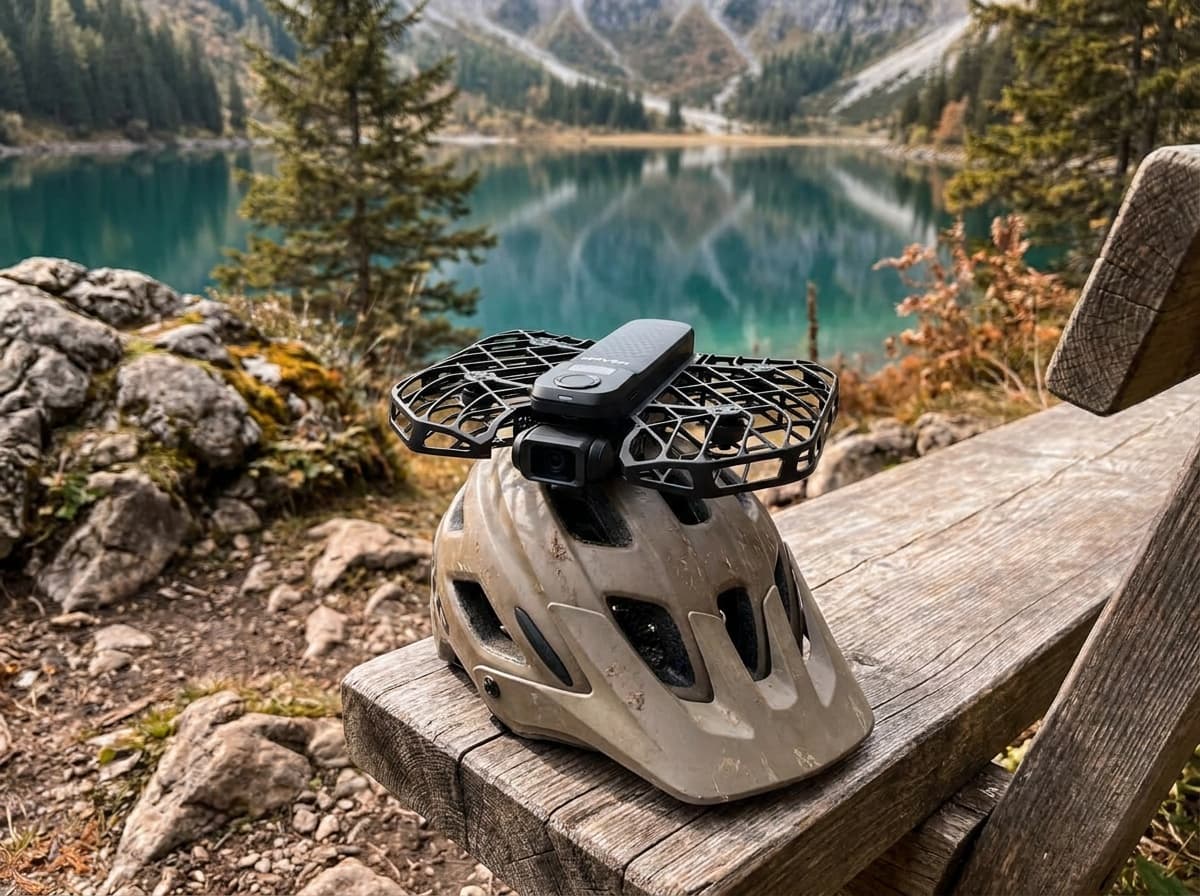
HOVERAir
X1 Pro
The action-sports follow camera: palm-launch, no controller, and fast enough (42 km/h) to chase bikes and skiers. The ProMax tier adds 8K/30 video and 48 MP photos for $200 more, camera only ($699 vs $499 at HOVERAir's U.S. store, October 3, 2026).
Strengths
- Genuinely hands-free: tracks you through trails at speed
- Pro-level follow speeds that embarrass the original X1
- Fully autonomous modes need zero piloting skill
Tradeoffs
- Not a pilot's drone: limited manual control
- Premium price for a single-purpose camera
- Camera
- 4K/60 HDR (ProMax: 8K/30, 4K/120, 48 MP photos)
- Weight
- About 192 g; flight time up to 16 min
- Follow speed
- Up to 42 km/h: bike and ski capable
- Modes
- 10+ autonomous flight paths, palm launch
- Terrain
- OmniTerrain following
Best for: Runners, riders, and skiers who want a camera crew, not a piloting hobby.
Amazon comes first when available. Official links stay visible for exact specs, stock, and manufacturer support. We may earn a commission at no extra cost to you. Disclosure
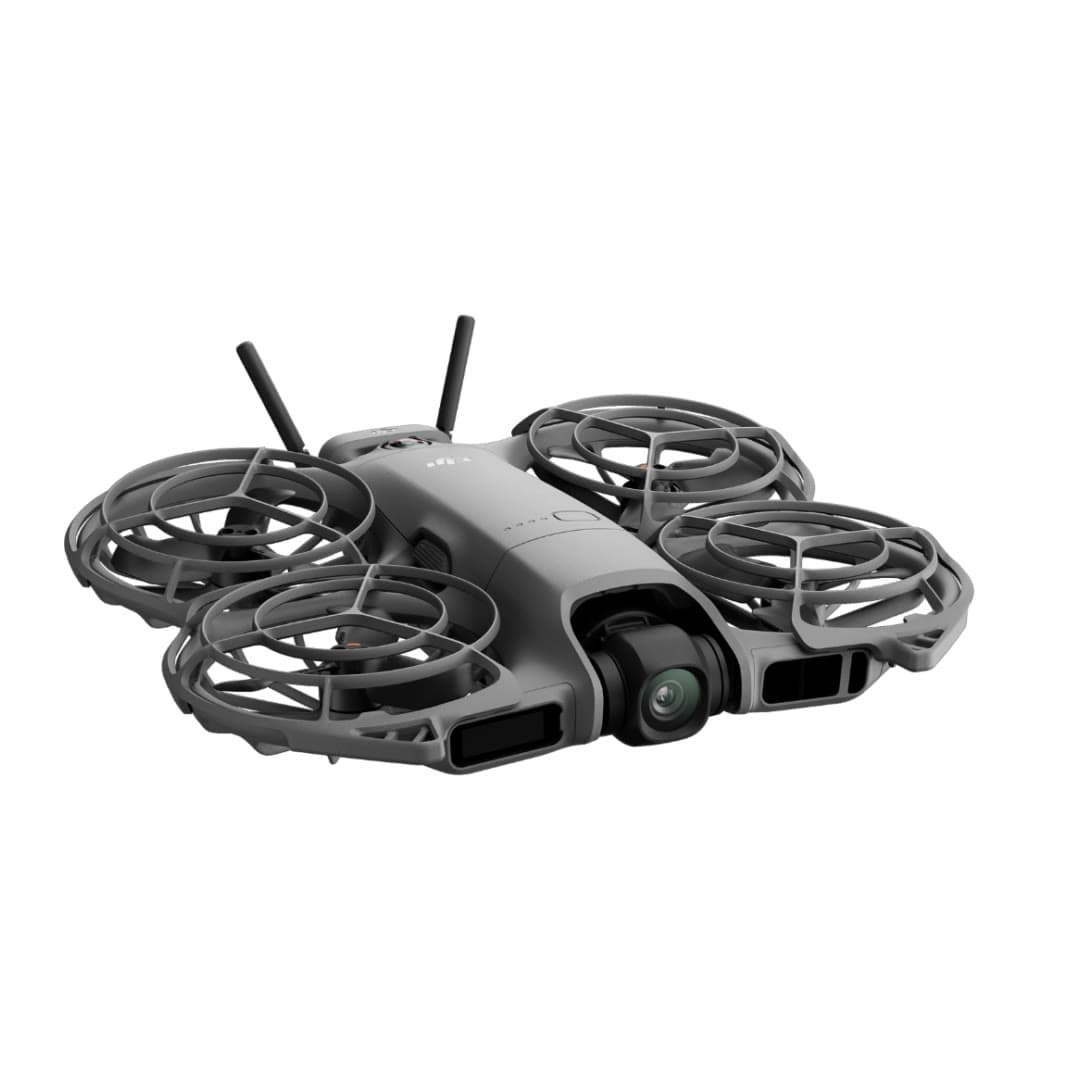
DJI
Neo 2
DJI's second palm-launch personal camera is a substantial upgrade: two-axis stabilization, 4K/60 video, faster tracking, 49 GB of storage, and omnidirectional sensing with forward LiDAR at 151 g before the optional O4 transceiver.
Strengths
- Two-axis gimbal, 4K/60, and omnidirectional sensing fix the original Neo's biggest limits
- Fast subject tracking, palm launch, gesture control, and return-to-palm work without a controller
- 49 GB internal storage and optional O4, RC, goggles, and FPV control paths
Tradeoffs
- Small sensor, JPEG-only stills, Normal color, and no microSD slot limit camera latitude
- Nineteen minutes is a controlled maximum; recording, wind, and the transceiver reduce usable time
- No normal DJI U.S. launch, so seller, region, bundle contents, returns, and support need scrutiny
- Weight
- 151 g; 160 g with O4 transceiver
- Camera
- 12MP 1/2in; 4K/60, 4K/100 slow motion
- Gimbal
- 2-axis mechanical + RockSteady
- Sensing
- Omnidirectional vision + forward LiDAR
- Flight time
- 19 min max; practical time varies
- Control
- Palm / gesture / phone / RC / goggles
Best for: Solo creators who value automatic tracking and instant self-filming more than RAW photos, long endurance, or Mini-series image quality.
Amazon comes first when available. Official links stay visible for exact specs, stock, and manufacturer support. We may earn a commission at no extra cost to you. Disclosure
Aircraft to operation
Before first launch
Buying the aircraft is one decision. Use this sequence to get from the box to a deliberate, legal first flight.
Aircraft under consideration
HOVERAir AQUA
HOVERAir AQUA: 249 g published takeoff weight
- 01Check registration
Aircraft status
Set the registration path
HOVERAir AQUA is listed at 249 g published takeoff weight. Recreational-only use may qualify for the sub-250 g exception. Part 107 flights still require registration, so confirm takeoff weight with the flight battery and accessories fitted.
- 02Start the airspace check
Launch location
Check the exact airspace
The aircraft does not decide whether a location is clear. Check the launch point, planned altitude, date, and time for controlled airspace, restrictions, and local launch rules.
- 03Check commercial requirements
Only when it is work
ConditionalDecide whether Part 107 applies
A small drone does not create a business-use exception. If the flight serves a client, employer, listing, monetized project, or another non-recreational purpose, check the Part 107 path first.
- 04Open the first-flight checklist
Props still off
Run the first-flight preflight
Confirm aircraft condition, firmware, battery health, controller link, home point, return-to-home settings, weather, people, obstacles, and the lost-link plan before takeoff.
How we score
The score is an editorial composite of four axes: flight and camera capability, owner sentiment drawn from published reviews, build and reliability, and value for the money. It reflects research and cross-checking rather than lab measurement, and we do not invent star counts. Prices are typical U.S. street bands and move around, especially for DJI while the import freeze lasts.
Affiliate relationships do not change our scores or rankings. Read the full affiliate disclosure.