Drone Authority · Review · Sub-250g camera drone
DJI Mini 3
Built from published specifications and cross-checked against the sources listed at the foot of this page. We have not flown this aircraft ourselves.
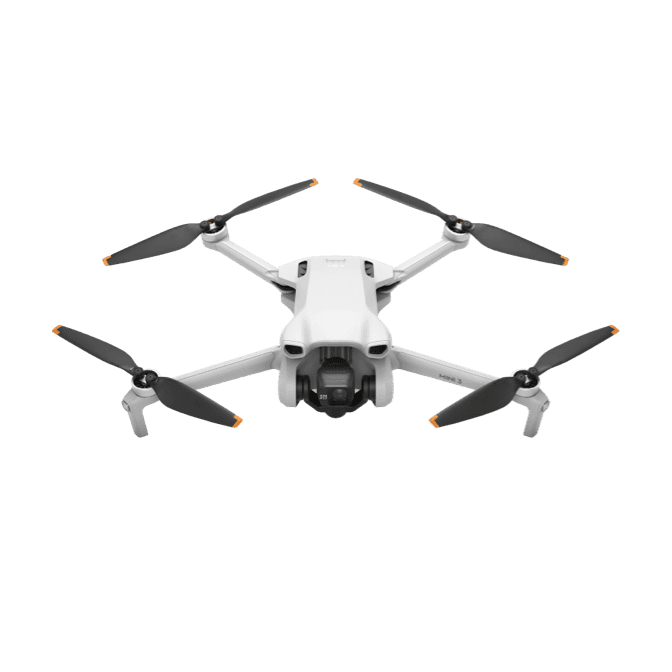
The finding
Best Simple MiniPilots who want Mini-series image quality and vertical capture without paying for advanced sensing or tracking.
Price band only. Affiliate link: we may earn a commission at no extra cost to you. Disclosure
- Our score
- 8.0/10
- Typical price
- $350 - $550 by controller and condition
- Category
- Sub-250g camera drone
Published figures
- Weight
- Under 249 g with standard battery
- Camera
- 1/1.3in; 4K HDR and true vertical
- Sensing
- Downward positioning only
- Flight time
- 38 min standard; 51 min Plus published max
- Control
- DJI RC or RC-N1
- App
- DJI Fly
Against the 250 g registration line
249 g
Below the line. Flown recreationally and unmodified, this aircraft does not need FAA registration. Any Part 107 flight still does, and added gear can push it over. Registration rules
Drone Authority score
Editorial composite from researching Mini 3. Not a lab measurement, not an aggregate of retailer stars.
8.0/10
- Flight and cameraCapability for its lane
- Strong8.0
- Owner sentimentCross-checked owner reports
- Strong8.4
- Build and reliabilityHardware and dependability
- Strong8.2
- ValuePrice against category peers
- Strong7.7
In its favour
- Strong 1/1.3-inch camera and true vertical shooting for the price
- Under 249 g with the standard battery
- Long published endurance and a mature DJI accessory ecosystem
Buy it for this. Pilots who want Mini-series image quality and vertical capture without paying for advanced sensing or tracking.
Against it
- No forward, rear, or side obstacle sensing
- No FocusTrack subject tracking
- Plus battery changes the legal weight path in the United States
Skip it if this matters. No forward, rear, or side obstacle sensing
Owner desk
Current support pathLiving with the Mini 3.
Mini 3 is the straightforward branch of the family: a strong camera and long battery options without forward, rear, or side obstacle sensing. Owners have to supply the missing awareness themselves.
Configuration
Simple sub-250 g camera drone
Weight
Under 249 g with standard battery; over 249 g with Plus battery
Legal configuration
Registration, Remote ID, and what changes them.
Battery choice is the largest configuration change. Weigh the aircraft with the installed battery, filter, strobe, guard, or landing gear rather than relying on the box label.
- Recreational
- The standard-battery stock configuration can qualify for the under-250 g recreational registration exception. The Plus battery does not.
- Part 107
- Register Mini 3 before any Part 107 operation, including flights that remain below 250 g.
- Remote ID
- The FAA lists an accepted Standard Remote ID declaration for Mini 3, but DJI says firmware V01.00.04.10 or later broadcasts Standard Remote ID only with the Battery Plus installed. A registered standard-battery configuration needs a compliant broadcast module or another applicable exception.
- Control stack
- DJI Fly with DJI RC or RC-N1
First 30 minutes
Set it up before the launch site.
- 01
Charge and inventory the whole system
Charge the aircraft battery and DJI RC or RC-N1. Remove every transport protector, confirm the correct propellers, and inspect for shipping damage.
- 02
Activate in DJI Fly
Connect to the internet, activate the aircraft, bind any service plan, and complete every prompted aircraft, controller, and battery update before leaving home.
- 03
Set the safety envelope
Confirm return-to-home altitude, obstacle behavior, signal-loss action, units, storage location, and camera defaults. These are aircraft settings, not assumptions.
- 04
Run a close first hover
Use a wide legal area, wait for a stable home point, hover at eye level, test controls and braking, then verify return-to-home without sending the aircraft far away.
Compatible kit
What to buy first.
Build around a known battery path: standard batteries for a light recreational configuration, or a registered Plus-battery kit for endurance. Add matched props and storage before body add-ons.
What not to change
Mini 3 lacks horizontal obstacle sensing. No guard or payload turns it into a Mini 3 Pro, and family resemblance does not prove gimbal protector, filter, propeller, or body-case fit.
Amazon links are affiliate links. We may earn a commission at no extra cost to you. Fit notes and ordering are editorial decisions.
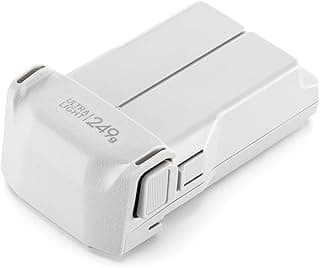
01 · Buy first
Mini 3 / Mini 3 Pro / Mini 4 Pro Intelligent Flight Battery
The first accessory most Mini pilots should buy.
Check at Amazon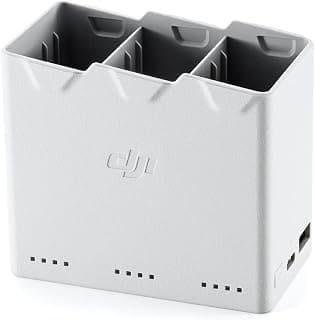
02 · Buy first
Mini 3 / Mini 4 Pro Two-Way Charging Hub
Turns loose batteries into an actual field workflow.
Check at AmazonMaintenance
What to check, and how often.
- Before every flight
- Inspect every propeller, motor bell, arm hinge, sensor window, and gimbal guard area. Replace a nicked or warped propeller instead of trying to straighten it.
- After dust, sand, salt, or moisture
- Power down, remove the battery, brush away loose debris, and let the aircraft dry fully. Do not use compressed air to drive grit into motors or gimbal bearings.
- Every 10 flights
- Review battery swelling, cell warnings, propeller screws, storage capacity, return-to-home altitude, and the app flight log.
- Before storage
- Let intelligent batteries manage themselves at room temperature, keep them out of a hot vehicle, and recheck charge state before the next job.
Troubleshooting
Common symptoms and what to check.
The aircraft drifts, will not hold position, or reports a compass warning
Move away from vehicles, reinforced concrete, speakers, and large metal objects. Confirm satellite status and follow the manufacturer calibration prompt only when the app asks for it.
Do not launch while position or compass warnings remain.
The horizon is tilted or footage vibrates
Remove the gimbal guard, inspect the gimbal dampers and propellers, clean the lens, and run the official gimbal calibration on a level surface.
Stop if the gimbal binds, chatters, or was struck hard enough to deform its mount.
Firmware update stalls or components show mismatched versions
Charge the aircraft and controller above the manufacturer minimum, keep every component powered and close together, use a stable network, and update each intelligent battery when required.
Do not fly through a version mismatch or repeated update failure. Use official support.
Return-to-home or automated flight approaches an obstacle
Cancel the maneuver, take manual control, climb or reposition only when the path is visibly clear, and reset the RTH altitude before the next launch.
Do not rely on obstacle avoidance that the Mini 3 does not have.
Official support
Manuals, firmware, parts.
Learn next
Where to go next.
- Registration checkerSee how weight, recreation, and Part 107 change the answer.
- First-flight checklistTurn setup into a controlled first launch.
- Can I fly here?Check airspace, authorization, TFRs, weather, and launch permission.
- Better aerial footageUse deliberate moves, exposure, and shot planning instead of relying on automation.
The short answer
The DJI Mini 3 is the simple camera-first Mini: a 248-gram standard configuration, a strong 1/1.3-inch camera, RAW stills, true vertical capture, and unusually long published battery limits without the cost of obstacle avoidance or subject tracking. It is a smart discounted buy for deliberate flights in open space. It is the wrong Mini for pilots who expect the aircraft to follow a subject or help protect itself around trees, wires, and structures.
What changes the decision
01
The camera is the reason to buy it
DJI pairs a 1/1.3-inch 48-megapixel sensor with a 24 mm-equivalent f/1.7 lens and a three-axis mechanical gimbal. The aircraft records 4K HDR video at up to 30 fps, saves JPEG or DNG stills, and physically rotates the camera for full-resolution vertical capture. That is a useful production kit for travel, real estate, social work, and calm daylight landscapes, especially when a cropped horizontal frame would waste resolution.
The missing Pro features matter if the brief is demanding. Video tops out at 4K/30, the only color profile is Normal, and there is no 4K/60 or 10-bit log workflow. Independent reviews consistently found the stabilized image quality strong for the class, but the Mini 3 is built for clean, straightforward capture rather than a deep grading or high-frame-rate pipeline.
02
No horizontal sensing changes how you fly
The Mini 3 has a downward vision system for positioning. It does not have forward, backward, side, or upward obstacle sensing, and it does not offer FocusTrack subject following. QuickShots can automate a short camera move, but the pilot still owns the route and must keep branches, wires, walls, and people out of it.
That distinction should drive the purchase. In open fields and deliberate travel shots, paying less for sensors you do not need can be rational. Around structures, wooded trails, moving subjects, or repeatable solo tracking work, the Mini 4 Pro's broader sensing and tracking are not decorative upgrades. They change the usable mission envelope, even though no sensing system replaces visual line of sight or route planning.
03
Battery choice changes the legal configuration
DJI lists the aircraft at 248 grams with the standard Intelligent Flight Battery and about 290 grams with the Intelligent Flight Battery Plus. The standard configuration can qualify for the FAA's sub-250-gram registration exception only when the flight is purely recreational. Every Part 107 aircraft must be registered, regardless of weight, and the Plus battery removes the recreational weight exception.
The published endurance figures, up to 38 minutes with the standard battery and 51 minutes with the Plus battery, are controlled-condition ceilings. One independent winter test reported roughly 25 minutes before the normal return reserve. Wind, temperature, climbing, transit, battery age, and landing reserve all reduce useful on-station time. Plan missions from observed battery performance, not the number on the product page.
04
The 2026 value question
The Mini 3 makes sense when it is meaningfully cheaper than a Mini 4 Pro and the work does not need tracking, broader sensing, 4K/60, or a log profile. Its DJI Fly workflow, RC and RC-N1 controller options, replaceable batteries, and established accessory market are easier to live with than many budget-drone ecosystems.
DJI guarantees Mini 3 software updates through December 31, 2026. That date is not a shutdown date, but it is a useful support-horizon signal for a buyer comparing old stock, used aircraft, and newer models. Confirm the exact controller, battery, firmware, Remote ID behavior, return policy, and battery health before treating a low listing price as a bargain.
Travel, Remote ID, and support
- Battery on a plane
- Intelligent Flight Battery: 18.1 Wh, no airline approval needed; Intelligent Flight Battery Plus: 28.4 Wh, no airline approval needed. Spares ride in the cabin only. Battery airline check
- Remote ID
- Built in; turns on with the heavier battery. FAA declaration RID000000062. Requires aircraft firmware V01.00.04.10 or later. Remote ID lookup
- Maker support
- Latest firmware found: v01.00.0410 (January 25, 2024). Support tracker
Sources behind this review
Manufacturer specifications set the hardware claims. Independent reviews are used to test that positioning and surface the practical tradeoffs. We did not receive or fly a review unit.
- DJI Mini 3 specifications
Weight, camera, gimbal, sensing, transmission, battery, and guaranteed-update specifications.
- DJI Mini 3 downloads and support
Current DJI Fly release, user manual, safety guidance, and firmware support resources.
- FAA Remote ID declaration for DJI Mini 3
Official FAA declaration record used with DJI's configuration guidance in the owner section below.
- TechRadar DJI Mini 3 review
Independent flight review used to cross-check practical battery time, handling, image quality, and the sensing tradeoff.
- Digital Camera World DJI Mini 3 review
Independent camera and flight review used to cross-check RAW output, vertical capture, autofocus, video, and software behavior.
Before you choose
Is the DJI Mini 3 still worth buying in 2026?
Yes when it is meaningfully cheaper than the Mini 4 Pro and you mainly fly planned routes in open space. Choose a newer Pro model when tracking, broader obstacle sensing, 4K/60, or a 10-bit color workflow is worth the price difference.
Does the DJI Mini 3 need FAA registration?
A standard-battery Mini 3 used only for recreation can qualify for the sub-250-gram registration exception. Every Part 107 aircraft must be registered, and the Battery Plus takes the aircraft above 249 grams.
Does the DJI Mini 3 have obstacle avoidance or subject tracking?
No. It has downward vision positioning but no forward, rear, side, or upward obstacle sensing, and it does not have FocusTrack. QuickShots automate short camera moves but do not turn the aircraft into a general subject-following drone.
Does the DJI Mini 3 broadcast Remote ID?
The FAA has accepted a Standard Remote ID declaration for the model, but DJI's firmware and battery configuration guidance matters. Review the owner desk on this page and verify the installed firmware and battery before relying on built-in broadcast behavior for a registered aircraft.
Ready to buy the DJI Mini 3?
Typical price $350 - $550 by controller and condition. Check availability before you commit. Buy through this link and we may earn a commission at no extra cost to you. Disclosure.
Compare with
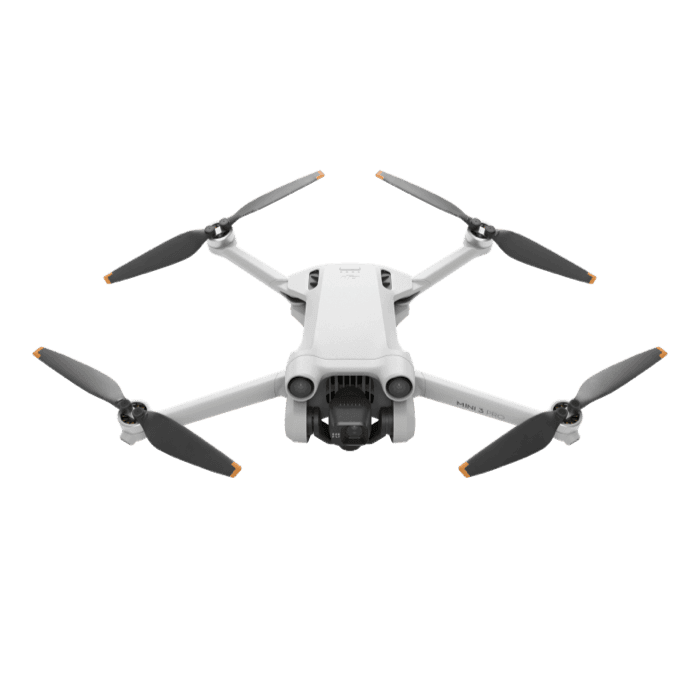
DJI
Mini 3 Pro
A mature lightweight camera drone whose real owner questions are now battery condition, controller compatibility, Plus-battery weight, Remote ID, and repair viability.
Strengths
- 4K/60, D-Cinelike, RAW photos, and true vertical capture in a compact aircraft
- Forward, backward, and downward sensing plus FocusTrack
- Large installed base with official manuals and repair support
Tradeoffs
- Discontinued from DJI's current camera-drone lineup
- Plus battery pushes the aircraft above 249 g
- No side or upward obstacle sensing and no internal storage
- Weight
- Under 249 g with standard battery
- Camera
- 1/1.3in, 48 MP; 4K/60
- Sensing
- Forward, backward, downward
- Flight time
- 34 min standard; 47 min Plus published max
- Control
- DJI RC or RC-N1
- App
- DJI Fly
Best for: Owners and careful used buyers who want a capable lightweight DJI without paying for the newest Mini generation.
Amazon comes first when available. Official links stay visible for exact specs, stock, and manufacturer support. We may earn a commission at no extra cost to you. Disclosure
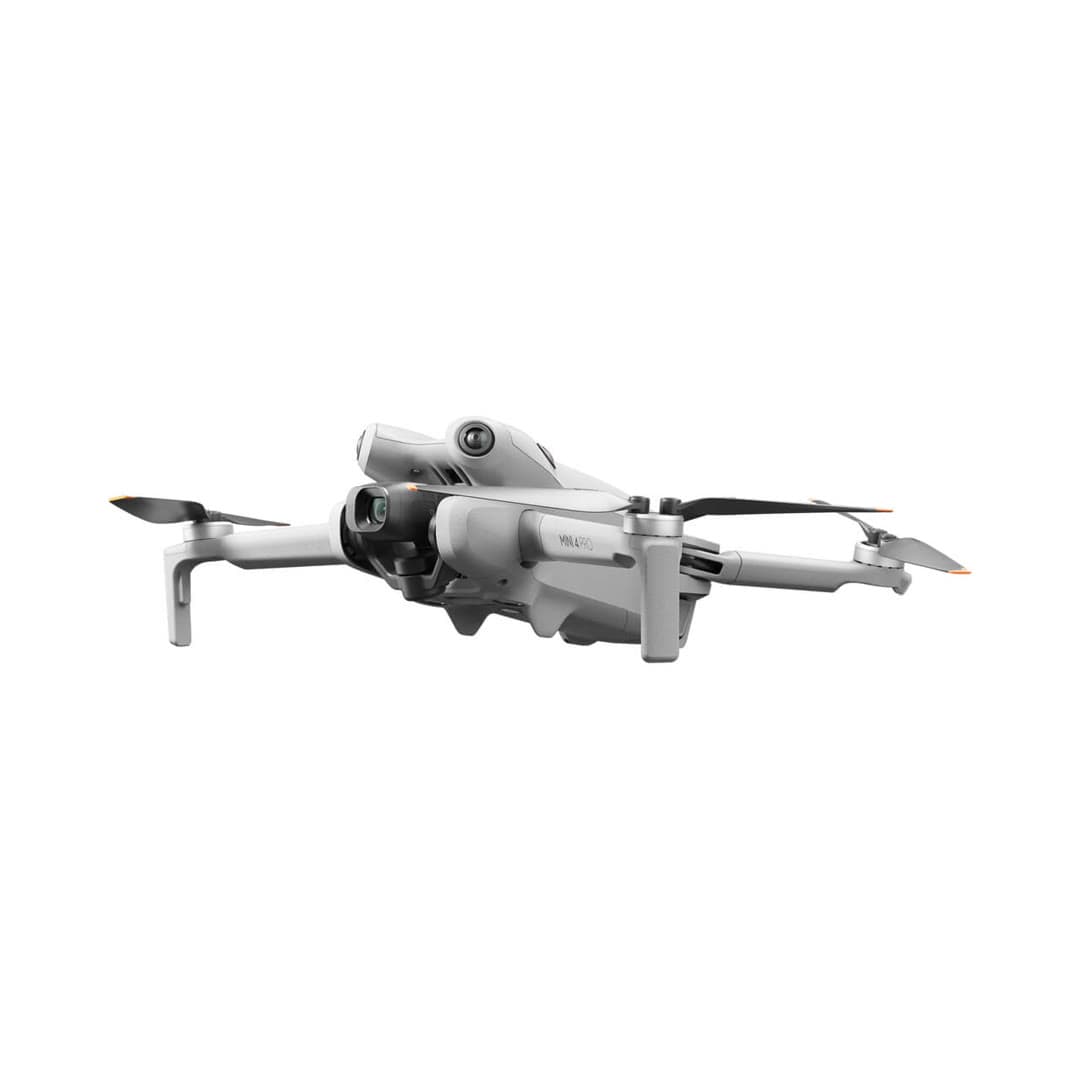
DJI
Mini 4 Pro
The drone most experienced flyers point beginners toward once budget allows: full omnidirectional obstacle sensing, long range, and excellent footage, all while staying under the 249 g recreational registration line.
Strengths
- Omnidirectional obstacle sensing, rare in a sub-250 g drone
- Strong 1/1.3-inch sensor with 4K/60 HDR and 10-bit D-Log M
- Long ~34-minute flight time and reliable O4 transmission
Tradeoffs
- Costs roughly double an entry drone once you add the controller
- Affected by the DJI import freeze: finite U.S. stock, drifting prices
- Overkill if you only want quick social clips
- Weight
- Under 249 g
- Camera
- 4K/60 HDR, 1/1.3in
- Flight time
- ~34 min (45 w/ Plus)
- Obstacle sensing
- Omnidirectional
- Transmission
- DJI O4, ~20 km
- Wind resistance
- Level 5
Best for: Buyers who want the best all-round Mini and can use the recreational sub-250 g registration exception with a standard configuration.
Amazon comes first when available. Official links stay visible for exact specs, stock, and manufacturer support. We may earn a commission at no extra cost to you. Disclosure
Aircraft to operation
Before first launch
Buying the aircraft is one decision. Use this sequence to get from the box to a deliberate, legal first flight.
Aircraft under consideration
DJI Mini 3
DJI Mini 3: Under 249 g with standard battery
- 01Check registration
Aircraft status
Set the registration path
DJI Mini 3 is listed at Under 249 g with standard battery. Recreational-only use may qualify for the sub-250 g exception. Part 107 flights still require registration, so confirm takeoff weight with the flight battery and accessories fitted.
- 02Start the airspace check
Launch location
Check the exact airspace
The aircraft does not decide whether a location is clear. Check the launch point, planned altitude, date, and time for controlled airspace, restrictions, and local launch rules.
- 03Check commercial requirements
Only when it is work
ConditionalDecide whether Part 107 applies
A small drone does not create a business-use exception. If the flight serves a client, employer, listing, monetized project, or another non-recreational purpose, check the Part 107 path first.
- 04Open the first-flight checklist
Props still off
Run the first-flight preflight
Confirm aircraft condition, firmware, battery health, controller link, home point, return-to-home settings, weather, people, obstacles, and the lost-link plan before takeoff.
How we score
The score is an editorial composite of four axes: flight and camera capability, owner sentiment drawn from published reviews, build and reliability, and value for the money. It reflects research and cross-checking rather than lab measurement, and we do not invent star counts. Prices are typical U.S. street bands and move around, especially for DJI while the import freeze lasts.
Affiliate relationships do not change our scores or rankings. Read the full affiliate disclosure.