Drone Authority · Owner guide · Three-camera production drone
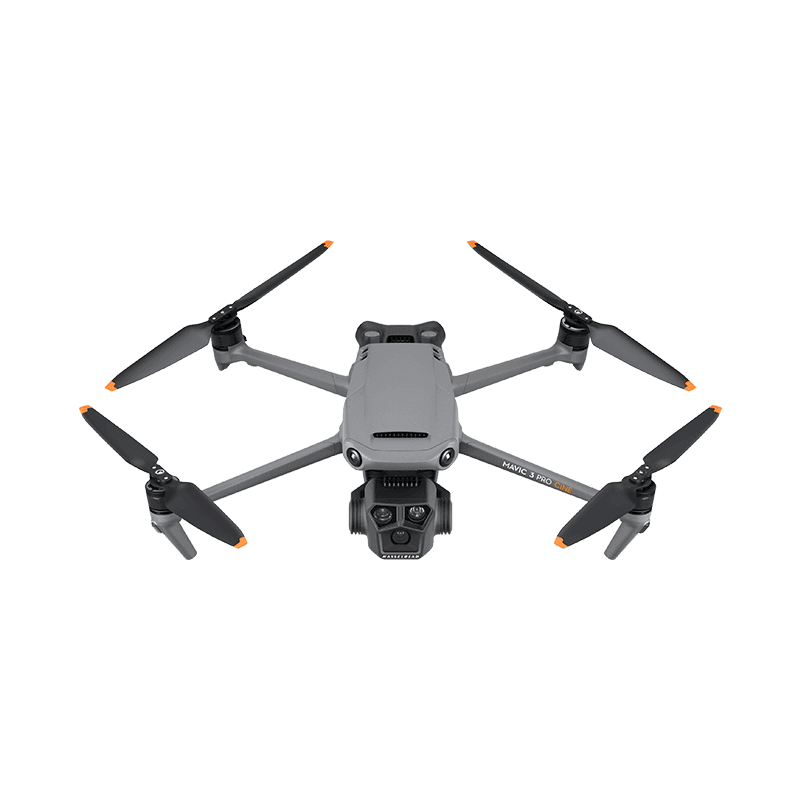
DJI Mavic 3 Pro / Cine
Built from official manuals, FAA records, current support pages, and model-specific compatibility checks. It is an ownership guide, not a hands-on review.
Ownership brief
Best Mature Production SystemAerial video and photography crews that can make use of three optical focal lengths and need a proven production ecosystem.
Price band only. Official manufacturer page. We earn no commission.
- Typical price
- $1,800 - $4,800 by Pro, Cine, and controller
- Category
- Three-camera production drone
Owner desk
Mature, U.S. supply watchLiving with the Mavic 3 Pro / Cine.
Mavic 3 Pro only earns its weight and cost when the 24, 70, and 166 mm cameras have defined jobs. Owners should build a camera-by-camera exposure, filter, storage, and delivery workflow instead of treating the three lenses as one camera.
Configuration
Three-camera Pro and Cine production system
Weight
958 g Mavic 3 Pro; 963 g Mavic 3 Pro Cine
Legal configuration
Registration, Remote ID, and what changes them.
The three-camera gimbal is sensitive to filter and guard fit. Keep vision sensors, cooling, antennas, and gimbal travel clear of every add-on.
- Recreational
- Registration is required because the aircraft is over 250 g.
- Part 107
- Register the exact Pro or Pro Cine aircraft before any non-recreational operation.
- Remote ID
- The FAA lists separate accepted Standard Remote ID declarations for Mavic 3 Pro and Mavic 3 Pro Cine. Match the aircraft serial to the correct record.
- Control stack
- DJI Fly with DJI RC-N1, DJI RC, or RC Pro by kit
First 30 minutes
Set it up before the launch site.
- 01
Charge and inventory the whole system
Charge the aircraft battery and DJI RC or RC Pro. Remove every transport protector, confirm the correct propellers, and inspect for shipping damage.
- 02
Activate in DJI Fly
Connect to the internet, activate the aircraft, bind any service plan, and complete every prompted aircraft, controller, and battery update before leaving home.
- 03
Set the safety envelope
Confirm return-to-home altitude, obstacle behavior, signal-loss action, units, storage location, and camera defaults. These are aircraft settings, not assumptions.
- 04
Prove all three cameras
Match white balance and color intent, record every camera and codec, test focus and filters, ingest the files, and confirm the final delivery resolution before client work.
Compatible kit
What to buy first.
Buy production redundancy: batteries, propellers, approved media, exact Pro camera filters, and a case that fits the actual controller. Cine owners also need a proven SSD offload path.
What not to change
Only Mavic 3 Pro-specific camera filters and gimbal protection fit the three-camera cluster. Avoid unsupported batteries, antenna changes, firmware changes, and payload mounts.
We have not verified any third-party exact-fit parts yet.
Nothing has passed our fit check for this model yet, so we are not going to guess. Use the official parts path below and check the model name on every flight-critical part. The wider store still carries field gear that never touches the aircraft.
Browse field gearMaintenance
What to check, and how often.
- Before every flight
- Inspect every propeller, motor bell, arm hinge, sensor window, and gimbal guard area. Replace a nicked or warped propeller instead of trying to straighten it.
- After dust, sand, salt, or moisture
- Power down, remove the battery, brush away loose debris, and let the aircraft dry fully. Do not use compressed air to drive grit into motors or gimbal bearings.
- Every 10 flights
- Review battery swelling, cell warnings, propeller screws, storage capacity, return-to-home altitude, and the app flight log.
- Before storage
- Let intelligent batteries manage themselves at room temperature, keep them out of a hot vehicle, and recheck charge state before the next job.
Troubleshooting
Common symptoms and what to check.
The aircraft drifts, will not hold position, or reports a compass warning
Move away from vehicles, reinforced concrete, speakers, and large metal objects. Confirm satellite status and follow the manufacturer calibration prompt only when the app asks for it.
Do not launch while position or compass warnings remain.
The horizon is tilted or footage vibrates
Remove the gimbal guard, inspect the gimbal dampers and propellers, clean the lens, and run the official gimbal calibration on a level surface.
Stop if the gimbal binds, chatters, or was struck hard enough to deform its mount.
Firmware update stalls or components show mismatched versions
Charge the aircraft and controller above the manufacturer minimum, keep every component powered and close together, use a stable network, and update each intelligent battery when required.
Do not fly through a version mismatch or repeated update failure. Use official support.
One focal length looks soft, mismatched, or incorrectly exposed
Clean each lens, remove and reseat the exact-fit filter, match exposure and white balance, confirm focus behavior, and compare all cameras on a controlled subject.
Stop if the gimbal binds, a lens module is loose, or the mismatch persists after a controlled no-filter test.
Official support
Manuals, firmware, parts.
Learn next
Where to go next.
- Registration checkerSee how weight, recreation, and Part 107 change the answer.
- First-flight checklistTurn setup into a controlled first launch.
- Can I fly here?Check airspace, authorization, TFRs, weather, and launch permission.
- Better aerial footageUse deliberate moves, exposure, and shot planning instead of relying on automation.
- Commercial requirements checkerBuild the legal and operational stack around a production job.
Published figures
- Weight
- 958 g Pro; 963 g Cine
- Camera
- 24mm 4/3 + 70mm + 166mm
- Storage
- 8 GB Pro; 1 TB Cine
- Flight time
- 43 min published max
- Control
- RC-N1, DJI RC, or RC Pro by kit
- App
- DJI Fly
Against the 250 g registration line
958 g
Above the line. Register this aircraft with the FAA before you fly it, recreationally or under Part 107, and meet Remote ID. Registration rules
Ownership strengths
- Three optical focal lengths that materially change shot planning
- 4/3 Hasselblad main camera and useful 70mm medium tele
- Cine option adds Apple ProRes and 1 TB internal SSD
Best fit. Aerial video and photography crews that can make use of three optical focal lengths and need a proven production ecosystem.
Owner cautions
- Large investment once batteries, filters, media, controller, and case are included
- 43-minute claim is a controlled maximum, not working production time
- Aircraft-specific filter sets and gimbal protection must match the Pro camera cluster
Look elsewhere if. Large investment once batteries, filters, media, controller, and case are included
What the DJI Mavic 3 Pro / Cine is
Mavic 3 Pro is the mature three-camera production system. Ownership turns on camera-specific filters and settings, Pro versus Cine storage, controller choice, battery health, and U.S. supply realities.
This page is organized around setup, legal configuration, exact-fit parts, maintenance, troubleshooting, and current official support. It is not presented as a hands-on Drone Authority review.
Travel, Remote ID, and support
- Battery on a plane
- Intelligent Flight Battery: 77 Wh, no airline approval needed. Spares ride in the cabin only. Battery airline check
- Remote ID
- Standard Remote ID built in. FAA declaration RID000000204, RID000000205. Remote ID lookup
- Maker support
- Latest firmware found: v01.01.0700 (July 23, 2024). Support tracker
Shopping for the DJI Mavic 3 Pro / Cine?
Typical price $1,800 - $4,800 by Pro, Cine, and controller. Check availability before you commit.
Compare with
DJI
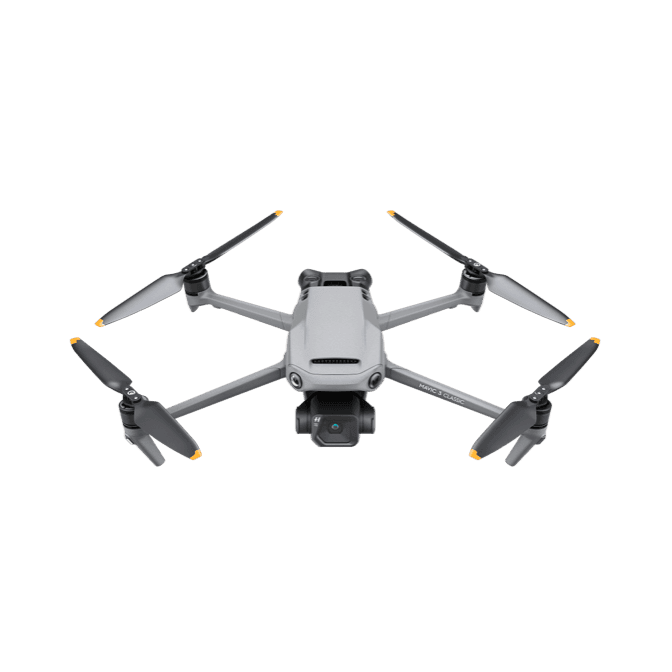
Mavic 3 Classic
Mavic 3 Classic keeps the Mavic 3 airframe and 4/3 Hasselblad main camera while removing the tele camera. That simplicity is its value and its main buying boundary.
Strengths
- Excellent 4/3 camera with adjustable aperture and 10-bit workflows
- Omnidirectional sensing and 46-minute published endurance
- Simpler camera system than the Mavic 3 Pro at a lower cost
Tradeoffs
- No optical tele camera
- Heavier and more expensive to operate than Air or Mini systems
- Camera-specific filters and gimbal protector do not follow every Mavic 3 variant
- Weight
- 895 g
- Camera
- 4/3 Hasselblad, 20 MP; 5.1K/50
- Aperture
- Adjustable f/2.8-f/11
- Flight time
- 46 min published max
- Control
- RC-N1, DJI RC, or RC Pro
- App
- DJI Fly
Best for: Pilots who want the Mavic 3 family's best main camera and safety platform without paying for tele cameras they will not use.
Amazon comes first when available. Official links stay visible for exact specs, stock, and manufacturer support.
DJI
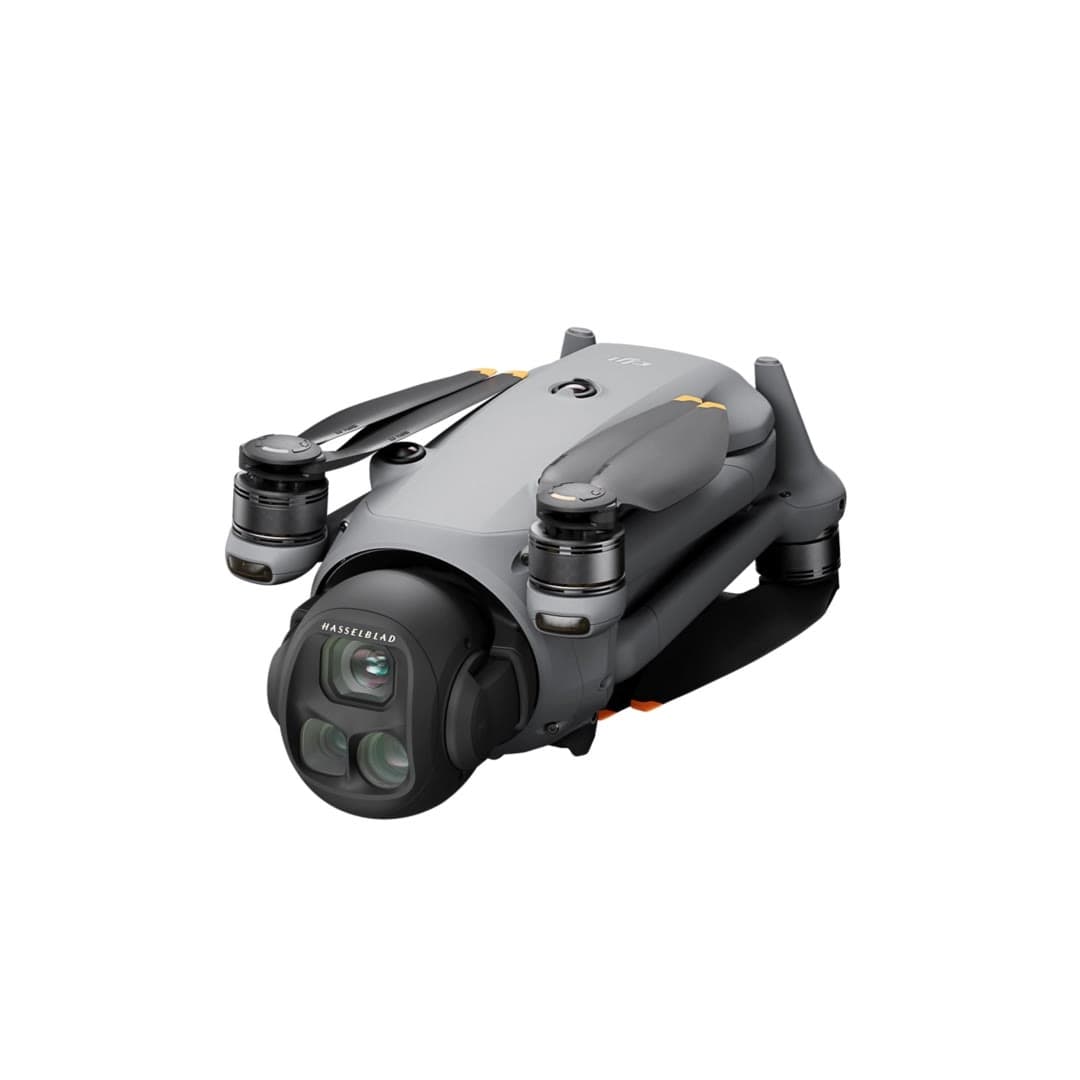
Mavic 4 Pro
DJI's flagship and the most capable consumer camera drone we've researched: a triple-camera system with a 100MP Hasselblad main sensor, a 360-degree rotating gimbal, and roughly 51 minutes of flight time.
Strengths
- Triple-camera system (28/70/168 mm) with a 100MP Hasselblad main sensor
- 360-degree rotating gimbal enables shots other drones can't get
- Class-leading ~51-minute flight time and LiDAR-aided sensing
Tradeoffs
- Premium price, a serious investment for most buyers
- Over 250 g; requires FAA registration
- Most exposed to the DJI import freeze: limited, pricey U.S. stock
- Cameras
- 28 / 70 / 168 mm triple
- Main sensor
- 100MP Hasselblad
- Gimbal
- 360° rotating
- Flight time
- ~51 min
- Obstacle sensing
- Omni + LiDAR
- Weight
- Over 250 g (register)
Best for: Professional and prosumer creators who need the best image quality available.
Amazon comes first when available. Official links stay visible for exact specs, stock, and manufacturer support. We may earn a commission at no extra cost to you. Disclosure
Aircraft to operation
Before first launch
Buying the aircraft is one decision. Use this sequence to get from the box to a deliberate, legal first flight.
Aircraft under consideration
DJI Mavic 3 Pro / Cine
DJI Mavic 3 Pro / Cine: 958 g Pro; 963 g Cine
- 01Check registration
Aircraft status
Set the registration path
DJI Mavic 3 Pro / Cine is listed at 958 g Pro; 963 g Cine. Plan on registration before launch. Part 107 registration is per aircraft.
- 02Start the airspace check
Launch location
Check the exact airspace
The aircraft does not decide whether a location is clear. Check the launch point, planned altitude, date, and time for controlled airspace, restrictions, and local launch rules.
- 03Check commercial requirements
Likely work aircraft
ConditionalClear the commercial requirements
DJI Mavic 3 Pro / Cine is commonly considered for paid or business work. Confirm the pilot certificate, aircraft registration, Remote ID, airspace, and mission-specific requirements before quoting the job.
- 04Open the first-flight checklist
Props still off
Run the first-flight preflight
Confirm aircraft condition, firmware, battery health, controller link, home point, return-to-home settings, weather, people, obstacles, and the lost-link plan before takeoff.
How this guide is built
This guide draws on official manuals and support pages, FAA Remote ID records, published specifications, and compatibility data. It separates confirmed exact-fit parts from universal gear, and it does not imply we have flown the aircraft.
Affiliate relationships do not change our scores or rankings. Read the full affiliate disclosure.