Drone Authority · Owner guide · Ready-to-fly FPV kit
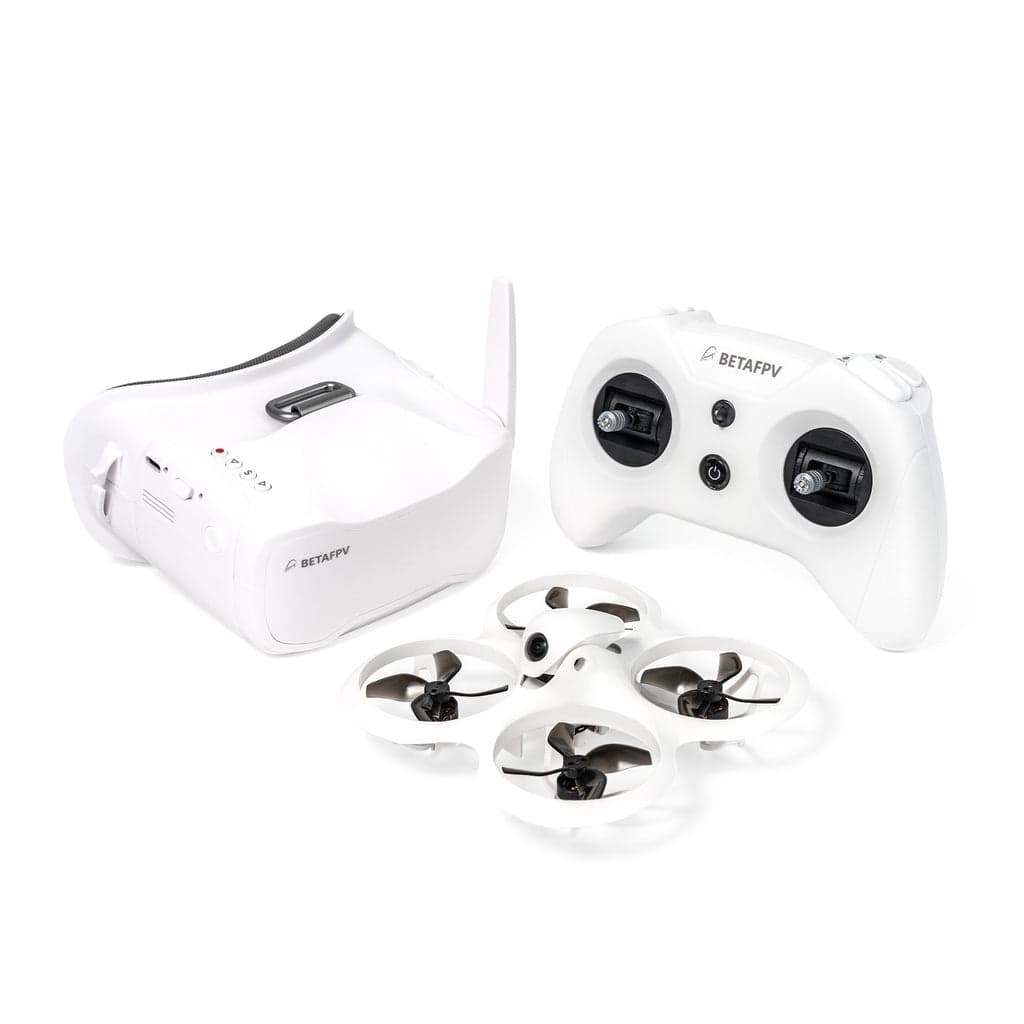
BETAFPV Cetus X FPV Kit
Built from official manuals, FAA records, current support pages, and model-specific compatibility checks. It is an ownership guide, not a hands-on review.
Ownership brief
A simulator-trained beginner who wants one complete analog kit and a deliberate route from stabilized modes into manual FPV.
Price band only. Affiliate link: we may earn a commission at no extra cost to you. Disclosure
- Typical price
- $250 - $350
- Category
- Ready-to-fly FPV kit
Owner desk
Variant check requiredLiving with the Cetus X FPV Kit.
The Cetus X is not one universal configuration. Identify whether the kit uses Cetus firmware or a Betaflight/ELRS stack before changing radios, firmware, batteries, receiver settings, or replacement electronics.
Configuration
Brushless ready-to-fly FPV system
Weight
55 g aircraft according to BETAFPV's official Cetus X aircraft page
Legal configuration
Registration, Remote ID, and what changes them.
Different batteries, cameras, VTX hardware, antennas, and Remote ID modules change handling, endurance, and the ready-to-fly configuration.
- Recreational
- A stock 55 g aircraft can qualify for the recreational registration exception, but the flight still must follow recreational rules and applicable Remote ID requirements.
- Part 107
- Register the aircraft for any Part 107 operation, even at this weight.
- Remote ID
- A small FPV kit does not automatically include Standard Remote ID. Confirm the operating path, registration status, module weight, and FAA requirements for the exact use.
- Control stack
- BETAFPV Configurator or Betaflight Configurator, depending on the exact kit
First 30 minutes
Set it up before the launch site.
- 01
Identify the exact variant
Read the box, aircraft label, receiver, radio protocol, flight-controller documentation, and firmware path before connecting any configurator.
- 02
Charge the matched packs correctly
Use the supplied or manufacturer-approved charger and battery type, inspect every cell and lead, and never charge a damaged or puffed LiPo.
- 03
Prove modes and failsafe without props
Confirm stick direction, arming, mode switches, receiver behavior, and failsafe for the exact firmware stack before installing props for flight.
- 04
Start after simulator practice
Use a clear area, begin in the supported stabilized mode, fly close and low, and move toward manual acro only after the same control inputs are automatic in a simulator.
Compatible kit
What to buy first.
Safety storage and a battery checker are safer universal first buys than guessing at a pack. The official aircraft page recommends original BT2.0 450 mAh 1S packs; confirm bay size, connector, capacity, and kit revision before ordering batteries.
What not to change
Do not flash firmware from a different Cetus X variant. Match the radio protocol, receiver, flight controller, VTX, motors, prop direction, connector, voltage, and battery capacity to the exact kit.
Amazon links are affiliate links. We may earn a commission at no extra cost to you. Fit notes and ordering are editorial decisions.
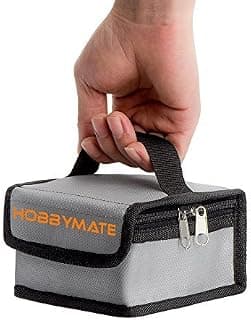
01 · Add later
LiPo Charging and Storage Safe Bag
Boring, cheap, and sensible once batteries start multiplying.
Check at Amazon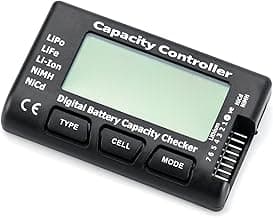
Maintenance
What to check, and how often.
- Before every pack
- Check propellers, guards, motor shafts, antenna, battery retention, camera angle, video link, controls, and failsafe.
- After any crash
- Disarm, disconnect the packs, inspect the frame and motors, clear debris, and test at low power before another full flight.
- Every session
- Log damaged packs, retire puffed or punctured LiPos, and return reusable packs to storage voltage with the correct charger.
- After firmware or radio changes
- Recheck stick direction, arming, modes, failsafe, video, receiver behavior, and motor order in a controlled area.
Troubleshooting
Common symptoms and what to check.
The radio will not bind
Confirm Cetus versus Betaflight/ELRS variant, exact radio protocol, receiver mode, firmware target, bind procedure, and antenna condition.
Do not flash a guessed target or fly with an intermittent receiver link.
The quad flips on takeoff
Disarm immediately and verify propeller orientation, motor direction, motor order, flight-controller orientation, and accelerometer setup for the exact firmware stack.
Do not keep adding throttle to diagnose a flip.
Video is noisy or disappears
Confirm goggles channel and band, inspect VTX and antenna connections, keep the antenna attached before power-up, and test at low power nearby.
Do not fly behind obstacles or beyond a link that has not been proven close and clear.
Official support
Manuals, firmware, parts.
Learn next
Where to go next.
- FPV simulator guideBuild control memory before practicing manual flight on a real aircraft.
- First FPV flightUse a deliberate progression from stabilized flight to manual control.
- Registration checkerSee how flight purpose and aircraft configuration affect the answer.
- Can I fly here?Goggles and a small aircraft do not remove airspace or site requirements.
Published figures
- Aircraft
- 55 g brushless whoop
- Power
- 2S from two 1S BT2.0 packs
- Video
- Analog FPV kit
- Package
- Drone, radio, goggles, batteries, charger, case
- Variants
- Cetus firmware and Betaflight/ELRS versions exist
- Progression
- Stabilized practice to manual acro
Against the 250 g registration line
55 g
Below the line. Flown recreationally and unmodified, this aircraft does not need FAA registration. Any Part 107 flight still does, and added gear can push it over. Registration rules
Ownership strengths
- Complete aircraft, radio, goggles, battery, charger, and case package
- Brushless 2S power leaves more room to progress than a very mild indoor trainer
- Protected whoop frame reduces the consequence of early low-speed contact
Best fit. A simulator-trained beginner who wants one complete analog kit and a deliberate route from stabilized modes into manual FPV.
Owner cautions
- Cetus and Betaflight/ELRS variants are not interchangeable configuration labels
- Analog video is functional rather than cinematic
- LiPo charging, storage voltage, and crash inspection add real ownership work
Look elsewhere if. Cetus and Betaflight/ELRS variants are not interchangeable configuration labels
What the BETAFPV Cetus X FPV Kit is
The Cetus X is a complete brushless analog FPV package intended to bridge stabilized beginner flight and manual acro practice. Exact firmware, receiver, radio, battery, and parts compatibility depends on the kit variant.
This page is organized around setup, legal configuration, exact-fit parts, maintenance, troubleshooting, and current official support. It is not presented as a hands-on Drone Authority review.
Shopping for the BETAFPV Cetus X FPV Kit?
Typical price $250 - $350. Check availability before you commit. Buy through this link and we may earn a commission at no extra cost to you. Disclosure.
Compare with
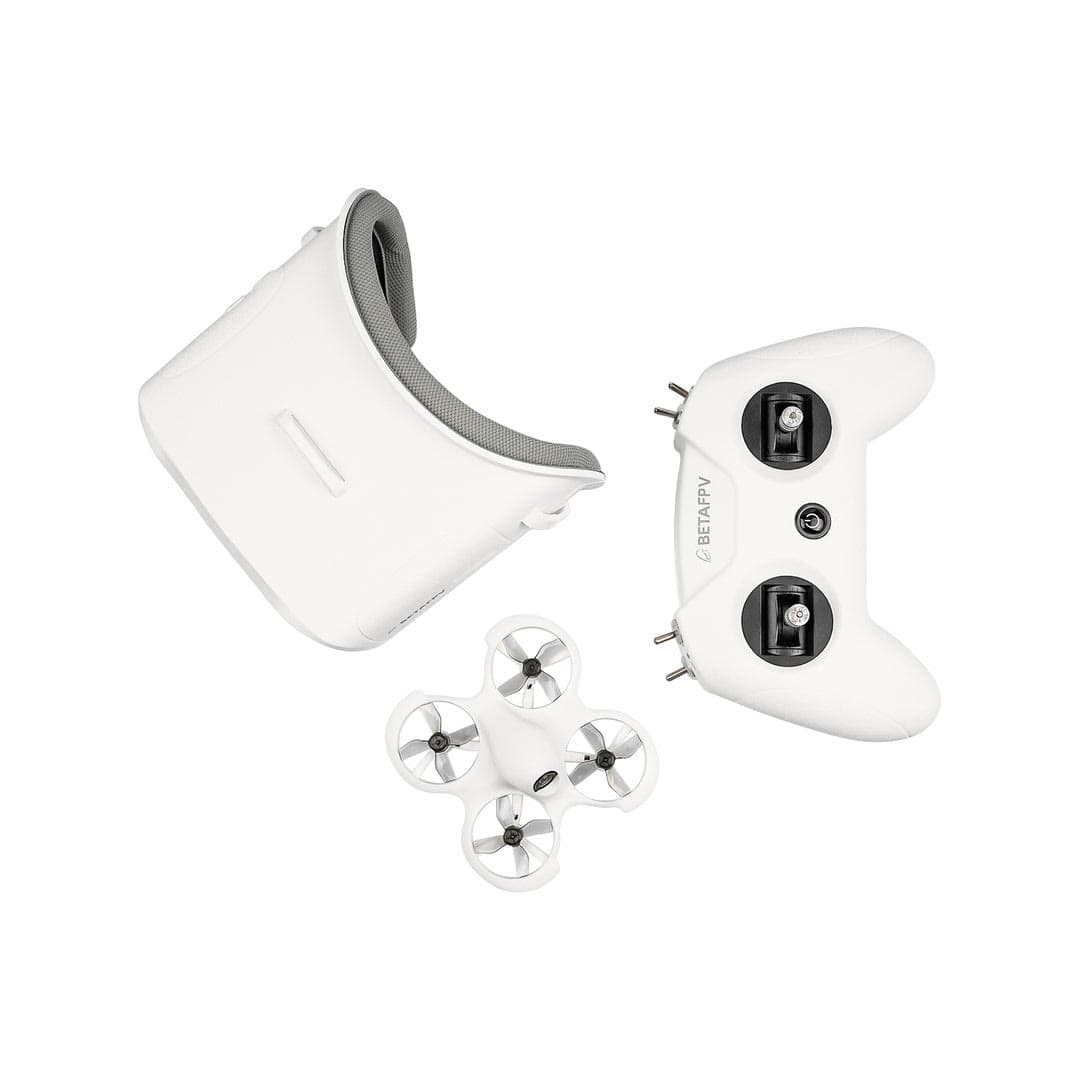
BETAFPV
Cetus FPV Kit
A complete, self-contained way to learn first-person-view flying: the kit includes the drone, goggles, and radio, with training modes that ease you from stabilized hovering toward full manual acro.
Strengths
- Everything to start FPV in one box: goggles and radio included
- Stepped flight modes safely bridge beginners to manual acro
- Light enough to crash indoors and keep practicing
Tradeoffs
- Very short ~4–5 minute flights; you'll want spare batteries fast
- Tiny-whoop performance is limited outdoors and in wind
- FPV has a steeper learning curve than GPS camera drones
- Brushed motors wear out; the bundled Frsky D8 radio will not bind to most ELRS quads you buy next
- Type
- FPV, ready-to-fly
- Includes
- Drone + goggles + radio
- Weight
- 35 g with battery
- Flight time
- ~4–5 min per battery
- Modes
- Normal / Sport / Manual
- Motors
- 716 brushed (Cetus Pro is the brushless version)
- Radio protocol
- Frsky D8 (LiteRadio 2 SE), not ELRS
- Best use
- Learning FPV indoors
Best for: Anyone who wants to learn FPV flying without assembling parts or a big outlay.
Amazon comes first when available. Official links stay visible for exact specs, stock, and manufacturer support. We may earn a commission at no extra cost to you. Disclosure
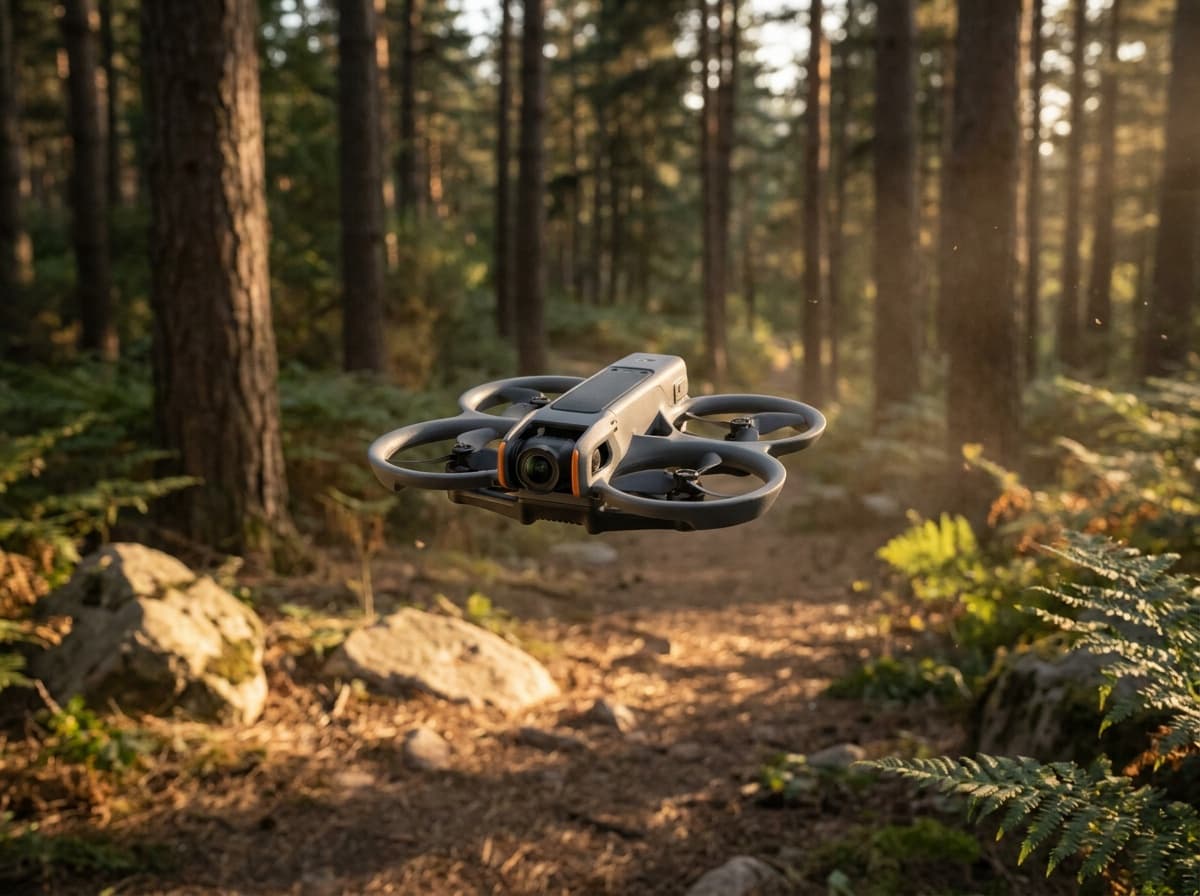
DJI
Avata 2
DJI's ready-to-fly FPV package: a ducted 4K cinewhoop with Goggles 3 and the Motion 3 controller in the box, one-button flips and rolls, and prop guards that forgive beginner mistakes.
Strengths
- Complete FPV kit in one box: no building, binding, or soldering
- Goggles 3 pairing with one-button acro makes immersive flying instantly accessible
- Ducted design is far safer indoors and near people than open-prop quads
Tradeoffs
- Locked DJI ecosystem: no custom parts path when you outgrow it
- Heavier than 250 g, so registration always applies
- Camera
- 1/1.3-in, 4K HDR, 155° FOV
- Kit
- Goggles 3 + RC Motion 3 included (Fly More combo)
- Safety
- Built-in prop guard, RTH, binocular sensing
- Transmission
- O4, up to 8 mi
Best for: Pilots who want goggle flying today, without building a quad first.
Amazon comes first when available. Official links stay visible for exact specs, stock, and manufacturer support. We may earn a commission at no extra cost to you. Disclosure
Aircraft to operation
Before first launch
Buying the aircraft is one decision. Use this sequence to get from the box to a deliberate, legal first flight.
Aircraft under consideration
BETAFPV Cetus X FPV Kit
BETAFPV Cetus X FPV Kit: 55 g aircraft according to BETAFPV's official Cetus X aircraft page
- 01Check registration
Aircraft status
Set the registration path
BETAFPV Cetus X FPV Kit is listed at 55 g aircraft according to BETAFPV's official Cetus X aircraft page. Recreational-only use may qualify for the sub-250 g exception. Part 107 flights still require registration, so confirm takeoff weight with the flight battery and accessories fitted.
- 02Start the airspace check
Launch location
Check the exact airspace
The aircraft does not decide whether a location is clear. Check the launch point, planned altitude, date, and time for controlled airspace, restrictions, and local launch rules.
- 03Check commercial requirements
Only when it is work
ConditionalDecide whether Part 107 applies
A small drone does not create a business-use exception. If the flight serves a client, employer, listing, monetized project, or another non-recreational purpose, check the Part 107 path first.
- 04Open the first-flight checklist
Props still off
Run the first-flight preflight
Confirm aircraft condition, firmware, battery health, controller link, home point, return-to-home settings, weather, people, obstacles, and the lost-link plan before takeoff.
How this guide is built
This guide draws on official manuals and support pages, FAA Remote ID records, published specifications, and compatibility data. It separates confirmed exact-fit parts from universal gear, and it does not imply we have flown the aircraft.
Affiliate relationships do not change our scores or rankings. Read the full affiliate disclosure.