Drone Authority · Owner guide · Selfie / tracking drone
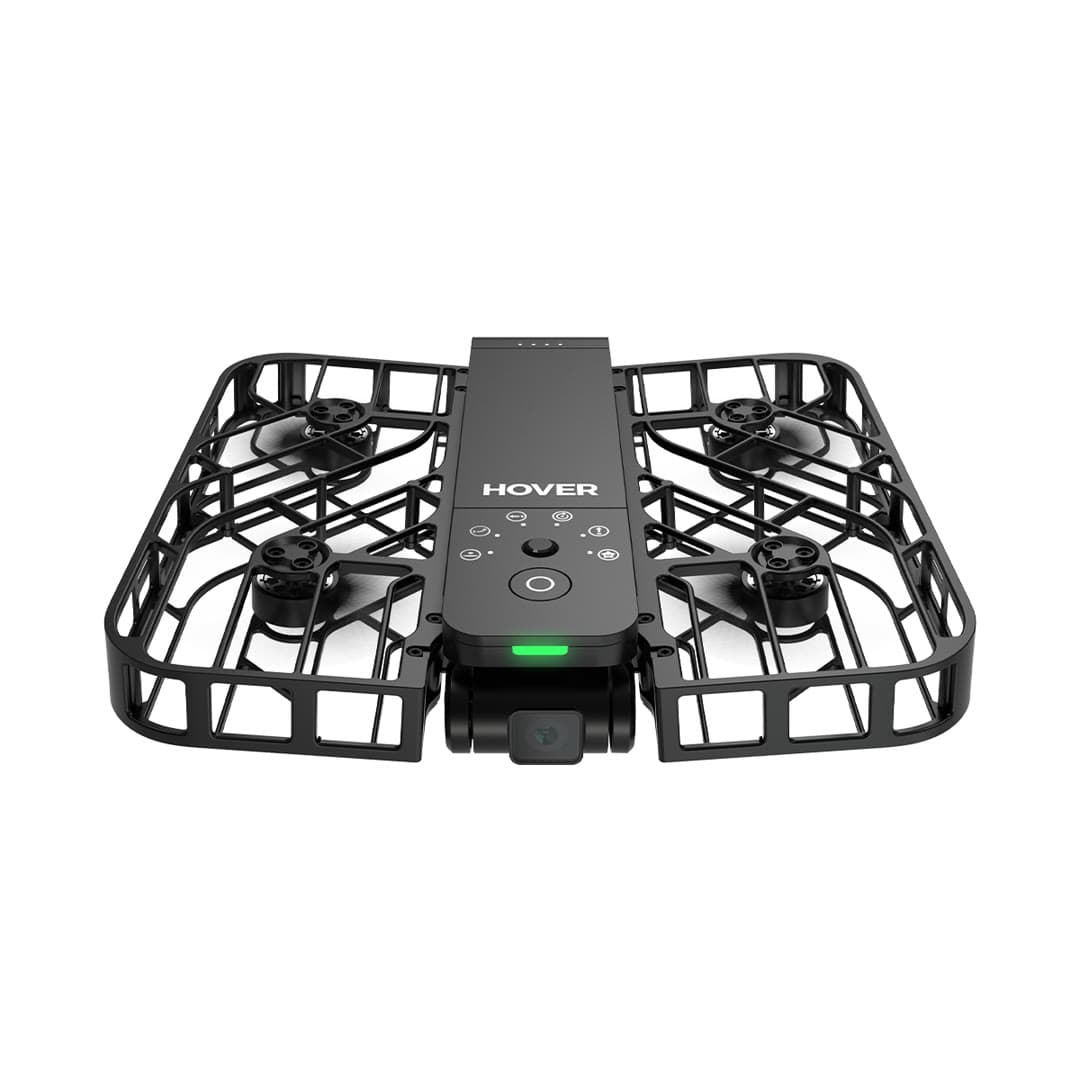
HOVERAir X1
Built from official manuals, FAA records, current support pages, and model-specific compatibility checks. It is an ownership guide, not a hands-on review.
Ownership brief
Creators and athletes who want automatic follow-me video without learning to pilot.
Price band only. Affiliate link: we may earn a commission at no extra cost to you. Disclosure
- Typical price
- $299 – $400
- Category
- Selfie / tracking drone
Owner desk
Current support, older generationLiving with the X1.
The original X1 is a close-range automated camera. Its useful upgrade path is batteries, storage, and better route planning, not trying to turn it into a wind-capable GPS camera drone.
Configuration
Pocket follow camera
Weight
Approximately 125 g
Legal configuration
Registration, Remote ID, and what changes them.
Avoid mounted lights or payloads that block the enclosed propellers, optical positioning, or camera.
- Recreational
- Stock recreational flights can qualify for the under-250 g registration exception.
- Part 107
- Register X1 for any Part 107 operation.
- Remote ID
- Confirm the exact original X1 declaration and current firmware if registration is required. Do not borrow X1 PRO Remote ID guidance.
- Control stack
- Hover X1 app
First 30 minutes
Set it up before the launch site.
- 01
Charge, unfold, and clear the guards
Charge every battery, inspect the enclosed propellers, and remove lint, hair, grass, or packaging from the guards and sensors.
- 02
Activate in the Hover X1 app
Pair the flying camera, update the aircraft and any Beacon or accessory, and review each flight mode before using it near a subject.
- 03
Choose the route before the mode
Walk the full automated path. Look for branches, wires, people, traffic, reflective water, drop-offs, and places where an emergency landing would be unrecoverable.
- 04
Start slow and close
Use a simple mode in open ground at walking speed, verify subject lock and stop behavior, then expand speed, height, and terrain one variable at a time.
Compatible kit
What to buy first.
No current store product is verified for the original X1. Keep this list empty until original-X1 batteries, charging, or cases are represented; X1 PRO and PROMAX parts are a different system unless HOVERAir says otherwise.
What not to change
Do not treat a light automated camera as a conventional long-range drone. Avoid payloads, guard alterations, and unsupported batteries.
We have not verified any third-party exact-fit parts yet.
Nothing has passed our fit check for this model yet, so we are not going to guess. Use the official parts path below and check the model name on every flight-critical part. The wider store still carries field gear that never touches the aircraft.
Browse field gearMaintenance
What to check, and how often.
- Before every launch
- Check the enclosed propeller cage, propeller tips, camera window, and subject-tracking sensors. Hair, grass, and lint can hide inside the guard.
- After a hand catch or bump
- Stop the motors, inspect every blade and guard joint, then perform a low hover in a clear area before another tracking run.
- Every 10 flights
- Clean the lens and sensors with a blower and microfiber cloth, review battery health, and export footage before internal storage fills.
- Before storage
- Store dry, unfolded only if the manual calls for it, and away from heat that can deform guards or stress batteries.
Troubleshooting
Common symptoms and what to check.
Tracking loses the subject or chooses the wrong person
Use open contrast-rich terrain, simplify the background, keep the subject inside the supported speed and distance envelope, and restart the tracking mode before moving.
Stop the automated run when the route approaches people, traffic, branches, wires, or an unrecoverable landing area.
Palm launch or landing will not start cleanly
Confirm the correct mode, battery state, sensor cleanliness, level hand position, and a clear area around every propeller guard.
Use a normal landing surface if the aircraft oscillates, misreads the hand, or wind makes the catch uncertain.
Video looks soft or stabilization jumps
Clean the lens, verify the intended resolution and stabilization mode, check free storage, and inspect the guards and propellers for impact damage.
Stop if the camera module is loose or the aircraft vibrates in a steady hover.
Official support
Manuals, firmware, parts.
Learn next
Where to go next.
- Registration checkerSee how weight, recreation, and Part 107 change the answer.
- First-flight checklistTurn setup into a controlled first launch.
- Can I fly here?Check airspace, authorization, TFRs, weather, and launch permission.
- Better aerial footageUse deliberate moves, exposure, and shot planning instead of relying on automation.
Published figures
- Weight
- 125 g (recreational registration exempt)
- Camera
- 2.7K stabilized
- Flight time
- ~11 min
- Design
- Enclosed, foldable
- Control
- Fully automated / app
- Not DJI
- Unaffected by import freeze
Against the 250 g registration line
125 g
Below the line. Flown recreationally and unmodified, this aircraft does not need FAA registration. Any Part 107 flight still does, and added gear can push it over. Registration rules
Ownership strengths
- Self-flying, enclosed, and genuinely pocketable for content creators
- 125 g and recreational registration exempt; enclosed propellers reduce contact risk
- Not a DJI product, so no import-freeze supply concerns
Best fit. Creators and athletes who want automatic follow-me video without learning to pilot.
Owner cautions
- 2.7K camera and short ~11-minute flights limit serious use
- Automated flight paths only; little manual control or range
- Not built for landscape or long-distance photography
Look elsewhere if. 2.7K camera and short ~11-minute flights limit serious use
What the HOVERAir X1 is
A pocketable, fully enclosed flying camera built for hands-free selfies and action follow shots, not a traditional manual-flying camera drone, and that's by design.
This page is organized around setup, legal configuration, exact-fit parts, maintenance, troubleshooting, and current official support. It is not presented as a hands-on Drone Authority review.
Travel, Remote ID, and support
- Battery on a plane
- Intelligent Battery: 8.09 Wh, no airline approval needed. Spares ride in the cabin only. Battery airline check
- Remote ID
- Not on the FAA list. No FAA-accepted declaration for the HOVERAir X1. Recreational flights need no Remote ID if it weighs under 250 g as flown; otherwise use a broadcast module or a FRIA. Remote ID lookup
- Maker support
- Latest firmware found: v8.1.1 (November 28, 2025). Support tracker
Shopping for the HOVERAir X1?
Typical price $299 – $400. Check availability before you commit. Buy through this link and we may earn a commission at no extra cost to you. Disclosure.
Compare with
DJI
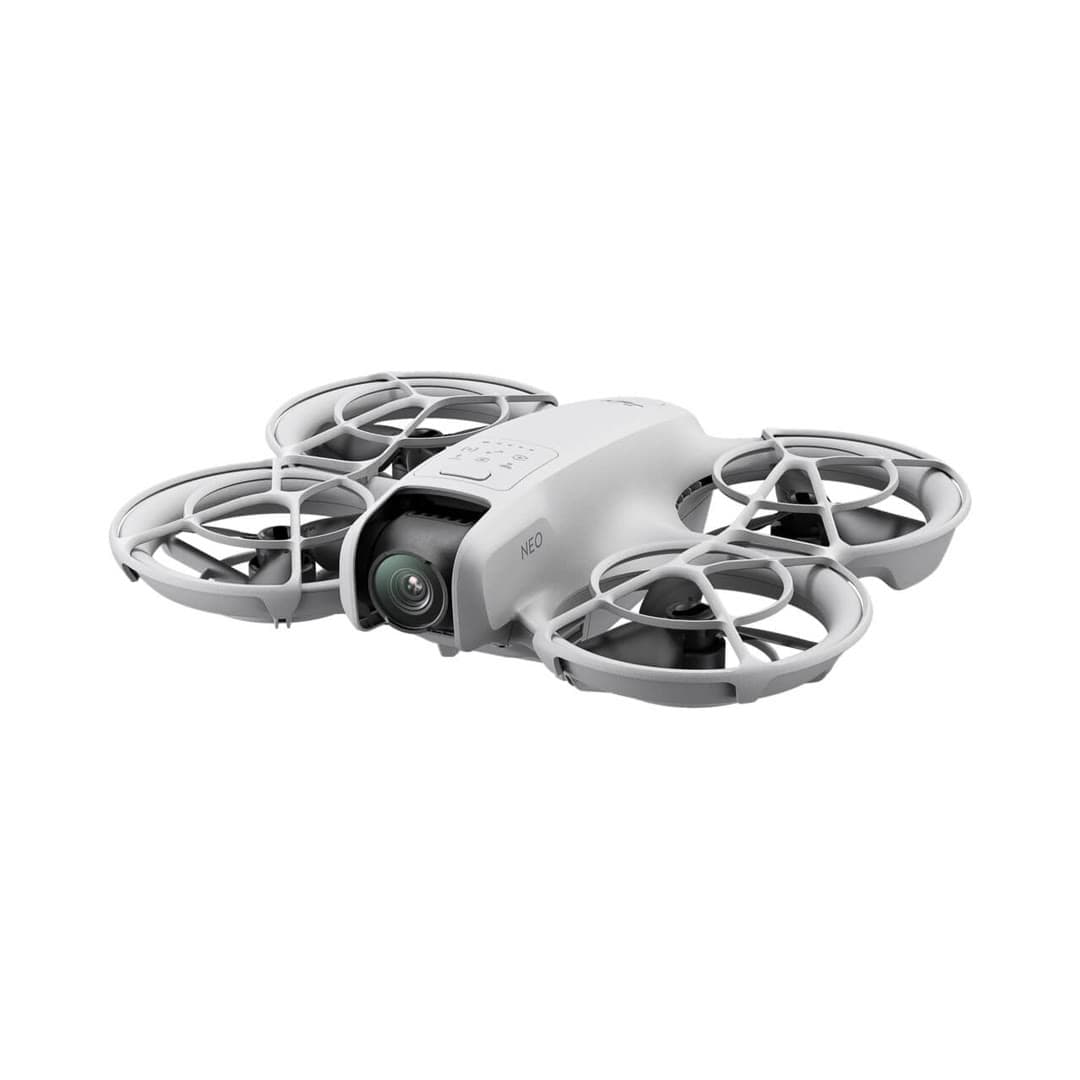
Neo
DJI's cheapest, lightest drone: it launches from your palm and tracks you with no controller, aimed squarely at quick social-media clips rather than serious aerial photography.
Strengths
- Takes off and lands in your hand; true no-controller flying
- 135 g means no FAA registration for recreational use
- Lowest-cost entry into DJI's app and accessory ecosystem
Tradeoffs
- No obstacle sensing and only digital (not gimbal) stabilization on some modes
- Short ~18-minute flight time and light-wind limits
- Fixed-focus camera is a clear step below the Mini line
- Weight
- 135 g (recreational registration exempt)
- Camera
- 4K/30 stabilized
- Flight time
- ~18 min
- Control
- Palm / phone / RC
- Wind resistance
- Level 4
- Best use
- Selfies, social clips
Best for: First-timers who mainly want hands-free selfie and follow clips, not landscape photography.
Amazon comes first when available. Official links stay visible for exact specs, stock, and manufacturer support. We may earn a commission at no extra cost to you. Disclosure
DJI
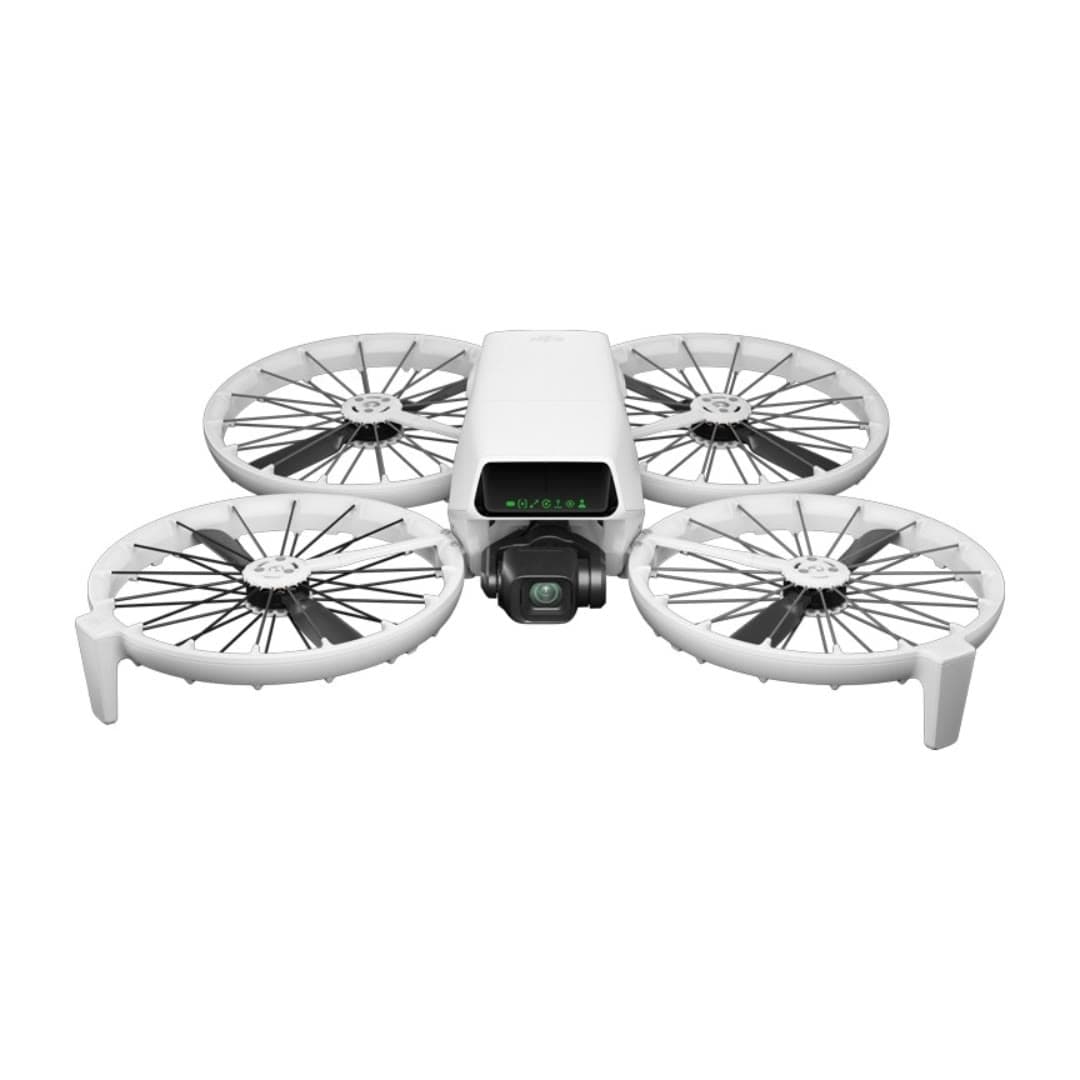
Flip
DJI's most beginner-friendly real camera drone: a strong 1/1.3-inch camera, folding full-coverage propeller guards, palm launch, and subject tracking without requiring a phone or controller.
Strengths
- Strong 1/1.3-inch sensor, RAW stills, 4K/60 HDR, and optional 10-bit D-Log M
- Built-in propeller guards reduce contact risk while learning; they do not create permission to fly over people
- Under 249 g, registration-free for recreational flying
Tradeoffs
- Forward infrared braking and downward positioning are not omnidirectional; tracking modes do not avoid obstacles
- Guards add bulk and slightly cut flight time vs. the Mini
- U.S. price and stock can move with DJI supply and regulatory pressure; verify the seller and warranty path
- Weight
- Under 249 g
- Camera
- 4K/60 HDR, 1/1.3in
- Flight time
- Up to 31 min in controlled conditions
- Safety
- Full prop guards
- Subject tracking
- Yes
- Wind resistance
- Level 5
Best for: Nervous first-time pilots who still want genuinely good 4K footage and a safety-first design.
Amazon comes first when available. Official links stay visible for exact specs, stock, and manufacturer support. We may earn a commission at no extra cost to you. Disclosure
Aircraft to operation
Before first launch
Buying the aircraft is one decision. Use this sequence to get from the box to a deliberate, legal first flight.
Aircraft under consideration
HOVERAir X1
HOVERAir X1: 125 g (recreational registration exempt)
- 01Check registration
Aircraft status
Set the registration path
HOVERAir X1 is listed at 125 g (recreational registration exempt). Recreational-only use may qualify for the sub-250 g exception. Part 107 flights still require registration, so confirm takeoff weight with the flight battery and accessories fitted.
- 02Start the airspace check
Launch location
Check the exact airspace
The aircraft does not decide whether a location is clear. Check the launch point, planned altitude, date, and time for controlled airspace, restrictions, and local launch rules.
- 03Check commercial requirements
Only when it is work
ConditionalDecide whether Part 107 applies
A small drone does not create a business-use exception. If the flight serves a client, employer, listing, monetized project, or another non-recreational purpose, check the Part 107 path first.
- 04Open the first-flight checklist
Props still off
Run the first-flight preflight
Confirm aircraft condition, firmware, battery health, controller link, home point, return-to-home settings, weather, people, obstacles, and the lost-link plan before takeoff.
How this guide is built
This guide draws on official manuals and support pages, FAA Remote ID records, published specifications, and compatibility data. It separates confirmed exact-fit parts from universal gear, and it does not imply we have flown the aircraft.
Affiliate relationships do not change our scores or rankings. Read the full affiliate disclosure.