Drone Authority · Review · Beginner GPS camera drone
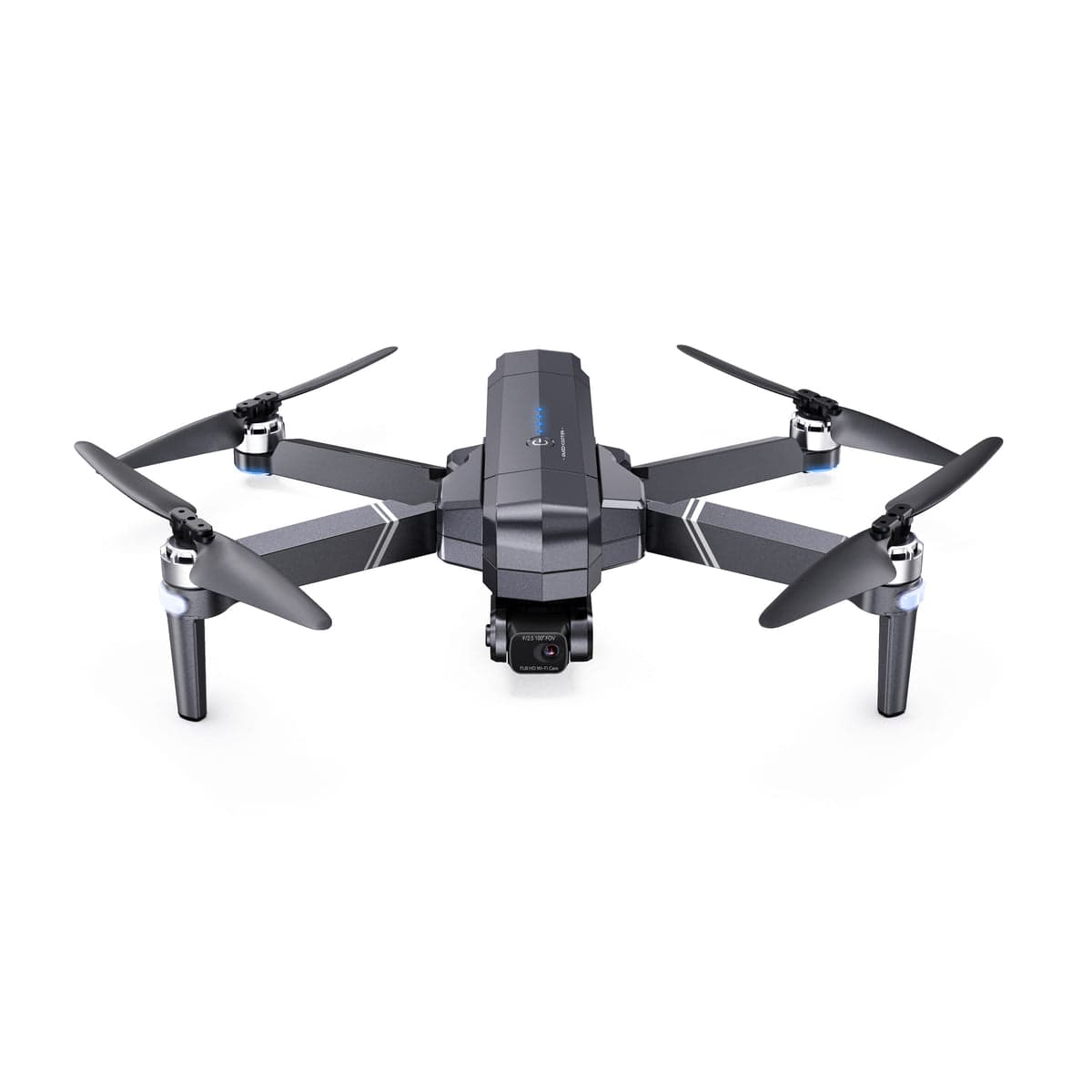
Ruko F11GIM2
Built from published specifications and cross-checked against the sources listed at the foot of this page. We have not flown this aircraft ourselves.
The finding
A budget buyer who values a larger stable platform, two-battery bundles, and documented replacement parts over sub-250 g portability.
Price band only. Affiliate link: we may earn a commission at no extra cost to you. Disclosure
- Our score
- 7.1/10
- Typical price
- $250 - $400
- Category
- Beginner GPS camera drone
Published figures
- Weight
- 585 g with battery; FAA registration required
- Camera
- 4K/30 to microSD, 5x digital zoom
- Stabilization
- Two-axis gimbal plus EIS
- Flight time
- 28 min published per battery
- Transmission
- 9,842 ft published ideal maximum
- App
- RUKO DRONE
Against the 250 g registration line
585 g
Above the line. Register this aircraft with the FAA before you fly it, recreationally or under Part 107, and meet Remote ID. Registration rules
Drone Authority score
Editorial composite from researching F11GIM2. Not a lab measurement, not an aggregate of retailer stars.
7.1/10
- Flight and cameraCapability for its lane
- Solid7.1
- Owner sentimentCross-checked owner reports
- Solid7.0
- Build and reliabilityHardware and dependability
- Solid6.8
- ValuePrice against category peers
- Strong7.7
A two-axis gimbal, EIS, GPS, and 4K/30 card recording make it more capable than toy-class drones.
Official tutorials and replaceable parts create a better ownership path than many marketplace brands.
Startup calibration and enhanced Wi-Fi transmission feel less polished than premium integrated systems.
Bundles commonly emphasize two batteries and a case, which can stretch a beginner budget.
In its favour
- Two-axis gimbal plus EIS and 4K/30 recording to a microSD card
- Published 28-minute batteries and common multi-battery bundles
- Official tutorials and user-replaceable propeller, arm, light cover, and landing gear paths
Buy it for this. A budget buyer who values a larger stable platform, two-battery bundles, and documented replacement parts over sub-250 g portability.
Against it
- No obstacle avoidance
- Official guidance calls for calibration at every startup
- Four-and-a-half-hour published battery charging time is slow for repeated sessions
Skip it if this matters. No obstacle avoidance
Owner desk
Documented support and partsLiving with the F11GIM2.
The F11GIM2 is a 585 g registered aircraft with a two-axis gimbal, electronic stabilization, and a repair-friendly support path. Calibration, storage, return settings, and long battery charge times deserve attention before the field.
Configuration
Value GPS camera platform
Weight
585 g with battery according to the official manual
Legal configuration
Registration, Remote ID, and what changes them.
Registration is already required, but added modules and mounts still affect balance, endurance, sensor visibility, and safe handling.
- Recreational
- FAA registration is required because the aircraft is over 250 g.
- Part 107
- Register the aircraft in the Part 107 inventory before any non-recreational flight.
- Remote ID
- Confirm whether the exact aircraft has an accepted Standard Remote ID declaration. If it does not, use a compliant broadcast module or another permitted operating path.
- Control stack
- RUKO DRONE
First 30 minutes
Set it up before the launch site.
- 01
Charge early
The manual publishes about 4.5 hours for a battery at 5V 2A-3A. Charge the controller and both batteries before the field and never charge unattended.
- 02
Install RUKO DRONE and prepare storage
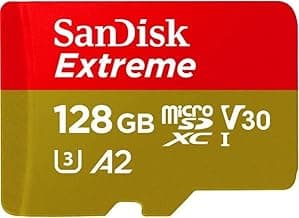
Pair the controller and app, insert a supported Class 10 microSD card up to 128 GB, and verify 4K/30 recording to the card.
- 03
Follow the startup calibration path
Use an open area away from metal and follow Ruko's official compass and gyroscope startup sequence before establishing the home point.
- 04
Test nearby before using the range
Hover, brake, check the gimbal, record a clip, and test low-battery and return behavior while the aircraft is still close and visible.
Compatible kit
What to buy first.
Use a proven card and clean launch surface first. For batteries, arms, landing gear, propellers, and light covers, use the exact Ruko listing and confirm the F11GIM2 revision.
What not to change
The F11GIM2 has no obstacle avoidance and no payload support. Keep airflow and sensors clear, do not hang a camera or other load, and treat F11-family labels as a compatibility question rather than proof.
Amazon links are affiliate links. We may earn a commission at no extra cost to you. Fit notes and ordering are editorial decisions.
02 · Buy first
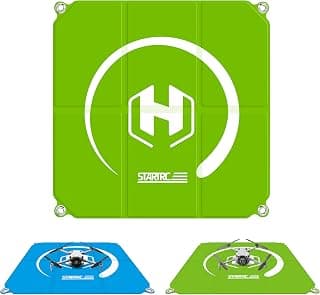
22-Inch Foldable Drone Landing Pad
The light, cheap launch pad for first-time pilots.
Check at AmazonMaintenance
What to check, and how often.
- Before every flight
- Inspect propellers, motor bells, arm joints, sensors, camera, battery latch, and storage. Replace damaged propellers instead of straightening them.
- After dust, sand, salt, or moisture
- Power down, remove the battery, brush off loose debris, and let the aircraft dry fully before charging or storage.
- Every 10 flights
- Review battery condition, storage capacity, return-to-home altitude, app warnings, firmware status, and recent flight logs.
- Before storage
- Store batteries at the manufacturer-recommended state and temperature, away from a hot vehicle, direct sun, and combustible clutter.
Troubleshooting
Common symptoms and what to check.
The aircraft will not hold position
Repeat the official level and compass setup in an open area, verify satellites and home point, and inspect the downward sensors and propellers.
Do not launch through GPS, compass, or gyroscope warnings.
The horizon tilts or footage vibrates
Remove the gimbal cover, inspect propellers and the gimbal assembly, clean the lens, and run the official gimbal calibration on a level surface.
Stop if the gimbal binds, chatters, or will not center.
The phone video or control link drops
Confirm the RUKO DRONE app, controller cable, phone permissions, antenna orientation, and local interference. Keep the aircraft close while testing.
End the flight if command, telemetry, or video behavior is not predictable.
Official support
Manuals, firmware, parts.
Learn next
Where to go next.
- Registration checkerSee how weight, recreation, and Part 107 change the registration answer.
- First-flight checklistTurn activation and setup into a controlled first launch.
- Can I fly here?Check airspace, authorization, TFRs, weather, and launch permission.
- Better aerial footageBuild deliberate movement, exposure, and shot planning habits.
The short answer
The Ruko F11GIM2 is more credible than the average marketplace camera drone because it pairs a two-axis gimbal with EIS, records 4K/30 to a card, and has unusually visible official tutorials and replacement-part guidance. It is still a 585 g beginner platform with no obstacle avoidance, startup calibration work, and slow battery charging. Buy it for the bundle and support path, not because a long range number makes it a premium system.
What changes the decision
01
The useful part of the value proposition
Ruko publishes a two-axis mechanical gimbal backed by a third electronic stabilization axis, 4K/30 recording to microSD, GPS and GLONASS positioning, a 28-minute maximum per battery, and 5x digital zoom. Common bundles add a second battery and case, which makes a full learning session easier to fund than with many single-battery kits.
The official support page also documents user-replaceable propellers, arms, lamp covers, and landing gear. That does not make every repair wise, but it gives owners a clearer path than an anonymous marketplace aircraft with no parts diagram, tutorials, or model-specific support page.
02
The published range is not the buying reason
Ruko publishes a 9,842-foot ideal transmission maximum, but Part 107 and recreational pilots still need to keep the aircraft within unaided visual line of sight. Local interference, antenna orientation, terrain, phone behavior, and the enhanced Wi-Fi control stack can reduce the useful link long before a laboratory maximum.
The larger drawbacks happen on every session: the manual lists a 585 g flying weight, official guidance calls for startup calibration, there is no obstacle-avoidance system, and the published battery charge time is about 4.5 hours at 5V 2A-3A. Those facts matter more than a headline range number.
Sources behind this review
Manufacturer specifications set the hardware claims. Independent reviews are used to test that positioning and surface the practical tradeoffs. We did not receive or fly a review unit.
- Ruko F11GIM2 support page
Official camera, stabilization, flight time, transmission, app, storage, calibration, payload, obstacle-avoidance, and parts guidance.
- Ruko F11GIM2 user manual
Official 585 g weight, battery, charging, flight, setup, and safety specifications.
- T3: Ruko F11 GIM2 review
Independent hands-on review, used to cross-check the use case and limitations stated above.
- Space.com: Ruko F11GIM2 review
Independent hands-on review, used to cross-check the use case and limitations stated above.
Before you choose
Does the Ruko F11GIM2 have obstacle avoidance?
No. Ruko's own support page says it does not support obstacle avoidance.
Does the F11GIM2 need FAA registration?
Yes. The official manual lists 585 g with the battery, which is above the 250 g recreational registration threshold. Part 107 aircraft must also be registered.
Can the F11GIM2 carry another camera?
No. Ruko's support page says the aircraft does not support payloads.
Ready to buy the Ruko F11GIM2?
Typical price $250 - $400. Check availability before you commit. Buy through this link and we may earn a commission at no extra cost to you. Disclosure.
Compare with
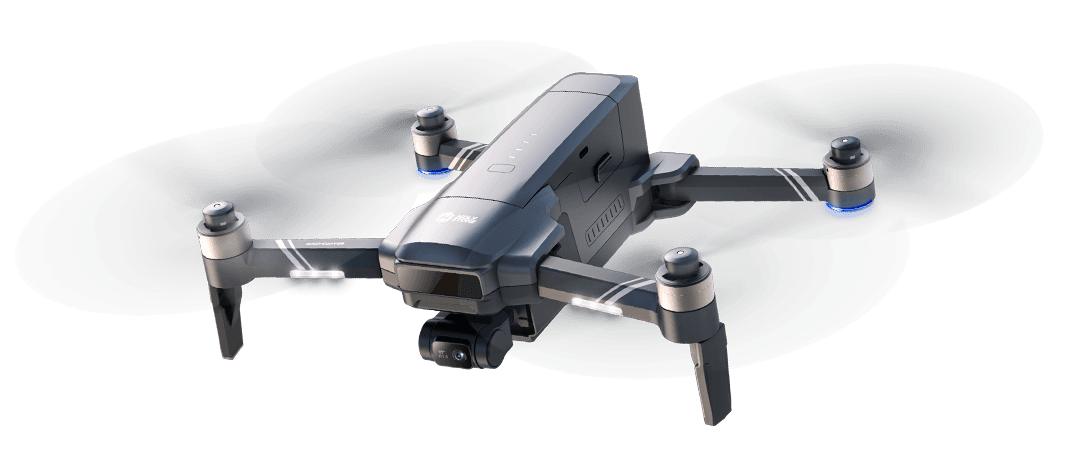
Holy Stone
HS600D
HS600D is a registered mid-size camera platform with a three-axis gimbal, EIS, 4K/30 card recording, and long published battery time. It trades portability and sensing for endurance, bundle value, and an optional screen controller.
Strengths
- Three-axis gimbal plus EIS and 4K/30 recording to a removable card
- Up to 40 published minutes per pack and 80 across a two-battery bundle
- Official HS600D battery, propeller, controller, manual, and support paths
Tradeoffs
- 603 g means FAA registration is required for recreational and Part 107 use
- No obstacle avoidance despite the larger airframe
- Manufacturer built-in Remote ID language still needs an accepted FAA declaration and live broadcast check
- Weight
- 603 g published takeoff weight
- Camera
- Sony sensor; 48 MP stills, 4K/30 to card
- Gimbal
- Three-axis mechanical plus EIS
- Flight time
- 40 min per battery published max
- Storage
- Up to 128 GB Class 10 TF card
- App / controller
- HS Fly; RC243A screen controller option
Best for: Budget pilots who prefer longer sessions and a larger, stable GPS platform over sub-250 g portability or obstacle sensing.
Amazon comes first when available. Official links stay visible for exact specs, stock, and manufacturer support.
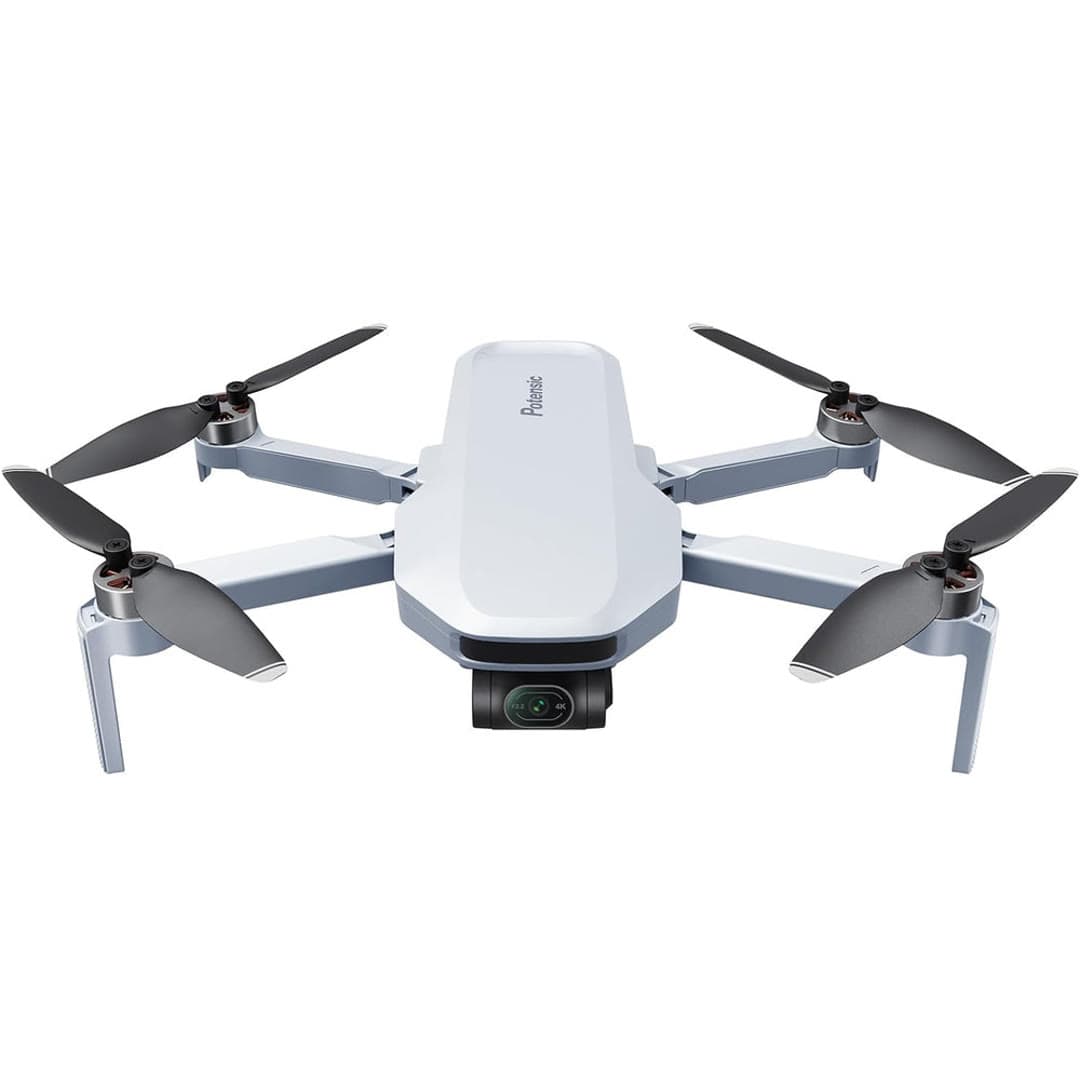
Potensic
Atom
The strongest non-DJI option under $350: a true 3-axis mechanical gimbal at a budget price, frequently bundled with extra batteries, and it's unaffected by the DJI import situation.
Strengths
- Real mechanical 3-axis gimbal, not just digital stabilization
- Battery bundles often undercut comparable DJI kits
- Not affected by the DJI FCC Covered List import freeze
Tradeoffs
- App and transmission reliability trail DJI in our research of owner reports
- Smaller accessory and repair ecosystem than DJI
- Image quality good for the price but below the DJI Mini line
- Weight
- Under 249 g
- Camera
- 4K, 3-axis gimbal
- Flight time
- ~32 min
- Stabilization
- Mechanical gimbal
- Transmission
- ~6 km (claimed)
- GPS
- Yes
Best for: Budget buyers who want gimbal-stabilized 4K and want to sidestep the DJI supply uncertainty.
Amazon comes first when available. Official links stay visible for exact specs, stock, and manufacturer support. We may earn a commission at no extra cost to you. Disclosure
Aircraft to operation
Before first launch
Buying the aircraft is one decision. Use this sequence to get from the box to a deliberate, legal first flight.
Aircraft under consideration
Ruko F11GIM2
Ruko F11GIM2: 585 g with battery; FAA registration required
- 01Check registration
Aircraft status
Set the registration path
Ruko F11GIM2 is listed at 585 g with battery; FAA registration required. Plan on registration before launch. Part 107 registration is per aircraft.
- 02Start the airspace check
Launch location
Check the exact airspace
The aircraft does not decide whether a location is clear. Check the launch point, planned altitude, date, and time for controlled airspace, restrictions, and local launch rules.
- 03Check commercial requirements
Only when it is work
ConditionalDecide whether Part 107 applies
A small drone does not create a business-use exception. If the flight serves a client, employer, listing, monetized project, or another non-recreational purpose, check the Part 107 path first.
- 04Open the first-flight checklist
Props still off
Run the first-flight preflight
Confirm aircraft condition, firmware, battery health, controller link, home point, return-to-home settings, weather, people, obstacles, and the lost-link plan before takeoff.
How we score
The score is an editorial composite of four axes: flight and camera capability, owner sentiment drawn from published reviews, build and reliability, and value for the money. It reflects research and cross-checking rather than lab measurement, and we do not invent star counts. Prices are typical U.S. street bands and move around, especially for DJI while the import freeze lasts.
Affiliate relationships do not change our scores or rankings. Read the full affiliate disclosure.