Drone Authority · Owner guide · Compact enterprise drone series
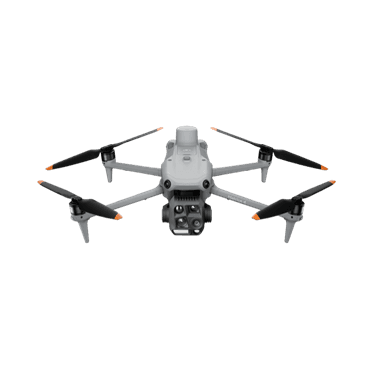
DJI Enterprise Matrice 4E / 4T
Built from official manuals, FAA records, current support pages, and model-specific compatibility checks. It is an ownership guide, not a hands-on review.
Ownership brief
Organizations building a defined mapping, inspection, thermal, or response workflow with trained pilots, data handling, and enterprise support.
Price band only. Official manufacturer page. We earn no commission.
- Typical price
- Dealer quote
- Category
- Compact enterprise drone series
Owner desk
Current enterprise platformLiving with the Matrice 4E / 4T.
Matrice 4E and 4T are different mission configurations on one series. Record the exact aircraft, sensors, controller, software, RTK path, organization settings, and deliverable before treating any procedure as shared.
Configuration
Compact enterprise mission system
Weight
1,219 g with standard propellers according to DJI
Legal configuration
Registration, Remote ID, and what changes them.
The series supports up to a 200 g published payload, but payload fit, center of gravity, software support, performance, authorization, and manufacturer limits all remain mission constraints.
- Recreational
- This is a registered aircraft and is not a sensible recreational purchase path.
- Part 107
- Register the exact aircraft serial in the Part 107 inventory and meet every additional mission, airspace, waiver, and organizational requirement.
- Remote ID
- Confirm the exact declaration, firmware, serial, and broadcast status before service. Organization fleets should document Remote ID checks in the acceptance procedure.
- Control stack
- DJI Pilot 2 on RC Plus 2 Enterprise, with optional FlightHub 2 workflows
First 30 minutes
Set it up before the launch site.
- 01
Accept the exact 4E or 4T configuration
Record serials, batteries, controller, payloads, RTK hardware, service plan, firmware, organization binding, and included accessories before deployment.
- 02
Configure the enterprise stack
Set DJI Pilot 2, organization access, coordinate and unit conventions, RTK or network correction, storage, security, Remote ID, and mission-specific camera defaults.
- 03
Build a mission acceptance card
Separate 4E mapping checks from 4T thermal and response checks. Define the expected data, naming, timing, quality threshold, and abort conditions.
- 04
Fly an acceptance mission
Use a controlled site to verify positioning, sensing, return, camera and thermal behavior, file integrity, processing compatibility, and organization handoff.
Compatible kit
What to buy first.
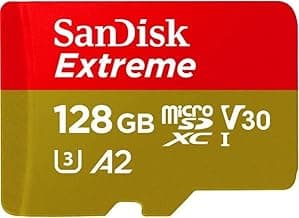
Use enterprise-dealer advice for batteries, hubs, RTK, speakers, lights, and payloads. Generic field gear should solve only a proven storage or launch problem and must not imply payload compatibility.
What not to change
The aircraft is not waterproof. Use only DJI-supported payloads and interfaces, preserve sensing and GNSS visibility, and do not treat a published payload mass as approval for an arbitrary attachment.
Amazon links are affiliate links. We may earn a commission at no extra cost to you. Fit notes and ordering are editorial decisions.
02 · Buy first
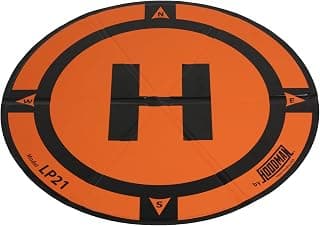
LP21 Weighted Drone Landing Pad
The field accessory that actually earns its space.
Check at AmazonMaintenance
What to check, and how often.
- Before every mission
- Run the operator checklist for aircraft, props, battery, sensors, storage, controller, RTK or correction link, payload, weather, airspace, and client site.
- After every mission
- Quarantine questionable batteries or aircraft, copy and verify data, sync logs, record anomalies, and preserve the configuration used for the deliverable.
- On the program schedule
- Track battery cycles, firmware, calibration status, propeller hours, repairs, controller state, and required organization approvals by aircraft serial.
- Before a software or firmware change
- Review release notes, export settings, test the complete aircraft-controller-payload-software stack, and document rollback or support procedures.
Troubleshooting
Common symptoms and what to check.
RTK will not fix or mapping positions are inconsistent
Confirm correction source, account, antenna visibility, coordinate reference, base or network state, time, mission settings, and the processing coordinate system.
Do not promise precision until an independent checkpoint or documented QA method verifies it.
A 4T thermal result looks wrong
Review emissivity, reflected temperature, distance, atmosphere, focus, palette, range, angle, weather, and whether the file is radiometric.
Do not diagnose a fault from an unqualified image or outside the operator's credentialed scope.
Pilot 2, controller, aircraft, or payload versions disagree
Ground the system, document versions, use official release notes and dealer support, and test the entire stack after a supported update.
Do not deploy a mixed or unverified enterprise configuration.
Official support
Manuals, firmware, parts.
Learn next
Where to go next.
- Commercial requirementsBuild the regulatory stack around the actual mission.
- Drone operations plannerScope aircraft, crew, airspace, site, weather, and deliverable constraints.
- Commercial mission guidesConnect capture, processing, control, QA, and the final deliverable.
- Can I fly here?Check the launch point before building the mission plan.
Published figures
- Variants
- 4E mapping; 4T thermal and public safety
- Weight
- 1,219 g with standard propellers
- Flight time
- 49 min published maximum
- 4E imaging
- 4/3 20 MP wide camera with mechanical shutter
- 4T sensing
- Wide, medium tele, tele, 640x512 thermal, laser, NIR
- Control
- RC Plus 2 Enterprise with DJI Pilot 2
Against the 250 g registration line
1,219 g
Above the line. Register this aircraft with the FAA before you fly it, recreationally or under Part 107, and meet Remote ID. Registration rules
Ownership strengths
- Clear 4E mapping and 4T thermal/public-safety mission split
- Published 49-minute maximum endurance and a compact integrated sensor stack
- DJI Pilot 2, FlightHub 2, RTK, and SDK paths for managed operations
Best fit. Organizations building a defined mapping, inspection, thermal, or response workflow with trained pilots, data handling, and enterprise support.
Owner cautions
- Not waterproof according to DJI's own FAQ
- Dealer, software, training, battery, and support costs matter more than the airframe quote
- 4E and 4T camera capabilities are materially different and must not be treated as one payload
Look elsewhere if. Not waterproof according to DJI's own FAQ
What the DJI Enterprise Matrice 4E / 4T is
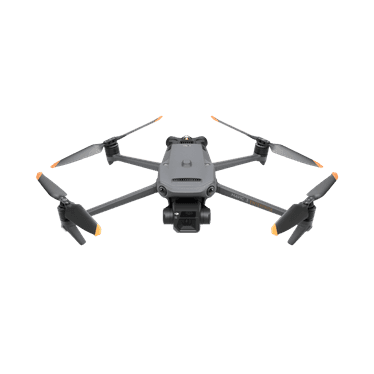
DJI's Matrice 4 Series splits into two mission systems: the 4E for precision mapping and the 4T for thermal inspection and public safety. Procurement should begin with the deliverable, payload, software, training, and support plan rather than the airframe alone.
This page is organized around setup, legal configuration, exact-fit parts, maintenance, troubleshooting, and current official support. It is not presented as a hands-on Drone Authority review.
Shopping for the DJI Enterprise Matrice 4E / 4T?
Typical price Dealer quote. Check availability before you commit.
Compare with
DJI Enterprise
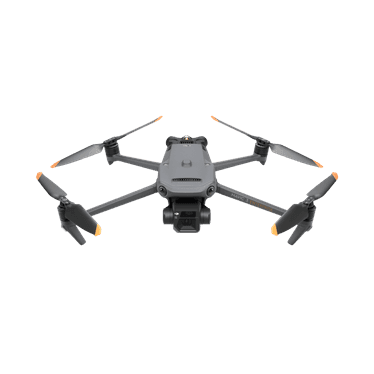
Mavic 3 Enterprise
The Mavic 3 Enterprise is DJI's portable mechanical-shutter mapping aircraft. It is compact enough for a small field team, but accurate deliverables still depend on RTK or control, flight planning, capture geometry, processing, quality checks, and local surveying rules.
Strengths
- Mechanical-shutter 4/3 camera built for efficient mapping capture
- Optional RTK workflow in a portable 915 g aircraft
- Published 45-minute maximum and integrated enterprise controller
Tradeoffs
- The aircraft alone does not create survey-grade deliverables
- RTK, base or network corrections, software, control, and QA add cost and complexity
- Mapping authority and deliverable standards vary by jurisdiction and client
- Weight
- 915 g
- Camera
- 4/3 20 MP wide camera with mechanical shutter
- Flight time
- 45 min published maximum
- Positioning
- Optional RTK module
- Control
- DJI RC Pro Enterprise
- Sensing
- Omnidirectional binocular vision plus downward infrared
Best for: Mapping and inspection teams that need a portable mechanical-shutter aircraft and already understand positioning, processing, QA, and deliverable requirements.
Amazon comes first when available. Official links stay visible for exact specs, stock, and manufacturer support.
DJI Enterprise
Mavic 3 Thermal
The Mavic 3 Thermal combines a 640x512 thermal camera with wide and tele visual cameras in a portable enterprise airframe. Useful thermal work requires mission-specific training, emissivity and reflection awareness, repeatable capture conditions, and qualified interpretation.
Strengths
- Integrated 640x512 thermal, wide, and tele views in a portable aircraft
- Published 45-minute maximum and omnidirectional sensing
- Enterprise controller and DJI software workflow for inspection and response teams
Tradeoffs
- Thermal imagery is not self-interpreting and can be distorted by emissivity, reflection, distance, and weather
- Not a substitute for a licensed or qualified diagnosis where the job requires one
- Batteries, training, software, reporting, and support should be budgeted with the aircraft
- Weight
- 920 g
- Thermal
- 640x512 radiometric thermal camera
- Visual cameras
- 48 MP wide plus tele camera
- Flight time
- 45 min published maximum
- Control
- DJI RC Pro Enterprise
- Sensing
- Omnidirectional binocular vision plus downward infrared
Best for: Qualified inspection, public-safety, and search teams that need portable thermal capture and have a documented interpretation and reporting workflow.
Amazon comes first when available. Official links stay visible for exact specs, stock, and manufacturer support.
Aircraft to operation
Before first launch
Buying the aircraft is one decision. Use this sequence to get from the box to a deliberate, legal first flight.
Aircraft under consideration
DJI Enterprise Matrice 4E / 4T
DJI Enterprise Matrice 4E / 4T: 1,219 g with standard propellers
- 01Check registration
Aircraft status
Set the registration path
DJI Enterprise Matrice 4E / 4T is listed at 1,219 g with standard propellers. Recreational-only use may qualify for the sub-250 g exception. Part 107 flights still require registration, so confirm takeoff weight with the flight battery and accessories fitted.
- 02Start the airspace check
Launch location
Check the exact airspace
The aircraft does not decide whether a location is clear. Check the launch point, planned altitude, date, and time for controlled airspace, restrictions, and local launch rules.
- 03Check commercial requirements
Likely work aircraft
ConditionalClear the commercial requirements
DJI Enterprise Matrice 4E / 4T is commonly considered for paid or business work. Confirm the pilot certificate, aircraft registration, Remote ID, airspace, and mission-specific requirements before quoting the job.
- 04Open the first-flight checklist
Props still off
Run the first-flight preflight
Confirm aircraft condition, firmware, battery health, controller link, home point, return-to-home settings, weather, people, obstacles, and the lost-link plan before takeoff.
How this guide is built
This guide draws on official manuals and support pages, FAA Remote ID records, published specifications, and compatibility data. It separates confirmed exact-fit parts from universal gear, and it does not imply we have flown the aircraft.
Affiliate relationships do not change our scores or rankings. Read the full affiliate disclosure.