Drone Authority · Review · Beginner / selfie drone
DJI Neo 2
Current status: sourced aggregate review. Original Drone Authority field testing is planned, and the complete protocol is published below.
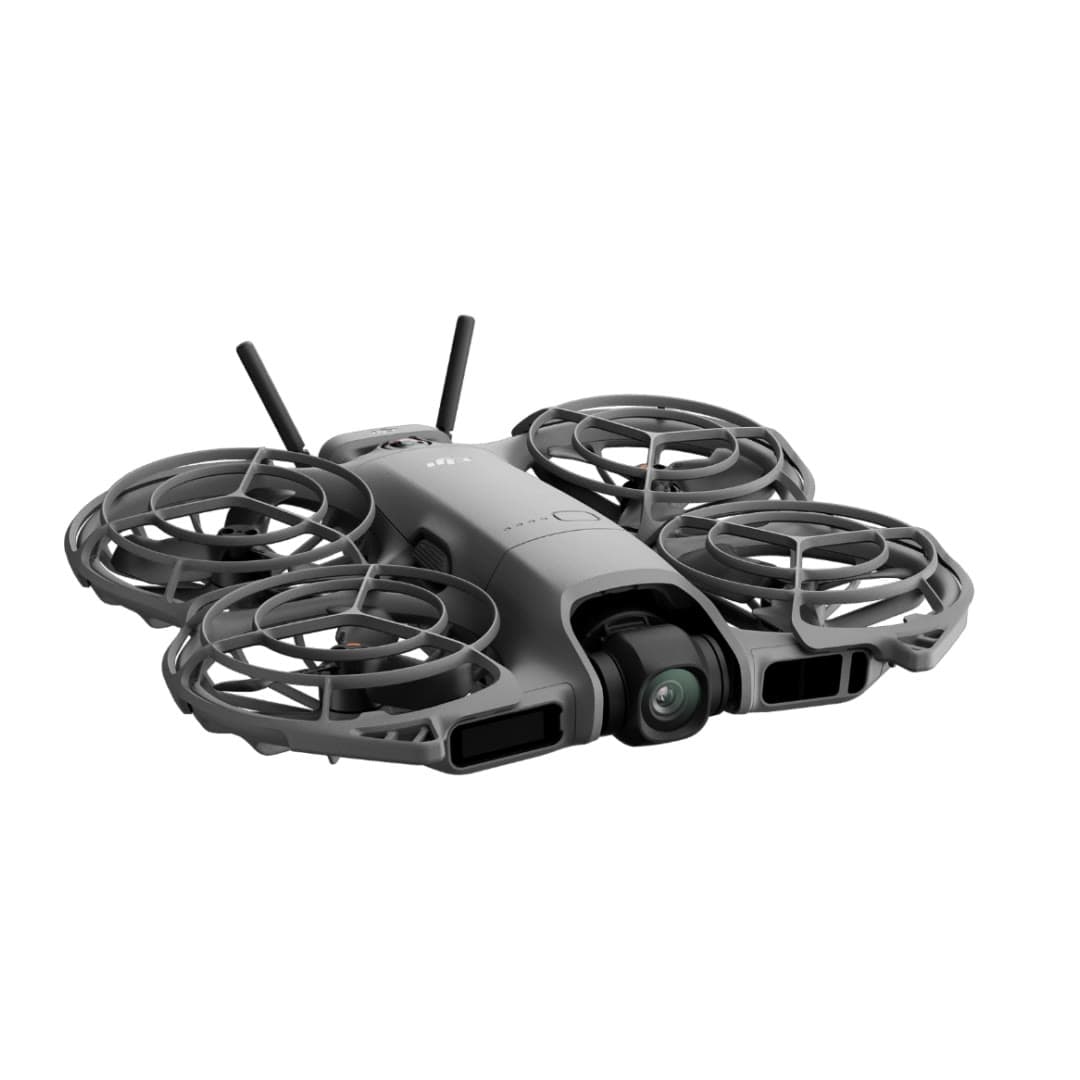
The finding
Most ImprovedSolo creators who value automatic tracking and instant self-filming more than RAW photos, long endurance, or Mini-series image quality.
Not officially sold in the U.S. (DJI import situation)Price band only. Affiliate link: we may earn a commission at no extra cost to you. Disclosure
- Our score
- 8.5/10
- Typical price
- $300 – $400
- Category
- Beginner / selfie drone
Published figures
- Weight
- 151 g; 160 g with O4 transceiver
- Camera
- 12MP 1/2in; 4K/60, 4K/100 slow motion
- Gimbal
- 2-axis mechanical + RockSteady
- Sensing
- Omnidirectional vision + forward LiDAR
- Flight time
- 19 min max; practical time varies
- Control
- Palm / gesture / phone / RC / goggles
Against the 250 g registration line
151 g
Below the line. Flown recreationally and unmodified, this aircraft does not need FAA registration. Any Part 107 flight still does, and added gear can push it over. Registration rules
Drone Authority score
Editorial composite from researching Neo 2. Not a lab measurement, not an aggregate of retailer stars.
8.5/10
- Flight and cameraCapability for its lane
- Excellent8.5
- Owner sentimentCross-checked owner reports
- Excellent8.5
- Build and reliabilityHardware and dependability
- Excellent8.5
- ValuePrice against category peers
- Strong8.0
Adds a two-axis mechanical gimbal, 4K/60, and tracking the original Neo never had.
Forward LiDAR plus omnidirectional monocular vision is rare at 151 g.
Strong hardware value, tempered by third-party-only U.S. supply and bundle ambiguity.
In its favour
- Two-axis gimbal, 4K/60, and omnidirectional sensing fix the original Neo's biggest limits
- Fast subject tracking, palm launch, gesture control, and return-to-palm work without a controller
- 49 GB internal storage and optional O4, RC, goggles, and FPV control paths
Buy it for this. Solo creators who value automatic tracking and instant self-filming more than RAW photos, long endurance, or Mini-series image quality.
Against it
- Small sensor, JPEG-only stills, Normal color, and no microSD slot limit camera latitude
- Nineteen minutes is a controlled maximum; recording, wind, and the transceiver reduce usable time
- No normal DJI U.S. launch, so seller, region, bundle contents, returns, and support need scrutiny
Skip it if this matters. Small sensor, JPEG-only stills, Normal color, and no microSD slot limit camera latitude
Owner desk
Current import and bundle watchLiving with the Neo 2.
Neo 2 can be a palm camera, phone-controlled aircraft, or a controller and goggles system. Price and setup only make sense after choosing which version you actually want to own.
Configuration
Multi-control selfie drone
Weight
About 151 g, or about 160 g with the O4 transceiver
Legal configuration
Registration, Remote ID, and what changes them.
The O4 transceiver, guards, lights, and mounts change system weight and setup. Verify the exact bundle rather than using the drone-only listing as the ownership cost.
- Recreational
- Both published configurations remain below 250 g before added equipment, so stock recreational flights can qualify for the exception.
- Part 107
- Register Neo 2 before any Part 107 use.
- Remote ID
- Confirm the declaration, firmware, serial, and whether the selected transceiver configuration changes the Remote ID path before registering.
- Control stack
- DJI Fly with palm, gesture, phone, compatible RC, or goggles configuration
First 30 minutes
Set it up before the launch site.
- 01
Charge and inventory the whole system
Charge the aircraft battery and the exact controller or goggles configuration in your bundle. Remove every transport protector, confirm the correct propellers, and inspect for shipping damage.
- 02
Activate in DJI Fly
Connect to the internet, activate the aircraft, bind any service plan, and complete every prompted aircraft, controller, and battery update before leaving home.
- 03
Set the safety envelope
Confirm return-to-home altitude, obstacle behavior, signal-loss action, units, storage location, and camera defaults. These are aircraft settings, not assumptions.
- 04
Run a close first hover
Use a wide legal area, wait for a stable home point, hover at eye level, test controls and braking, then verify return-to-home without sending the aircraft far away.
Compatible kit
What to buy first.
Choose the control system first, then add batteries. Do not buy controllers, goggles, or a transceiver by vague Neo-family compatibility wording.
What not to change
Use the official transceiver and supported controls. Keep LiDAR, vision sensors, propeller guards, and cooling clear, and avoid unofficial transmission unlocks.
Amazon links are affiliate links. We may earn a commission at no extra cost to you. Fit notes and ordering are editorial decisions.
01 · Add later
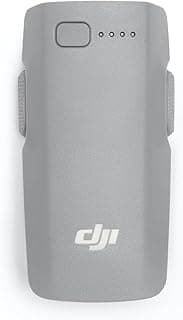
Neo 2 Intelligent Flight Battery 2-Pack
For Neo 2 owners who want the palm drone to last longer than a few clips.
Check at AmazonMaintenance
What to check, and how often.
- Before every launch
- Check the enclosed propeller cage, propeller tips, camera window, and subject-tracking sensors. Hair, grass, and lint can hide inside the guard.
- After a hand catch or bump
- Stop the motors, inspect every blade and guard joint, then perform a low hover in a clear area before another tracking run.
- Every 10 flights
- Clean the lens and sensors with a blower and microfiber cloth, review battery health, and export footage before internal storage fills.
- Before storage
- Store dry, unfolded only if the manual calls for it, and away from heat that can deform guards or stress batteries.
Troubleshooting
Common symptoms and what to check.
Tracking loses the subject or chooses the wrong person
Use open contrast-rich terrain, simplify the background, keep the subject inside the supported speed and distance envelope, and restart the tracking mode before moving.
Stop the automated run when the route approaches people, traffic, branches, wires, or an unrecoverable landing area.
Palm launch or landing will not start cleanly
Confirm the correct mode, battery state, sensor cleanliness, level hand position, and a clear area around every propeller guard.
Use a normal landing surface if the aircraft oscillates, misreads the hand, or wind makes the catch uncertain.
Video looks soft or stabilization jumps
Clean the lens, verify the intended resolution and stabilization mode, check free storage, and inspect the guards and propellers for impact damage.
Stop if the camera module is loose or the aircraft vibrates in a steady hover.
Official support
Manuals, firmware, parts.
Learn next
Where to go next.
- Registration checkerSee how weight, recreation, and Part 107 change the answer.
- First-flight checklistTurn setup into a controlled first launch.
- Can I fly here?Check airspace, authorization, TFRs, weather, and launch permission.
- Better aerial footageUse deliberate moves, exposure, and shot planning instead of relying on automation.
The short answer
Aggregate verdict: the DJI Neo 2 is the most convincing version yet of a palm-launch personal camera drone. It keeps the no-controller simplicity of the original Neo, then adds a two-axis gimbal, much stronger tracking, 4K/60 video, 49 GB of storage, and a real omnidirectional sensing layer. It is still a 12-megapixel, 1/2-inch-sensor aircraft with short practical endurance, and neither its sensing nor its tracking should be mistaken for permission to fly blind around branches, wires, people, or traffic.
What changes the decision
01
The upgrade is bigger than the name suggests
The original Neo proved that palm launch and automatic follow shots could make a drone useful to people who did not want to unpack a controller. Neo 2 preserves that idea while fixing several of the first model's obvious constraints. DJI lists a two-axis mechanical gimbal instead of one-axis tilt, 4K/60 and controller-enabled 4K/100 recording instead of 4K/30, 49 GB instead of 22 GB of internal storage, omnidirectional monocular vision with forward LiDAR, and a maximum tracking speed of 12 m/s instead of 8 m/s.
Those changes move it from a clever automatic clip maker toward a credible small tracking camera. They do not turn it into a Mini-series camera drone or a durable freestyle FPV aircraft. The useful way to judge Neo 2 is by how often it can get a usable shot without a crew, not by whether its specification sheet resembles a larger camera platform.
02
Tracking is the reason to buy it
DJI added dedicated cycling tracking and raised the published tracking-speed ceiling to 12 m/s. Independent reviewers have reported strong results while running and cycling, including successful forward obstacle avoidance. Gesture control, SelfieShot, palm launch, and return-to-palm make the aircraft unusually fast to deploy when the pilot is also the subject.
The unresolved question is consistency at the edges: a subject partly hidden by foliage, a fast direction change, backlighting, low contrast, side and rear tracking near clutter, and recovery after the subject leaves frame. Positive demonstrations prove capability, not a perfect success rate. That is why our planned series scores acquisition, retention, reacquisition, framing, and intervention separately instead of calling one clean clip a tracking test.
03
Omnidirectional sensing has real boundaries
DJI specifies omnidirectional monocular vision, a forward-facing LiDAR module, and a downward infrared sensor. The vision system needs discernible surface texture and more than 5 lux of light; published effective sensing speeds also vary by direction. Tom's Guide found the aircraft could work around trees and branches in its test, while Oscar Liang cautions that twigs, wires, leaves, and other small objects can still be missed.
Mode behavior matters as much as sensor coverage. Tom's Guide reports that obstacle avoidance is unavailable in QuickShots, and Oscar Liang reports that Sport mode disables active avoidance even though warnings can remain. Full propeller guards reduce damage in a low-energy contact, but they do not protect a person, property, or the aircraft from every collision. The pilot still owns route selection and visual line of sight.
04
The camera is better, not professional
Neo 2 retains a 12-megapixel 1/2-inch sensor but pairs it with a wider 16.5 mm-equivalent f/2.2 lens, two-axis mechanical stabilization, and RockSteady processing. It records 4K/60 in normal use, 4K/100 with a compatible controller path, and 2.7K vertical video. Reviewers consistently describe the result as a useful improvement for daylight social footage, especially when the aircraft banks or the horizon needs correction.
The limits are equally clear: JPEG-only stills, Normal color only, an 80 Mbps maximum bitrate, no D-Log M, no RAW photo workflow, and visibly weaker low-light performance than a Mini-series aircraft. A buyer choosing between Neo 2 and Mini 5 Pro is mostly choosing between automatic self-filming and camera latitude, not two versions of the same product.
05
Range depends on what is controlling it
The base aircraft uses an optimized Wi-Fi link. DJI publishes a 500 m FCC maximum for that path under open, unobstructed conditions. Adding the Neo 2 Digital Transceiver and a compatible remote controller or goggles unlocks O4 and a published 10 km FCC transmission maximum. Those laboratory communication figures are not a legal flight plan and do not override visual-line-of-sight rules.
The transceiver also raises takeoff weight from 151 g to about 160 g and adds setup and power load. Palm, gesture, phone, RC, motion-controller, and FPV control are genuine versatility, but each is a different ownership experience. Buyers who expect conventional camera-drone control should budget for the correct transceiver and controller rather than treating the drone-only price as the complete system price.
06
Nineteen minutes is a ceiling
DJI's approximately 19-minute maximum is measured in controlled, windless conditions and falls to about 17 minutes with the additional propeller guards in DJI's specification. An independent FPV-focused review reported roughly 13 to 15 minutes in practical flying with the digital transceiver attached. Wind, tracking, repeated palm launches, video recording, temperature, and a safe return reserve all reduce usable capture time.
The 10.7 m/s published wind-resistance figure should not be read as a launch target. At 151 to 160 grams, the aircraft has little inertia and can be displaced by gusts even when it remains technically controllable. Three batteries are a much more realistic day-out configuration than planning around one maximum-duration sortie.
07
U.S. buyers are purchasing through a different support path
DJI stated that Neo 2 would not be officially available in the U.S. through its official websites at the global launch. U.S. third-party stock now exists, but that is not the same as a normal DJI U.S. launch. Price, seller identity, controller bundle, digital transceiver, return policy, DJI Care eligibility, warranty route, and parts support all need to be checked before purchase.
The aircraft can be a strong value at a transparent third-party price. It is a weaker recommendation when the listing obscures the region, leaves out the transceiver needed for remote-controller use, or cannot explain who handles a failure. Our price score therefore stays conditional until the complete U.S. ownership path is as clear as the hardware.
08
Part 107 filming needs a verified Remote ID plan
As of this review, we could not verify a Neo 2 Standard Remote ID Declaration of Compliance in the FAA database, and the current English Neo 2 manual does not include the U.S. FAR Part 89 compliance section that appears in the Mini 5 Pro manual. Major U.S. retailer specifications also list Remote ID as unavailable. That evidence is stronger than assuming a global aircraft automatically broadcasts a U.S.-compliant message.
A registered Part 107 aircraft generally must comply with Remote ID unless the operation qualifies for a specific exception. Before using Neo 2 for monetized or business-supporting video, verify the exact model and firmware in the FAA declaration database and in DJI Fly. If it is not a listed Standard Remote ID drone, use an FAA-listed broadcast module and include its weight, mounting, battery, and control effects in the test configuration. This is a compliance check, not a claim that every regional Neo 2 can never gain support.
Travel, Remote ID, and support
- Remote ID
- Not on the FAA list. No FAA-accepted declaration for the DJI Neo 2. Recreational flights need no Remote ID if it weighs under 250 g as flown; otherwise use a broadcast module or a FRIA. Remote ID lookup
- Maker support
- Latest firmware found: V01.00.0500 (December 10, 2025). Support tracker
What we will test, and how
Aggregate review published · original field series planned
The verdict above is a sourced research synthesis, not a claim that we have flown the aircraft. These are the repeatable tests that will turn this page into an owner-tested review, with raw conditions and failures shown alongside the clean clips.
01
Tracking gauntlet
Measure acquisition, retention, framing, and reacquisition instead of showing one successful follow clip.
- Protocol
- Repeat front, rear, and side follow at walking, running, and bicycle speeds on the same marked route; add controlled occlusion and direction changes; run each pass three times.
- Planned episode
- Neo 2 tracking test: 27 scored passes
02
Sensing by mode and light
Show where Brake, Bypass, QuickShots, and Sport behavior diverge.
- Protocol
- Use forgiving foam gates and suspended high-contrast targets with a safety net, then repeat in daylight and legal twilight. No people, vehicles, wires, or hard obstacles serve as test targets.
- Planned episode
- What Neo 2 obstacle avoidance actually sees
03
VLOS link and reconnect
Compare phone Wi-Fi with O4 control quality without turning transmission range into an unsafe stunt.
- Protocol
- Fly a surveyed out-and-back route entirely inside unaided VLOS. Log signal bars, latency warnings, video breakup, control response, reconnect behavior, and RTH prompts at fixed stations.
- Planned episode
- Neo 2 phone vs controller range, tested legally
04
Battery and wind log
Replace the 19-minute headline with usable capture time and reserve data.
- Protocol
- Run hover, automated tracking, and conventional-camera profiles with and without the Digital Transceiver and required Remote ID module. Record temperature, wind, complete takeoff weight, warning times, landing percentage, and recharge time.
- Planned episode
- How long a Neo 2 battery really lasts
05
Camera comparison
Separate the two-axis-gimbal improvement from sensor and codec limits.
- Protocol
- Shoot the same daylight, backlit, moving, vertical, and low-light scenes beside the original Neo and a Mini-series reference at matched frame rates and exposure where possible.
- Planned episode
- Neo 2 vs Neo camera: the footage, not the spec sheet
06
One-person workflow and recovery
Test the real reason to own it: how quickly one person can get a safe, usable shot.
- Protocol
- Time palm launch, gesture selection, subject lock, return-to-palm, phone takeover, controller setup, manual RTH, and a simulated lost-subject recovery in an open field.
- Planned episode
- Can Neo 2 really replace a camera operator?
Safety boundary. Before any channel-supporting flight, we will verify registration and the exact aircraft's Remote ID path, adding an FAA-listed module if required. All flights will maintain visual line of sight, use a legal launch site and airspace, preserve a landing reserve, and keep people outside the test area. The signal episode measures link quality inside VLOS; it is not a maximum-distance or BVLOS challenge.
Compare it with the real alternatives
- DJI Neo 2 vs DJI Flip: Simplicity or Better Camera? (2026)DJI Neo 2 vs DJI Flip compared on camera quality, tracking, obstacle sensing, battery life, storage, control, and U.S. availability.
- DJI Neo 2 vs Mini 5 Pro: Self-Filming or Camera Drone? (2026)DJI Neo 2 vs Mini 5 Pro compared for follow shots, camera quality, flight time, tracking, weight, and U.S. ownership. Pick the right DJI workflow.
- DJI Neo 2 vs Neo: What Actually Changed? (2026)DJI Neo 2 vs original Neo compared on tracking, camera, sensing, storage, control, U.S. availability, and price. Find the right palm-launch DJI.
- HOVERAir X1 Pro vs DJI Neo 2: Best Follow Camera? (2026)HOVERAir X1 Pro vs DJI Neo 2 compared on tracking, sensing, camera, control, endurance, U.S. availability, registration, and price.
Sources behind this review
Manufacturer specifications set the hardware claims. Independent reviews are used to test that positioning and surface the practical tradeoffs. We did not receive or fly a review unit.
- DJIUSA (authorized DJI reseller): Neo 2 U.S. listing and specifications
Primary source for weight, camera, gimbal, sensing, transmission, battery, and environmental limits.
- DJI Neo 2 user manual v1.2
Primary operating source for control modes, warnings, feature behavior, and limitations.
- TechRadar Neo 2 review
Independent hands-on assessment of image quality, sensing, storage, and U.S. launch status.
- Tom's Guide Neo 2 review
Independent hands-on obstacle, tracking, wind, camera, and battery assessment.
- Oscar Liang Neo 2 review
Owner-purchased FPV and camera review used for practical endurance and small-obstacle caveats.
- Engadget Neo 2 review
Independent tracking, cycling, noise, gimbal, and control assessment.
- DC Rainmaker Neo 2 tracking gauntlet
Independent, owner-purchased stress-test methodology used to shape our upcoming tracking protocol.
- B&H Neo 2 product specifications
Current major-retailer specification used to cross-check the U.S. listing's Remote ID field.
- FAA Remote ID Declaration of Compliance database
Official database to verify the exact aircraft or broadcast module before a U.S. operation that requires Remote ID.
- FAA Remote ID operating guidance
Official explanation of which registered drones must comply and the Standard Remote ID, broadcast-module, and FRIA paths.
Before you choose
Is the DJI Neo 2 worth upgrading to from the original Neo?
Yes when tracking, obstacle sensing, horizon stability, 4K/60, or larger internal storage matter. The original Neo remains the cheaper choice for simple daylight palm-launch clips, but Neo 2 fixes enough of its limitations to feel like a different class of personal camera.
Does Neo 2 obstacle avoidance work in every mode?
No. Published hands-on reviews report that avoidance is unavailable in QuickShots and is disabled in Sport mode. Small branches, wires, leaves, reflective surfaces, low-texture surfaces, and insufficient light can also defeat sensing. Check the current manual and app prompts for the mode you are using.
How far can the DJI Neo 2 fly?
DJI publishes up to 500 m for the phone Wi-Fi path and up to 10 km FCC transmission with the Digital Transceiver and a compatible controller or goggles under ideal unobstructed conditions. Those are communication maxima, not legal operating distances. U.S. operations must maintain visual line of sight unless conducted under specific authority.
How long does a Neo 2 battery last in real use?
DJI publishes approximately 19 minutes under controlled conditions. A practical session with recording, wind, tracking, the digital transceiver, and a safe reserve can be materially shorter; one independent review reported roughly 13 to 15 minutes with the transceiver. We will publish standardized results after our own field series.
Is the Neo 2 a good FPV drone?
It is an approachable way to experience stabilized FPV and learn orientation, especially with compatible goggles and controls. It is not a replacement for a repairable freestyle quad: independent FPV testing describes less power, authority, durability, and acro headroom than a purpose-built cinewhoop or freestyle aircraft.
Does a DJI Neo 2 need FAA registration?
A standard Neo 2 is below 250 grams and can qualify for the recreational registration exception when flown exclusively for recreation. Every aircraft flown under Part 107 must be registered, regardless of weight, and recreational flyers still need TRUST. A registered Part 107 aircraft also needs a verified Remote ID compliance path unless a specific exception applies.
Can I use a DJI Neo 2 for monetized or Part 107 videos in the U.S.?
Only after you register the aircraft and verify Remote ID compliance for the exact model and firmware. We could not find a Neo 2 Standard Remote ID declaration on the FAA list as of October 18, 2026. If the aircraft is not a listed Standard Remote ID drone, an FAA-listed broadcast module may provide the compliance path; confirm the current FAA record and operating rules before flight.
Ready to buy the DJI Neo 2?
Typical price $300 – $400. Check availability before you commit. Buy through this link and we may earn a commission at no extra cost to you. Disclosure.
Compare with
DJI
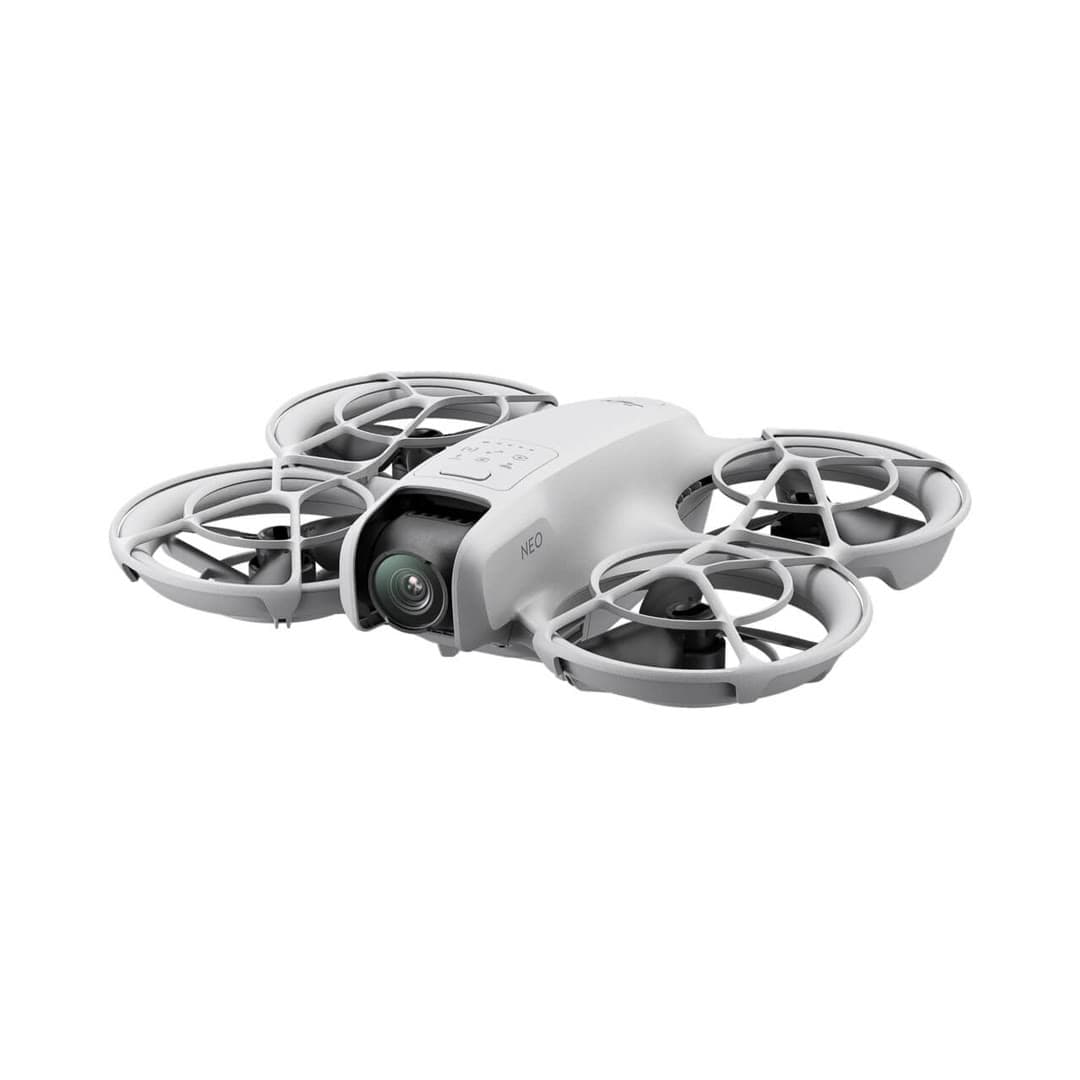
Neo
DJI's cheapest, lightest drone: it launches from your palm and tracks you with no controller, aimed squarely at quick social-media clips rather than serious aerial photography.
Strengths
- Takes off and lands in your hand; true no-controller flying
- 135 g means no FAA registration for recreational use
- Lowest-cost entry into DJI's app and accessory ecosystem
Tradeoffs
- No obstacle sensing and only digital (not gimbal) stabilization on some modes
- Short ~18-minute flight time and light-wind limits
- Fixed-focus camera is a clear step below the Mini line
- Weight
- 135 g (recreational registration exempt)
- Camera
- 4K/30 stabilized
- Flight time
- ~18 min
- Control
- Palm / phone / RC
- Wind resistance
- Level 4
- Best use
- Selfies, social clips
Best for: First-timers who mainly want hands-free selfie and follow clips, not landscape photography.
Amazon comes first when available. Official links stay visible for exact specs, stock, and manufacturer support. We may earn a commission at no extra cost to you. Disclosure
DJI
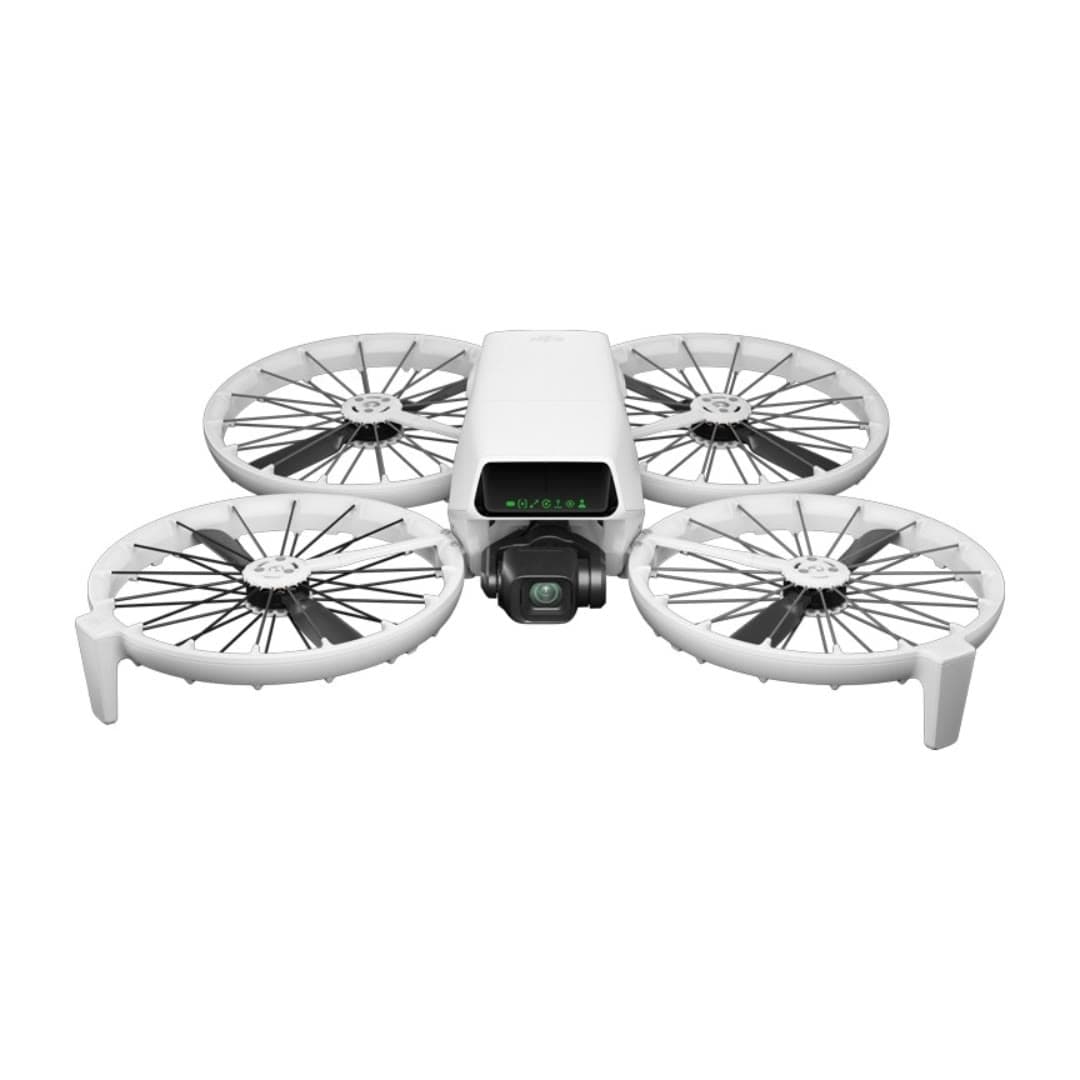
Flip
DJI's most beginner-friendly real camera drone: a strong 1/1.3-inch camera, folding full-coverage propeller guards, palm launch, and subject tracking without requiring a phone or controller.
Strengths
- Strong 1/1.3-inch sensor, RAW stills, 4K/60 HDR, and optional 10-bit D-Log M
- Built-in propeller guards reduce contact risk while learning; they do not create permission to fly over people
- Under 249 g, registration-free for recreational flying
Tradeoffs
- Forward infrared braking and downward positioning are not omnidirectional; tracking modes do not avoid obstacles
- Guards add bulk and slightly cut flight time vs. the Mini
- U.S. price and stock can move with DJI supply and regulatory pressure; verify the seller and warranty path
- Weight
- Under 249 g
- Camera
- 4K/60 HDR, 1/1.3in
- Flight time
- Up to 31 min in controlled conditions
- Safety
- Full prop guards
- Subject tracking
- Yes
- Wind resistance
- Level 5
Best for: Nervous first-time pilots who still want genuinely good 4K footage and a safety-first design.
Amazon comes first when available. Official links stay visible for exact specs, stock, and manufacturer support. We may earn a commission at no extra cost to you. Disclosure
Aircraft to operation
Before first launch
Buying the aircraft is one decision. Use this sequence to get from the box to a deliberate, legal first flight.
Aircraft under consideration
DJI Neo 2
DJI Neo 2: 151 g; 160 g with O4 transceiver
- 01Check registration
Aircraft status
Set the registration path
DJI Neo 2 is listed at 151 g; 160 g with O4 transceiver. Recreational-only use may qualify for the sub-250 g exception. Part 107 flights still require registration, so confirm takeoff weight with the flight battery and accessories fitted.
- 02Start the airspace check
Launch location
Check the exact airspace
The aircraft does not decide whether a location is clear. Check the launch point, planned altitude, date, and time for controlled airspace, restrictions, and local launch rules.
- 03Check commercial requirements
Only when it is work
ConditionalDecide whether Part 107 applies
A small drone does not create a business-use exception. If the flight serves a client, employer, listing, monetized project, or another non-recreational purpose, check the Part 107 path first.
- 04Open the first-flight checklist
Props still off
Run the first-flight preflight
Confirm aircraft condition, firmware, battery health, controller link, home point, return-to-home settings, weather, people, obstacles, and the lost-link plan before takeoff.
How we score
The score is an editorial composite of four axes: flight and camera capability, owner sentiment drawn from published reviews, build and reliability, and value for the money. It reflects research and cross-checking rather than lab measurement, and we do not invent star counts. Prices are typical U.S. street bands and move around, especially for DJI while the import freeze lasts.
Affiliate relationships do not change our scores or rankings. Read the full affiliate disclosure.