Drone Authority · Review · FPV ready-to-fly kit
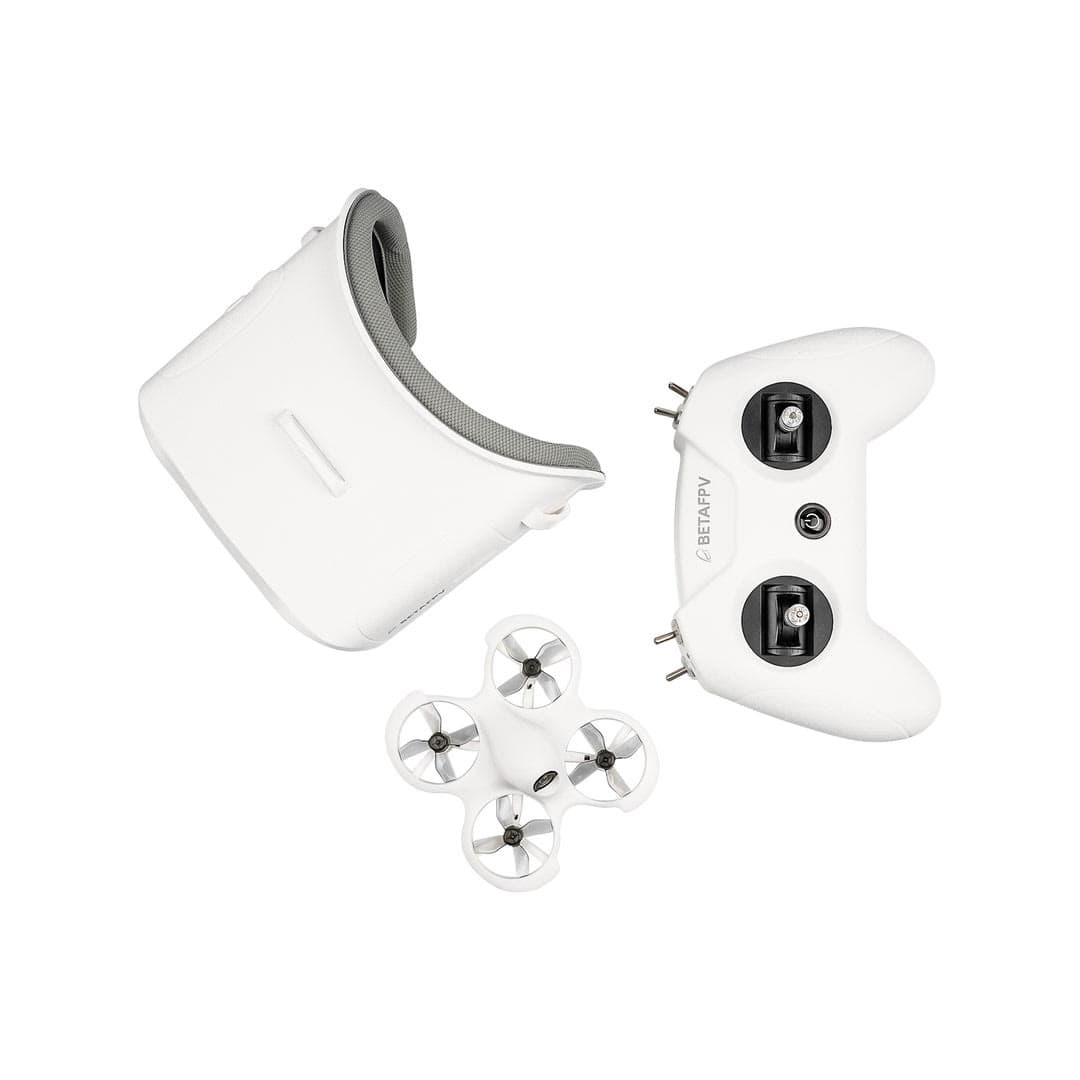
BETAFPV Cetus FPV Kit
Built from published specifications and cross-checked against the sources listed at the foot of this page. We have not flown this aircraft ourselves.
The finding
Best FPV StarterAnyone who wants to learn FPV flying without assembling parts or a big outlay.
Price band only. Affiliate link: we may earn a commission at no extra cost to you. Disclosure
- Our score
- 7.7/10
- Typical price
- $150 – $200
- Category
- FPV ready-to-fly kit
Published figures
- Type
- FPV, ready-to-fly
- Includes
- Drone + goggles + radio
- Weight
- 35 g with battery
- Flight time
- ~4–5 min per battery
- Modes
- Normal / Sport / Manual
- Motors
- 716 brushed (Cetus Pro is the brushless version)
- Radio protocol
- Frsky D8 (LiteRadio 2 SE), not ELRS
- Best use
- Learning FPV indoors
Against the 250 g registration line
35 g
Below the line. Flown recreationally and unmodified, this aircraft does not need FAA registration. Any Part 107 flight still does, and added gear can push it over. Registration rules
Drone Authority score
Editorial composite from researching Cetus FPV Kit. Not a lab measurement, not an aggregate of retailer stars.
7.7/10
- Flight and cameraCapability for its lane
- Strong8.0
- Owner sentimentCross-checked owner reports
- Strong8.0
- Build and reliabilityHardware and dependability
- Solid7.0
- ValuePrice against category peers
- Excellent8.5
Complete goggles + radio + drone bundle to learn FPV safely.
The standard low-cost on-ramp into the FPV hobby.
In its favour
- Everything to start FPV in one box: goggles and radio included
- Stepped flight modes safely bridge beginners to manual acro
- Light enough to crash indoors and keep practicing
Buy it for this. Anyone who wants to learn FPV flying without assembling parts or a big outlay.
Against it
- Very short ~4–5 minute flights; you'll want spare batteries fast
- Tiny-whoop performance is limited outdoors and in wind
- FPV has a steeper learning curve than GPS camera drones
- Brushed motors wear out; the bundled Frsky D8 radio will not bind to most ELRS quads you buy next
Skip it if this matters. Very short ~4–5 minute flights; you'll want spare batteries fast
Owner desk
Established training kitLiving with the Cetus FPV Kit.
Cetus is a practice system, not a range platform. The best upgrade is more simulator time, healthy matched batteries, and a controlled progression from stabilized modes to manual flight.
Configuration
Indoor FPV training kit
Weight
35 g with the supplied battery
Legal configuration
Registration, Remote ID, and what changes them.
Different Cetus variants use different batteries, connectors, firmware, and flight controllers. Identify the exact kit before ordering parts.
- Recreational
- A stock recreational indoor or outdoor flight can qualify for the under-250 g exception, subject to the location and operating rules.
- Part 107
- Register the aircraft before any Part 107 operation, even at this weight.
- Remote ID
- A tiny FPV aircraft may need an accepted broadcast module for registered operations unless flown in a FRIA or another exception applies. Confirm the actual setup before flying outside.
- Control stack
- BETAFPV Configurator where supported, plus the included radio and goggles
First 30 minutes
Set it up before the launch site.
- 01
Identify the exact Cetus version
Read the aircraft and controller labels, then use the matching BETAFPV manual. Cetus, Cetus Pro, Cetus X, and Betaflight variants are not one setup.
- 02
Charge with the correct profile
Inspect every 1S pack and connector, use the supplied or compatible charger, and retire swollen, punctured, hot, or damaged batteries.
- 03
Prove controls without propellers near people
Confirm mode switches, arming, disarming, throttle direction, video channel, and failsafe before the first hover.
- 04
Use a room-sized progression
Start in the most stabilized mode, hold a hover, fly boxes and figure eights, then use a simulator before attempting full manual control.
Compatible kit
What to buy first.
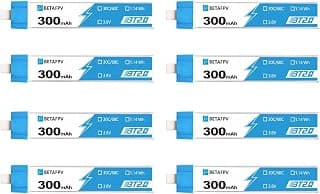
More safe repetitions beat cosmetic upgrades. Match battery connector and capacity to the exact Cetus version, then add a multi-port charger and safe storage.
What not to change
Do not flash a firmware target from a different Cetus controller or flight controller. Confirm voltage, connector, motor, propeller, and receiver protocol before every swap.
Amazon links are affiliate links. We may earn a commission at no extra cost to you. Fit notes and ordering are editorial decisions.
02 · Buy first
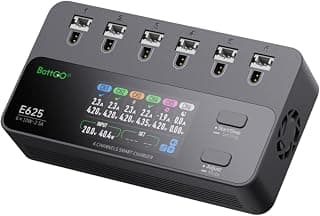
E625 6-Channel 1S LiPo Charger
A bench upgrade for pilots flying many 1S packs.
Check at Amazon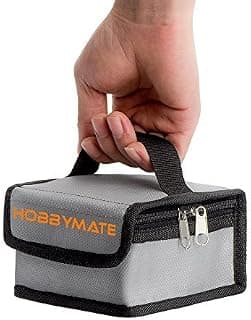
03 · Add later
LiPo Charging and Storage Safe Bag
Boring, cheap, and sensible once batteries start multiplying.
Check at AmazonMaintenance
What to check, and how often.
- Before every pack
- Check propellers, guards, motor shafts, battery retention, camera angle, video link, and failsafe behavior. A previous impact can loosen more than the visible part.
- After any crash
- Disarm, disconnect the battery, inspect the frame and motors, clear debris, and test at low power before returning to full flight.
- Every session
- Log damaged packs, retire puffed or punctured LiPos, and return reusable packs to storage voltage with the correct charger.
- After firmware or controller changes
- Recheck control direction, arming, mode switches, failsafe, video, and return behavior in a controlled area.
Troubleshooting
Common symptoms and what to check.
The quad flips immediately on takeoff
Disarm. Check propeller orientation, motor direction, frame orientation, and whether the correct propeller is on each motor.
Do not add throttle repeatedly. An incorrect prop or motor direction will not fix itself.
Video is snowy, black, or on the wrong feed
Match band and channel, confirm goggles input mode and antenna connection, move away from Wi-Fi interference, and verify the camera and VTX power.
Stop if the VTX is overheating or an antenna is missing.
Flight time collapses or the aircraft sags
Retire damaged packs, compare cell voltage, inspect connectors, remove hair from motors, and confirm the battery matches the exact Cetus version.
Do not recharge a swollen, punctured, wet, or abnormally hot LiPo.
Official support
Manuals, firmware, parts.
Learn next
Where to go next.
- Registration checkerSee how weight, recreation, and Part 107 change the answer.
- First-flight checklistTurn setup into a controlled first launch.
- Can I fly here?Check airspace, authorization, TFRs, weather, and launch permission.
- FPV simulator guideBuild control memory in a simulator before switching to manual mode.
- First FPV flightSet up a safe progression from stabilized flight to manual control.
The short answer
The BETAFPV Cetus FPV Kit is a complete, inexpensive way to learn what FPV control feels like before building a larger quad. The original brushed Cetus, LiteRadio 2 SE, and VR02 goggles arrive as one matched analog system, and stabilized modes make the first hover less punishing. Its 35 g aircraft, short flights, basic video feed, and brushed motors define it as an indoor trainer, not a tiny cinematic drone or a range platform.
What changes the decision
01
A useful first FPV system
BETAFPV lists Normal, Sport, and Manual flight modes with three speed settings. Optical flow, a laser positioning sensor, and a barometer support the stabilized learning modes, while Manual mode gives the pilot a path toward direct control. The included LiteRadio 2 SE and VR02 goggles remove the usual compatibility puzzle from the first purchase.
The original Cetus is a brushed analog whoop using the LiteSilver flight system and FrSky D8 protocol. It isn't the brushless Cetus X, and the parts, firmware, batteries, receiver assumptions, and performance claims aren't interchangeable. Read the label before ordering anything for it.
02
What to expect after the first hover
Short battery sessions are normal in this class. Use them for repeatable drills: arm and disarm, hover, controlled turns, boxes, figure eights, gate approaches, and clean landings. Simulator practice between packs builds stick memory without turning batteries, motors, and frames into consumables.
The analog video feed is for piloting, not recording polished footage. Brushed motors also have a finite life, especially when hair and debris reach the shafts. The kit earns its value by teaching orientation and control cheaply enough that crashes are part of practice rather than a financial event.
Travel, Remote ID, and support
- Battery on a plane
- BT2.0 300mAh 1S 75C Battery: 1.14 Wh, no airline approval needed. Spares ride in the cabin only. Battery airline check
Sources behind this review
Manufacturer specifications set the hardware claims. Independent reviews are used to test that positioning and surface the practical tradeoffs. We did not receive or fly a review unit.
- BETAFPV Cetus FPV Kit specifications
Manufacturer aircraft weight, kit contents, modes, controller, goggles, positioning, radio, and video-system details.
- BETAFPV Cetus manual
Manufacturer setup, operation, charging, binding, and troubleshooting instructions.
- BETAFPV ready-to-fly range
Manufacturer lineup for distinguishing the original Cetus from newer Cetus and Aquila kits.
- FAA drone registration
FAA registration rules for recreational and Part 107 aircraft.
Before you choose
Is the BETAFPV Cetus a good first FPV drone?
Yes, if the goal is to learn FPV orientation and stick control indoors with a matched aircraft, radio, and goggles package. It isn't a camera-drone substitute or a long-range system.
How much does the original Cetus weigh?
BETAFPV lists 35 g with the supplied battery for the original brushed Cetus in this kit. Do not borrow the weight or specifications from Cetus Pro or Cetus X.
Can the Cetus fly outdoors?
It can fly in calm, open conditions, but its small size and low power make it much better suited to indoor practice. Wind can quickly exceed its ability to hold position or return.
Should I practice in a simulator before Manual mode?
Yes. A simulator lets you build throttle, turn, recovery, and orientation habits without spending battery cycles or breaking the aircraft. Move into Manual mode only after the basic control pattern feels repeatable.
Ready to buy the BETAFPV Cetus FPV Kit?
Typical price $150 – $200. Check availability before you commit. Buy through this link and we may earn a commission at no extra cost to you. Disclosure.
Compare with
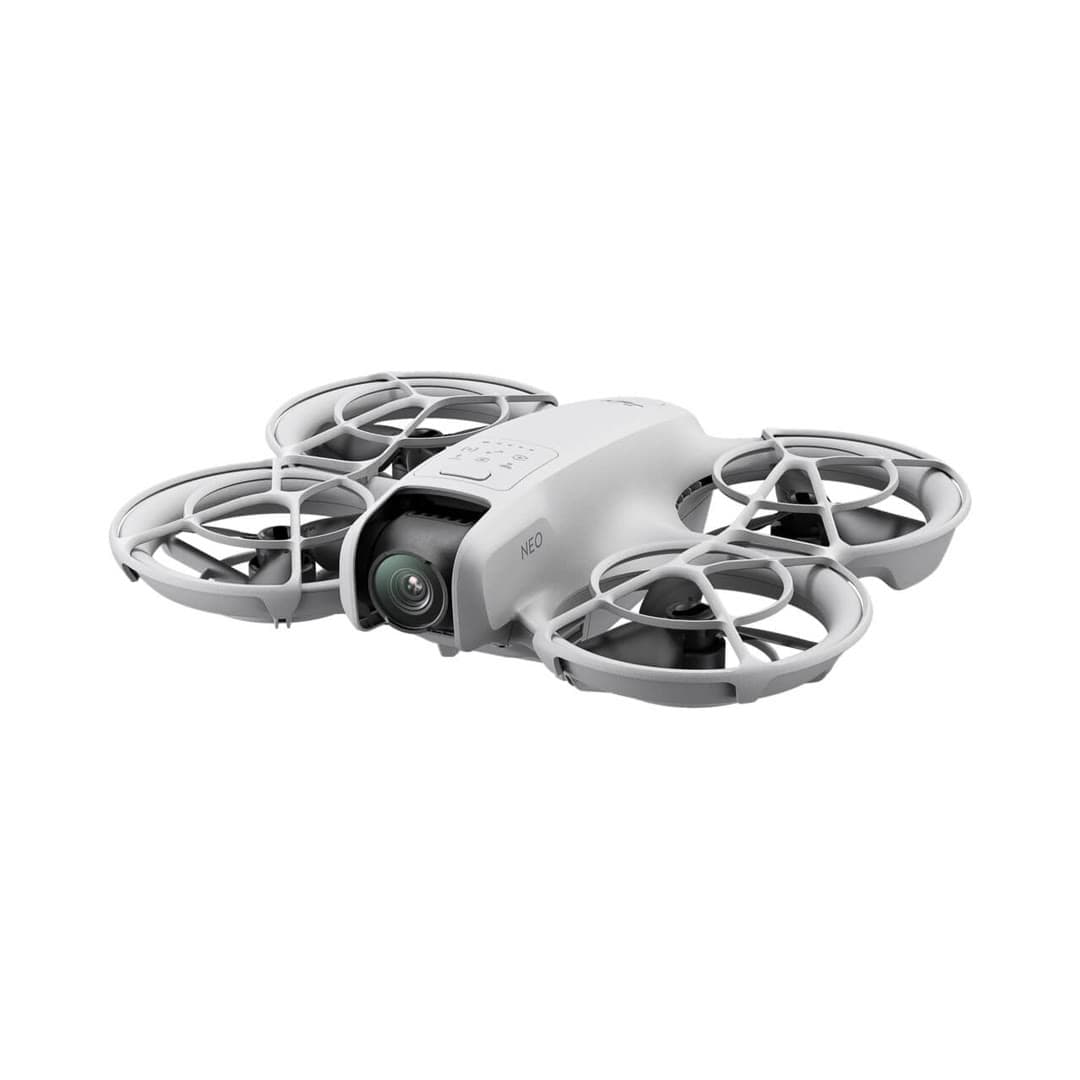
DJI
Neo
DJI's cheapest, lightest drone: it launches from your palm and tracks you with no controller, aimed squarely at quick social-media clips rather than serious aerial photography.
Strengths
- Takes off and lands in your hand; true no-controller flying
- 135 g means no FAA registration for recreational use
- Lowest-cost entry into DJI's app and accessory ecosystem
Tradeoffs
- No obstacle sensing and only digital (not gimbal) stabilization on some modes
- Short ~18-minute flight time and light-wind limits
- Fixed-focus camera is a clear step below the Mini line
- Weight
- 135 g (recreational registration exempt)
- Camera
- 4K/30 stabilized
- Flight time
- ~18 min
- Control
- Palm / phone / RC
- Wind resistance
- Level 4
- Best use
- Selfies, social clips
Best for: First-timers who mainly want hands-free selfie and follow clips, not landscape photography.
Amazon comes first when available. Official links stay visible for exact specs, stock, and manufacturer support. We may earn a commission at no extra cost to you. Disclosure
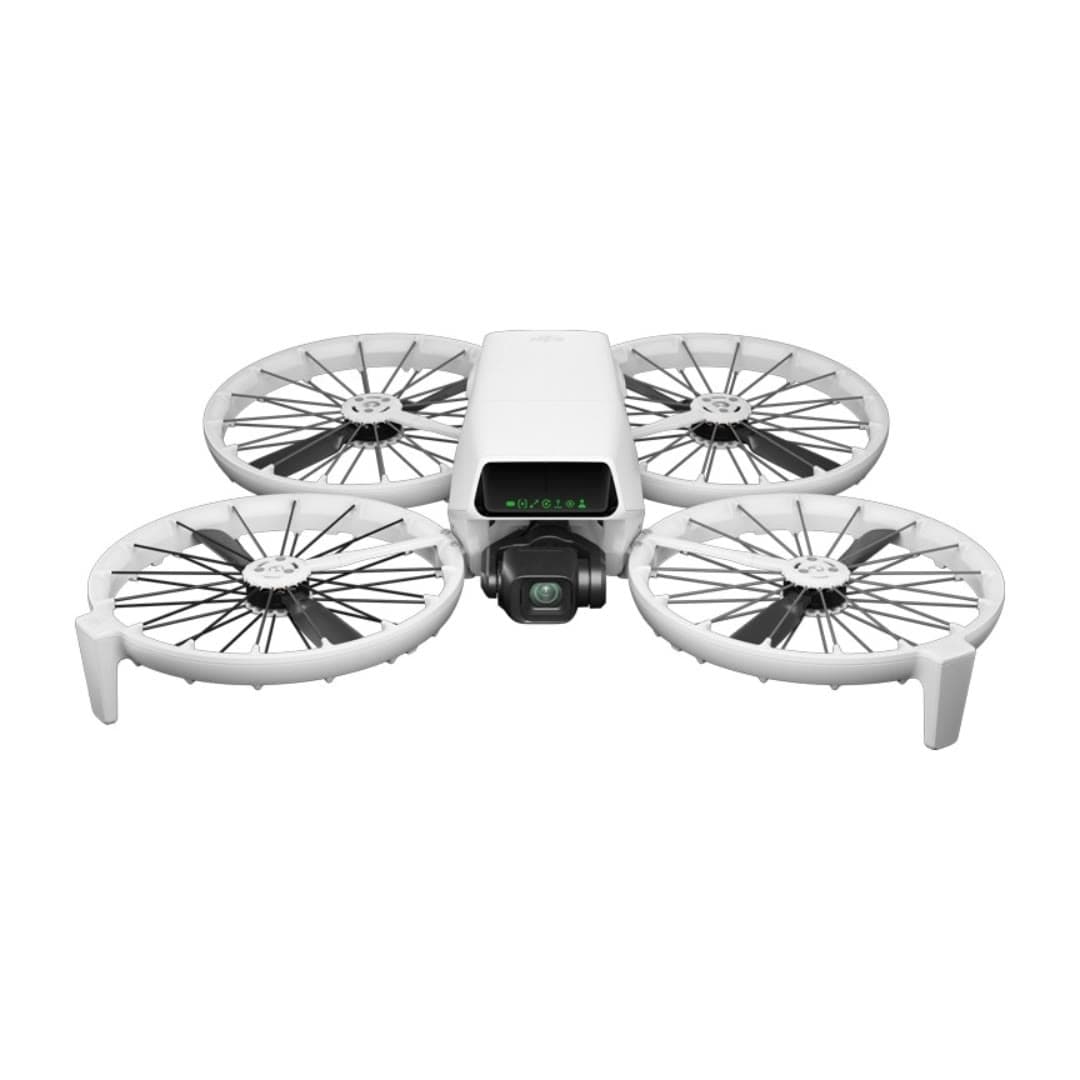
DJI
Flip
DJI's most beginner-friendly real camera drone: a strong 1/1.3-inch camera, folding full-coverage propeller guards, palm launch, and subject tracking without requiring a phone or controller.
Strengths
- Strong 1/1.3-inch sensor, RAW stills, 4K/60 HDR, and optional 10-bit D-Log M
- Built-in propeller guards reduce contact risk while learning; they do not create permission to fly over people
- Under 249 g, registration-free for recreational flying
Tradeoffs
- Forward infrared braking and downward positioning are not omnidirectional; tracking modes do not avoid obstacles
- Guards add bulk and slightly cut flight time vs. the Mini
- U.S. price and stock can move with DJI supply and regulatory pressure; verify the seller and warranty path
- Weight
- Under 249 g
- Camera
- 4K/60 HDR, 1/1.3in
- Flight time
- Up to 31 min in controlled conditions
- Safety
- Full prop guards
- Subject tracking
- Yes
- Wind resistance
- Level 5
Best for: Nervous first-time pilots who still want genuinely good 4K footage and a safety-first design.
Amazon comes first when available. Official links stay visible for exact specs, stock, and manufacturer support. We may earn a commission at no extra cost to you. Disclosure
Aircraft to operation
Before first launch
Buying the aircraft is one decision. Use this sequence to get from the box to a deliberate, legal first flight.
Aircraft under consideration
BETAFPV Cetus FPV Kit
BETAFPV Cetus FPV Kit: 35 g with battery
- 01Check registration
Aircraft status
Set the registration path
BETAFPV Cetus FPV Kit is listed at 35 g with battery. Recreational-only use may qualify for the sub-250 g exception. Part 107 flights still require registration, so confirm takeoff weight with the flight battery and accessories fitted.
- 02Start the airspace check
Launch location
Check the exact airspace
The aircraft does not decide whether a location is clear. Check the launch point, planned altitude, date, and time for controlled airspace, restrictions, and local launch rules.
- 03Check commercial requirements
Only when it is work
ConditionalDecide whether Part 107 applies
A small drone does not create a business-use exception. If the flight serves a client, employer, listing, monetized project, or another non-recreational purpose, check the Part 107 path first.
- 04Open the first-flight checklist
Props still off
Run the first-flight preflight
Confirm aircraft condition, firmware, battery health, controller link, home point, return-to-home settings, weather, people, obstacles, and the lost-link plan before takeoff.
How we score
The score is an editorial composite of four axes: flight and camera capability, owner sentiment drawn from published reviews, build and reliability, and value for the money. It reflects research and cross-checking rather than lab measurement, and we do not invent star counts. Prices are typical U.S. street bands and move around, especially for DJI while the import freeze lasts.
Affiliate relationships do not change our scores or rankings. Read the full affiliate disclosure.