Drone Authority · Review · Self-flying camera
HOVERAir X1 Pro
Built from published specifications and cross-checked against the sources listed at the foot of this page. We have not flown this aircraft ourselves.
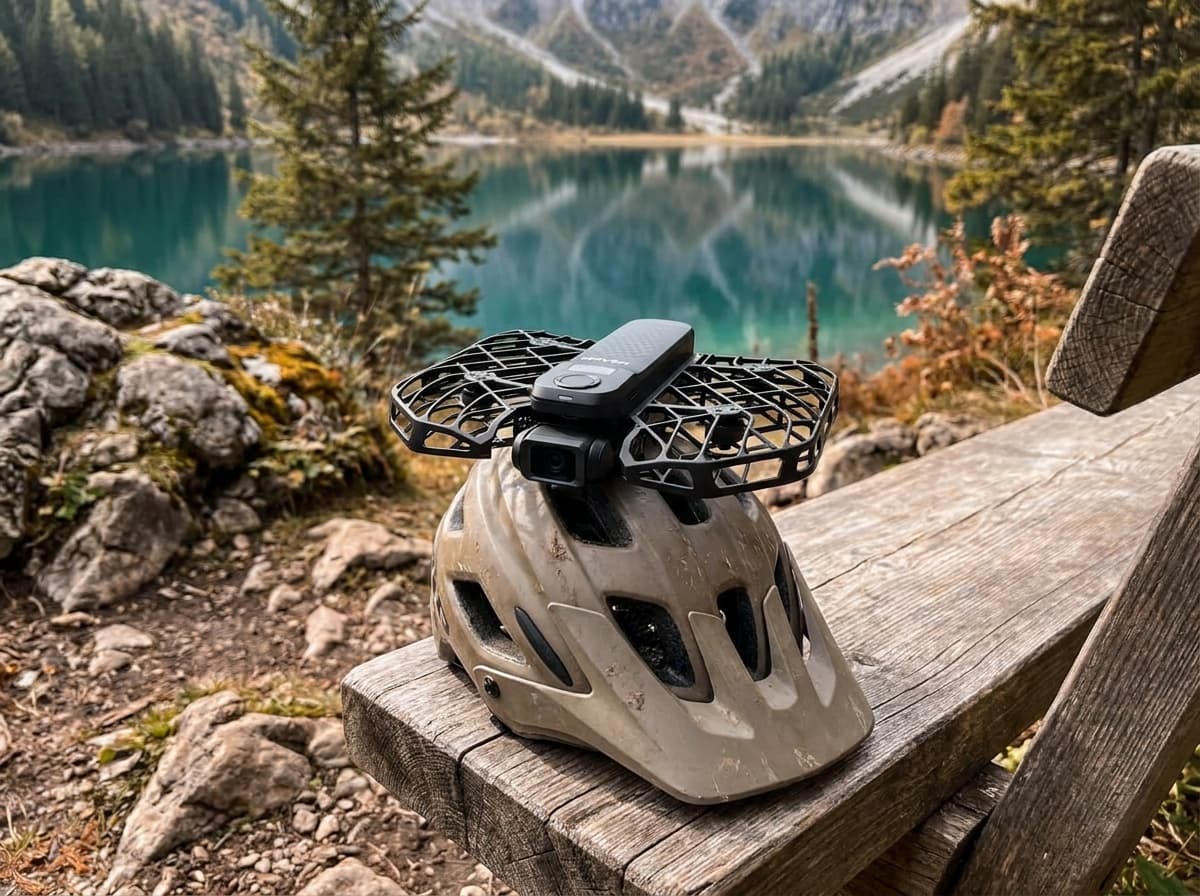
The finding
Best Follow CameraRunners, riders, and skiers who want a camera crew, not a piloting hobby.
Price band only. Affiliate link: we may earn a commission at no extra cost to you. Disclosure
- Our score
- 8.4/10
- Typical price
- $499 (Pro) / $699 (ProMax), camera only
- Category
- Self-flying camera
Published figures
- Camera
- 4K/60 HDR (ProMax: 8K/30, 4K/120, 48 MP photos)
- Weight
- About 192 g; flight time up to 16 min
- Follow speed
- Up to 42 km/h: bike and ski capable
- Modes
- 10+ autonomous flight paths, palm launch
- Terrain
- OmniTerrain following
Against the 250 g registration line
192 g
Below the line. Flown recreationally and unmodified, this aircraft does not need FAA registration. Any Part 107 flight still does, and added gear can push it over. Registration rules
Drone Authority score
Editorial composite from researching X1 Pro. Not a lab measurement, not an aggregate of retailer stars.
8.4/10
- Flight and cameraCapability for its lane
- Excellent8.6
- Owner sentimentCross-checked owner reports
- Excellent8.5
- Build and reliabilityHardware and dependability
- Strong8.0
- ValuePrice against category peers
- Strong8.2
4K/60 (8K on ProMax) self-flying capture at 42 km/h follow speeds.
In its favour
- Genuinely hands-free: tracks you through trails at speed
- Pro-level follow speeds that embarrass the original X1
- Fully autonomous modes need zero piloting skill
Buy it for this. Runners, riders, and skiers who want a camera crew, not a piloting hobby.
Against it
- Not a pilot's drone: limited manual control
- Premium price for a single-purpose camera
Skip it if this matters. Not a pilot's drone: limited manual control
Owner desk
Active firmware supportLiving with the X1 Pro.
The X1 PRO is best owned as an automated camera with a carefully walked route. The key upgrade is control and recovery confidence, not stacking weight onto the airframe.
Configuration
Action follow camera
Weight
Under 250 g in the published stock configuration
Legal configuration
Registration, Remote ID, and what changes them.
The Beacon does not ride on the aircraft, but lights or mounts do. Confirm weight and keep every sensor and guard clear.
- Recreational
- Stock recreational flights can qualify for the under-250 g registration exception.
- Part 107
- Register the aircraft for any Part 107 operation, regardless of its stock weight.
- Remote ID
- HOVERAir added Standard Remote ID support for X1 PRO and PROMAX through firmware. Confirm firmware v7.9.3 or later and enter the exact serial in DroneZone when registration is required.
- Control stack
- Hover X1 app, with optional Beacon and joysticks
First 30 minutes
Set it up before the launch site.
- 01
Charge, unfold, and clear the guards
Charge every battery, inspect the enclosed propellers, and remove lint, hair, grass, or packaging from the guards and sensors.
- 02
Activate in the Hover X1 app
Pair the flying camera, update the aircraft and any Beacon or accessory, and review each flight mode before using it near a subject.
- 03
Choose the route before the mode
Walk the full automated path. Look for branches, wires, people, traffic, reflective water, drop-offs, and places where an emergency landing would be unrecoverable.
- 04
Start slow and close
Use a simple mode in open ground at walking speed, verify subject lock and stop behavior, then expand speed, height, and terrain one variable at a time.
Compatible kit
What to buy first.
Additional batteries and charging come first because autonomous follow sessions consume attempts quickly. Add filters only for a deliberate video workflow, then choose control and case accessories around the Beacon configuration.
What not to change
PRO and PROMAX accessories can share documented paths, but the original X1 is a different fit assumption. Use products that explicitly name the supported X1 generation.
- Generation
- Confirm PRO and PROMAX support. Do not treat original X1 accessories as automatically compatible.
- Control
- Beacon, joystick, and phone workflows have different packing and control requirements.
- Camera
- Filters must match the supported PRO or PROMAX camera and remain secure through automated movement.
Amazon links are affiliate links. We may earn a commission at no extra cost to you. Fit notes and ordering are editorial decisions.
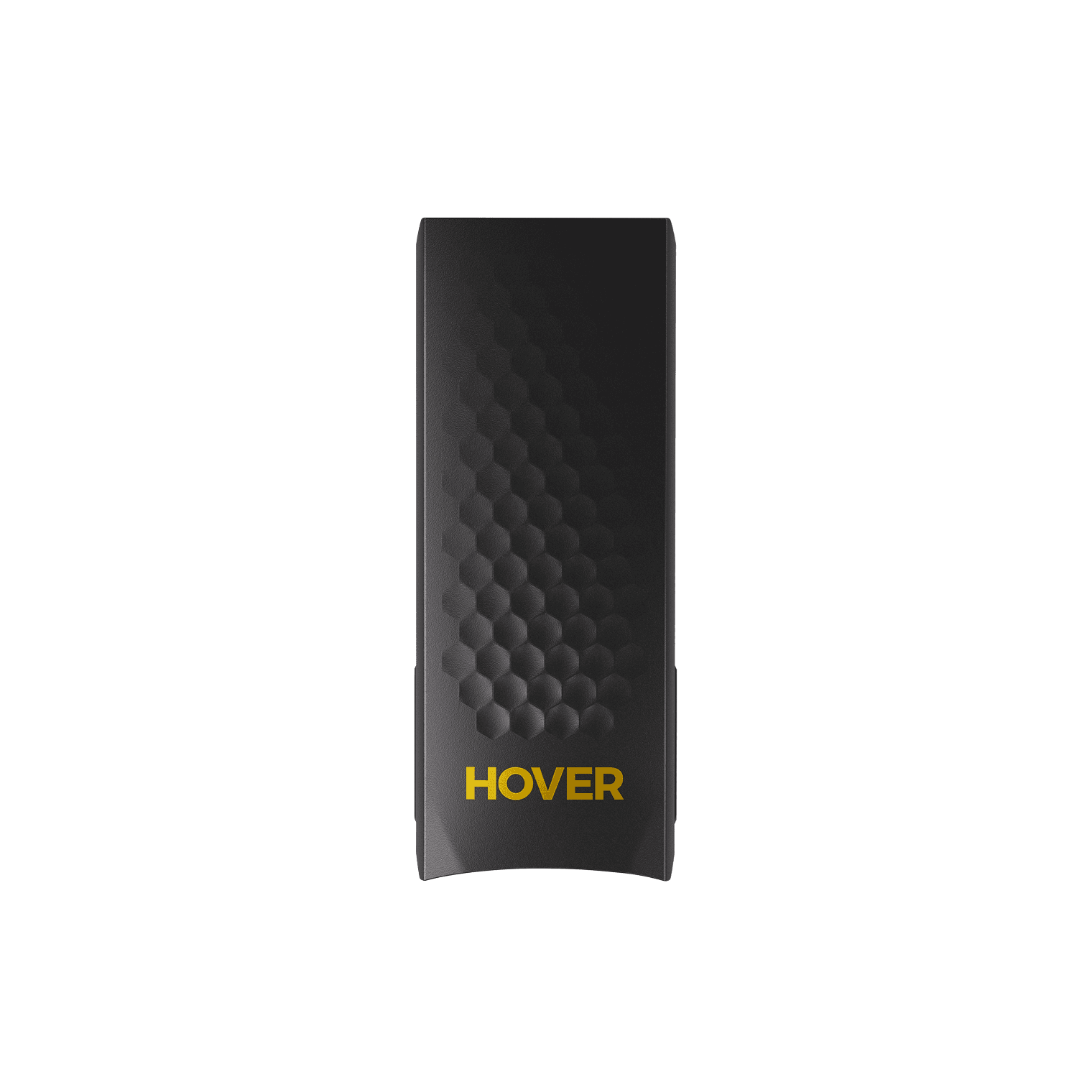
01 · Buy first
X1 PRO / PROMAX Smart Battery
The practical first add-on for short follow-camera flights.
Check at HOVERAir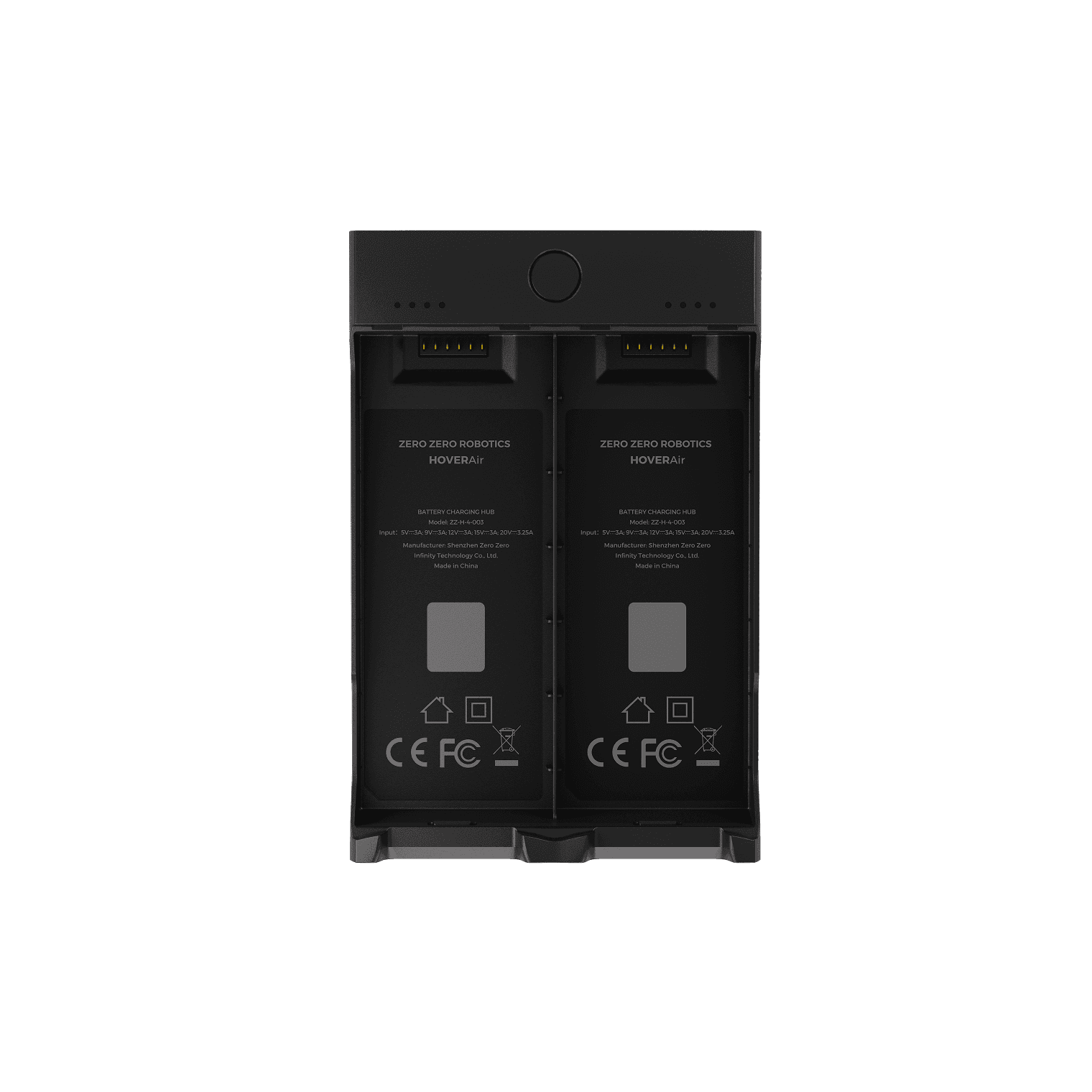
02 · Buy first
X1 PRO / PROMAX Charging Hub
The clean charging workflow once you carry more than one smart battery.
Check at HOVERAir
03 · Add later
X1 PRO / PROMAX ND Filters
The official bright-light exposure set for the newer HOVERAir cameras.
Check at HOVERAir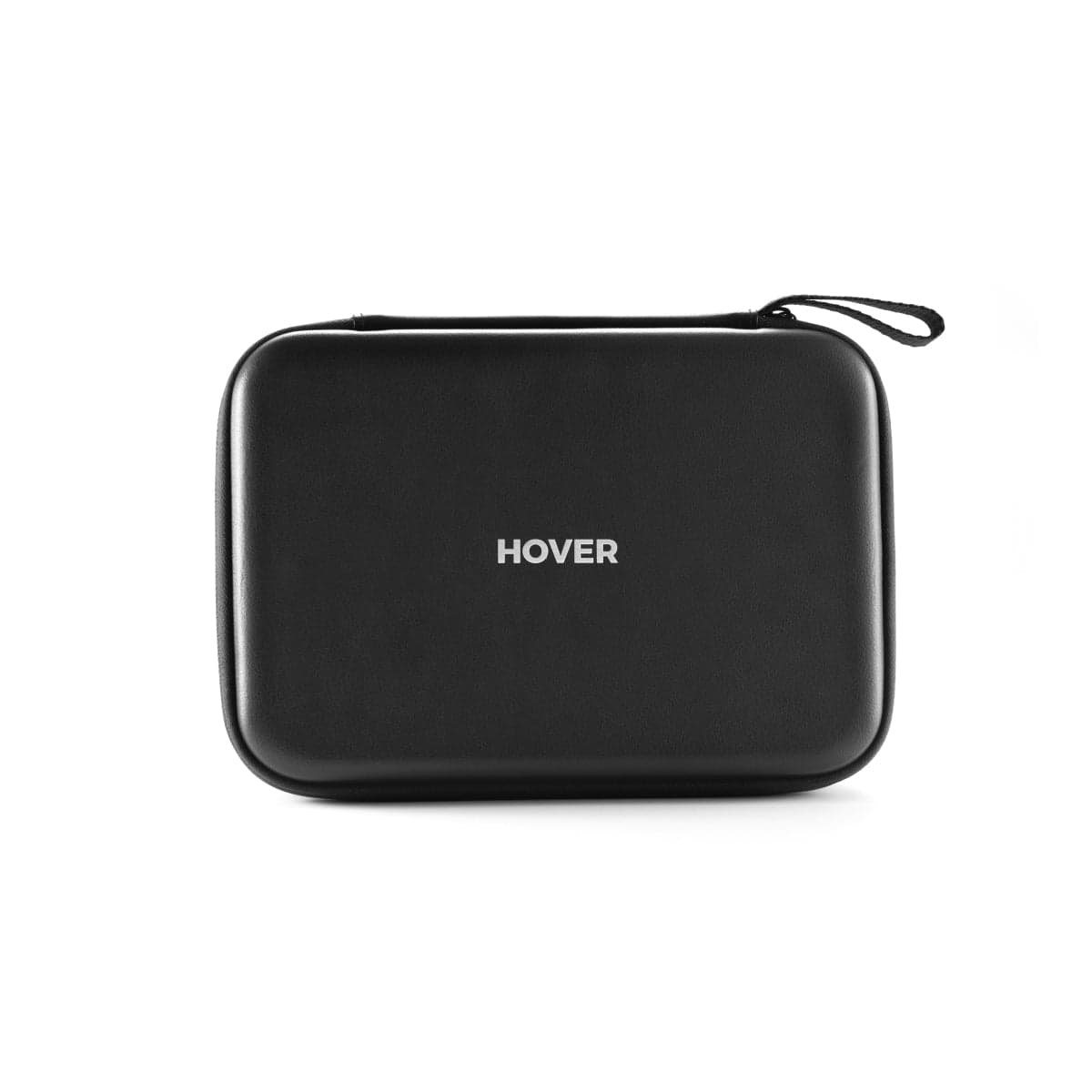
04 · Add later
X1 PRO / PROMAX Combo Case
A fitted travel layout for the aircraft, batteries, and control accessories.
Check at HOVERAir
05 · Add later
Beacon & JoySticks
The control upgrade for pilots who want more intent than an automated flight mode.
Check at HOVERAirModel fit questions
- What HOVERAir X1 PRO accessories should I buy first?
- Extra batteries and the official charging hub improve real use first. Add a compact case, then camera filters or Beacon controls when the shooting workflow requires them.
- Do HOVERAir X1 accessories fit the X1 PRO or PROMAX?
- Do not assume they do. Use listings that explicitly name X1 PRO, X1 PROMAX, or both.
- Does autonomous tracking mean I can stop watching the aircraft?
- No. Automated capture features do not erase the operational rules that apply to the flight, including visual-line-of-sight requirements where applicable.
Maintenance
What to check, and how often.
- Before every launch
- Check the enclosed propeller cage, propeller tips, camera window, and subject-tracking sensors. Hair, grass, and lint can hide inside the guard.
- After a hand catch or bump
- Stop the motors, inspect every blade and guard joint, then perform a low hover in a clear area before another tracking run.
- Every 10 flights
- Clean the lens and sensors with a blower and microfiber cloth, review battery health, and export footage before internal storage fills.
- Before storage
- Store dry, unfolded only if the manual calls for it, and away from heat that can deform guards or stress batteries.
Troubleshooting
Common symptoms and what to check.
Tracking loses the subject or chooses the wrong person
Use open contrast-rich terrain, simplify the background, keep the subject inside the supported speed and distance envelope, and restart the tracking mode before moving.
Stop the automated run when the route approaches people, traffic, branches, wires, or an unrecoverable landing area.
Palm launch or landing will not start cleanly
Confirm the correct mode, battery state, sensor cleanliness, level hand position, and a clear area around every propeller guard.
Use a normal landing surface if the aircraft oscillates, misreads the hand, or wind makes the catch uncertain.
Video looks soft or stabilization jumps
Clean the lens, verify the intended resolution and stabilization mode, check free storage, and inspect the guards and propellers for impact damage.
Stop if the camera module is loose or the aircraft vibrates in a steady hover.
Official support
Manuals, firmware, parts.
Learn next
Where to go next.
- Registration checkerSee how weight, recreation, and Part 107 change the answer.
- First-flight checklistTurn setup into a controlled first launch.
- Can I fly here?Check airspace, authorization, TFRs, weather, and launch permission.
- Better aerial footageUse deliberate moves, exposure, and shot planning instead of relying on automation.
The short answer
The HOVERAir X1 Pro is a camera crew, not a piloting hobby: it palm-launches, flies itself, and tracks a runner, rider, or skier at up to 42 km/h in 4K/60 with no controller in anyone's hand. Judged as a self-flying follow camera it is the best in its class. Judged as a drone it is deliberately limited, with minimal manual flight and a single purpose, so buy it for what it is.
What changes the decision
01
The self-flying case
Every other drone on this site asks you to be a pilot; the X1 Pro asks you to be a subject. It launches from an open palm, runs more than ten autonomous flight paths, and lands back on your hand when the shot is done. The follow modes are the headline: up to 42 km/h tracking speed with OmniTerrain following means it holds onto mountain bikes on singletrack and skiers on groomers, situations where the original X1 and most palm-launch competitors give up.
The capture side keeps pace. 4K/60 HDR covers action delivery, and the ProMax variant steps up to 8K/30 for a modest premium, which is worthwhile if you crop or reframe in post. Because no one is holding a controller, the athlete and the camera operator are the same person, and that is the entire value proposition: footage of yourself doing the sport, alone, without asking a friend to learn to fly.
02
What it will not do
This is not a pilot's aircraft. Manual control is limited to a phone-based mode that no one would choose for deliberate framing, there is no controller in the box, and you will not fly planned reveals, top-downs at distance, or landscape work the way you would with a Mini or an Air. If you want to learn to fly, or want one drone that covers travel photography and follow shots, a conventional camera drone with tracking modes is the better single purchase.
The single-purpose framing also matters at this price. At $500 to $700 the X1 Pro costs real camera-drone money while doing one job. That job it does better than anything else, which is exactly why the recommendation is narrow: buy it if hands-free self-filming during sport is the footage you actually want, and skip it if follow shots would be an occasional bonus rather than the point.
Travel, Remote ID, and support
- Battery on a plane
- Smart Battery: 14.17 Wh, no airline approval needed. Spares ride in the cabin only. Battery airline check
- Remote ID
- Standard Remote ID built in. FAA declaration RID000002593, RID000002594. Requires aircraft firmware v7.9.3 or later. Remote ID lookup
- Maker support
- Latest firmware found: v8.4.15 (August 6, 2026). Support tracker
Compare it with the real alternatives
- HOVERAir X1 Pro vs DJI Neo 2: Best Follow Camera? (2026)HOVERAir X1 Pro vs DJI Neo 2 compared on tracking, sensing, camera, control, endurance, U.S. availability, registration, and price.
- HOVERAir AQUA vs X1 Pro: Water Specialist or Everyday Follow Camera? (2026)HOVERAir AQUA vs X1 Pro compared on water use, camera, control, endurance, maintenance, U.S. availability, registration, and Remote ID.
Sources behind this review
Manufacturer specifications set the hardware claims. Independent reviews are used to test that positioning and surface the practical tradeoffs. We did not receive or fly a review unit.
- HOVERAir: X1 Pro and ProMax product page
Current camera modes, weight, autonomous features, and ProMax differences.
- HOVERAir: X1 Pro and ProMax support
Official manuals, firmware history, tutorials, battery guidance, and accessory support.
- Tom's Guide: HoverAir X1 Pro and X1 ProMax review
Independent hands-on review, used to cross-check the use case and limitations stated above.
- BIKEPACKING.com: HOVERAir X1 ProMax review
Independent field use on the ProMax tier of the same platform, used to cross-check tracking and battery claims.
Before you choose
Does the HOVERAir X1 Pro need FAA registration?
Not for purely recreational flying, since it is under 250 grams. Recreational flyers still need TRUST. Register it if any flight is commercial or otherwise flown under Part 107.
Can the X1 Pro really follow a mountain bike?
Yes, within its 42 km/h ceiling and terrain-following limits. It holds onto trail riding and resort skiing well. Very fast descents, dense tree cover, and sudden direction changes can still break the track, so expect to reshoot occasionally rather than never.
X1 Pro or ProMax?
The ProMax adds 8K/30 capture for $120 to $200 more depending on bundle at HOVERAir's U.S. store (October 3, 2026). If you post straight 4K social clips, the Pro is enough. If you crop, stabilize in post, or want stills pulled from video, the ProMax premium is small enough to justify.
Ready to buy the HOVERAir X1 Pro?
Typical price $499 (Pro) / $699 (ProMax), camera only. Check availability before you commit. Buy through this link and we may earn a commission at no extra cost to you. Disclosure.
Compare with
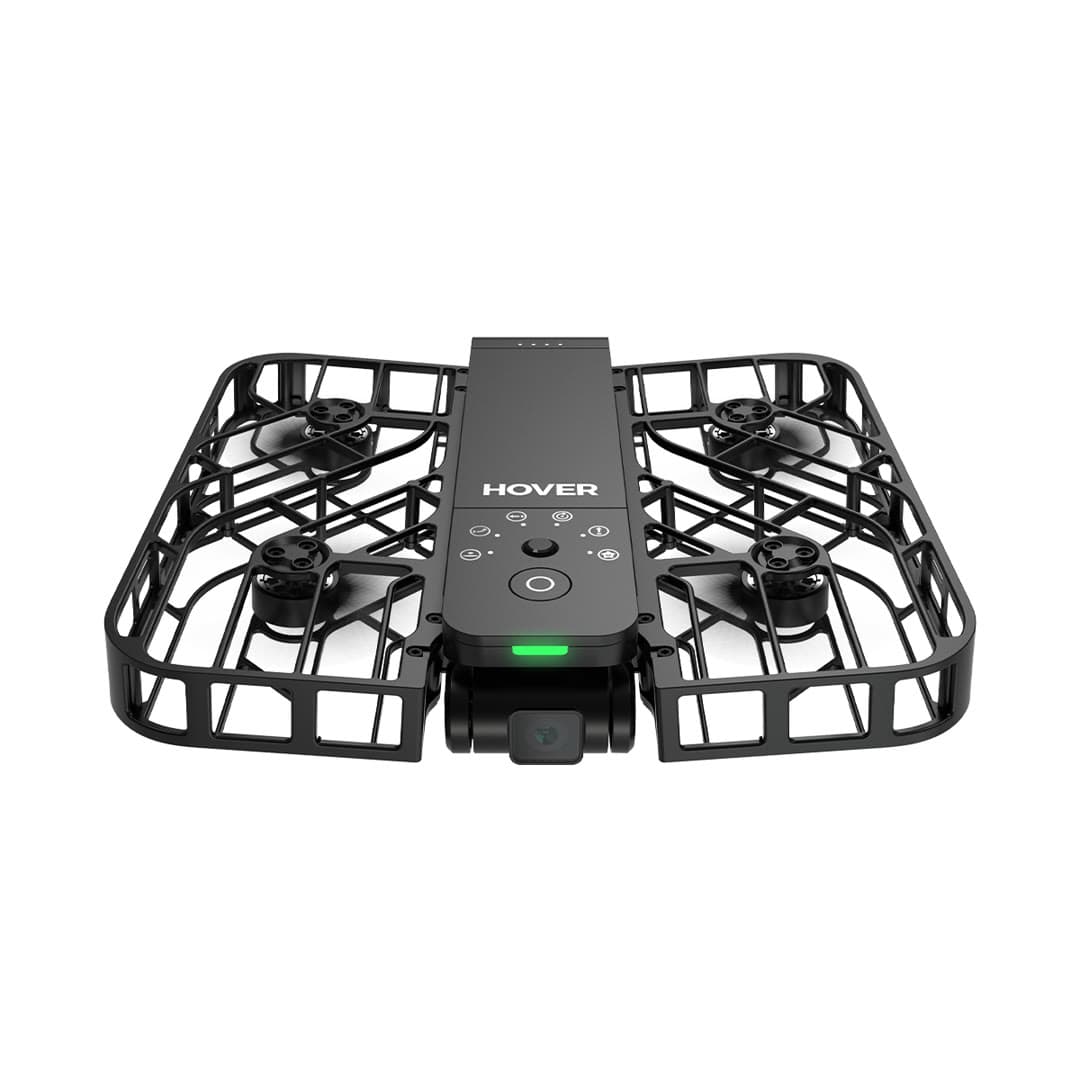
HOVERAir
X1
A pocketable, fully enclosed flying camera built for hands-free selfies and action follow shots, not a traditional manual-flying camera drone, and that's by design.
Strengths
- Self-flying, enclosed, and genuinely pocketable for content creators
- 125 g and recreational registration exempt; enclosed propellers reduce contact risk
- Not a DJI product, so no import-freeze supply concerns
Tradeoffs
- 2.7K camera and short ~11-minute flights limit serious use
- Automated flight paths only; little manual control or range
- Not built for landscape or long-distance photography
- Weight
- 125 g (recreational registration exempt)
- Camera
- 2.7K stabilized
- Flight time
- ~11 min
- Design
- Enclosed, foldable
- Control
- Fully automated / app
- Not DJI
- Unaffected by import freeze
Best for: Creators and athletes who want automatic follow-me video without learning to pilot.
Amazon comes first when available. Official links stay visible for exact specs, stock, and manufacturer support. We may earn a commission at no extra cost to you. Disclosure
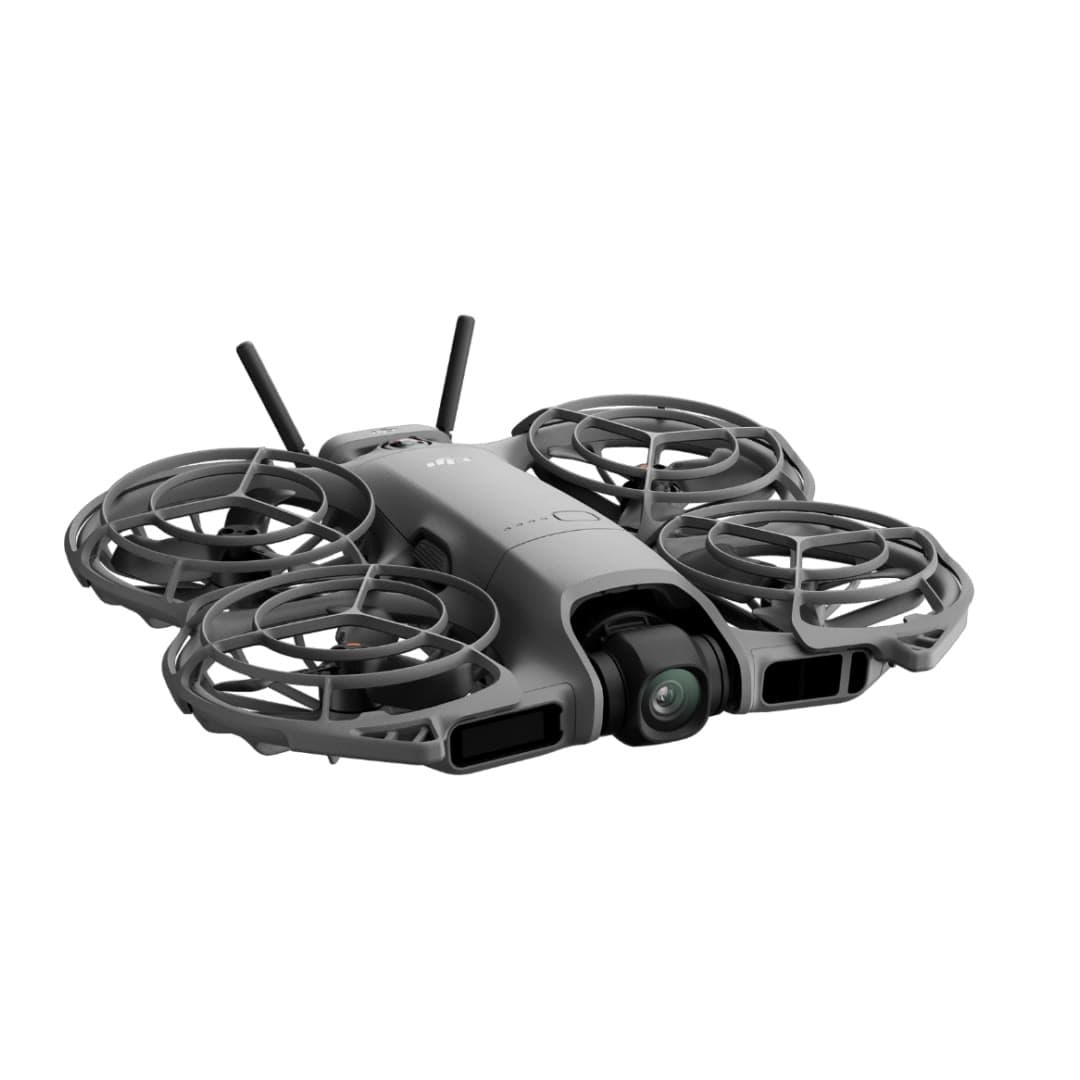
DJI
Neo 2
DJI's second palm-launch personal camera is a substantial upgrade: two-axis stabilization, 4K/60 video, faster tracking, 49 GB of storage, and omnidirectional sensing with forward LiDAR at 151 g before the optional O4 transceiver.
Strengths
- Two-axis gimbal, 4K/60, and omnidirectional sensing fix the original Neo's biggest limits
- Fast subject tracking, palm launch, gesture control, and return-to-palm work without a controller
- 49 GB internal storage and optional O4, RC, goggles, and FPV control paths
Tradeoffs
- Small sensor, JPEG-only stills, Normal color, and no microSD slot limit camera latitude
- Nineteen minutes is a controlled maximum; recording, wind, and the transceiver reduce usable time
- No normal DJI U.S. launch, so seller, region, bundle contents, returns, and support need scrutiny
- Weight
- 151 g; 160 g with O4 transceiver
- Camera
- 12MP 1/2in; 4K/60, 4K/100 slow motion
- Gimbal
- 2-axis mechanical + RockSteady
- Sensing
- Omnidirectional vision + forward LiDAR
- Flight time
- 19 min max; practical time varies
- Control
- Palm / gesture / phone / RC / goggles
Best for: Solo creators who value automatic tracking and instant self-filming more than RAW photos, long endurance, or Mini-series image quality.
Amazon comes first when available. Official links stay visible for exact specs, stock, and manufacturer support. We may earn a commission at no extra cost to you. Disclosure
Aircraft to operation
Before first launch
Buying the aircraft is one decision. Use this sequence to get from the box to a deliberate, legal first flight.
Aircraft under consideration
HOVERAir X1 Pro
HOVERAir X1 Pro: About 192 g; flight time up to 16 min
- 01Check registration
Aircraft status
Set the registration path
HOVERAir X1 Pro is listed at About 192 g; flight time up to 16 min. Recreational-only use may qualify for the sub-250 g exception. Part 107 flights still require registration, so confirm takeoff weight with the flight battery and accessories fitted.
- 02Start the airspace check
Launch location
Check the exact airspace
The aircraft does not decide whether a location is clear. Check the launch point, planned altitude, date, and time for controlled airspace, restrictions, and local launch rules.
- 03Check commercial requirements
Only when it is work
ConditionalDecide whether Part 107 applies
A small drone does not create a business-use exception. If the flight serves a client, employer, listing, monetized project, or another non-recreational purpose, check the Part 107 path first.
- 04Open the first-flight checklist
Props still off
Run the first-flight preflight
Confirm aircraft condition, firmware, battery health, controller link, home point, return-to-home settings, weather, people, obstacles, and the lost-link plan before takeoff.
How we score
The score is an editorial composite of four axes: flight and camera capability, owner sentiment drawn from published reviews, build and reliability, and value for the money. It reflects research and cross-checking rather than lab measurement, and we do not invent star counts. Prices are typical U.S. street bands and move around, especially for DJI while the import freeze lasts.
Affiliate relationships do not change our scores or rankings. Read the full affiliate disclosure.