Drone Authority · Review · FPV / cinewhoop drone
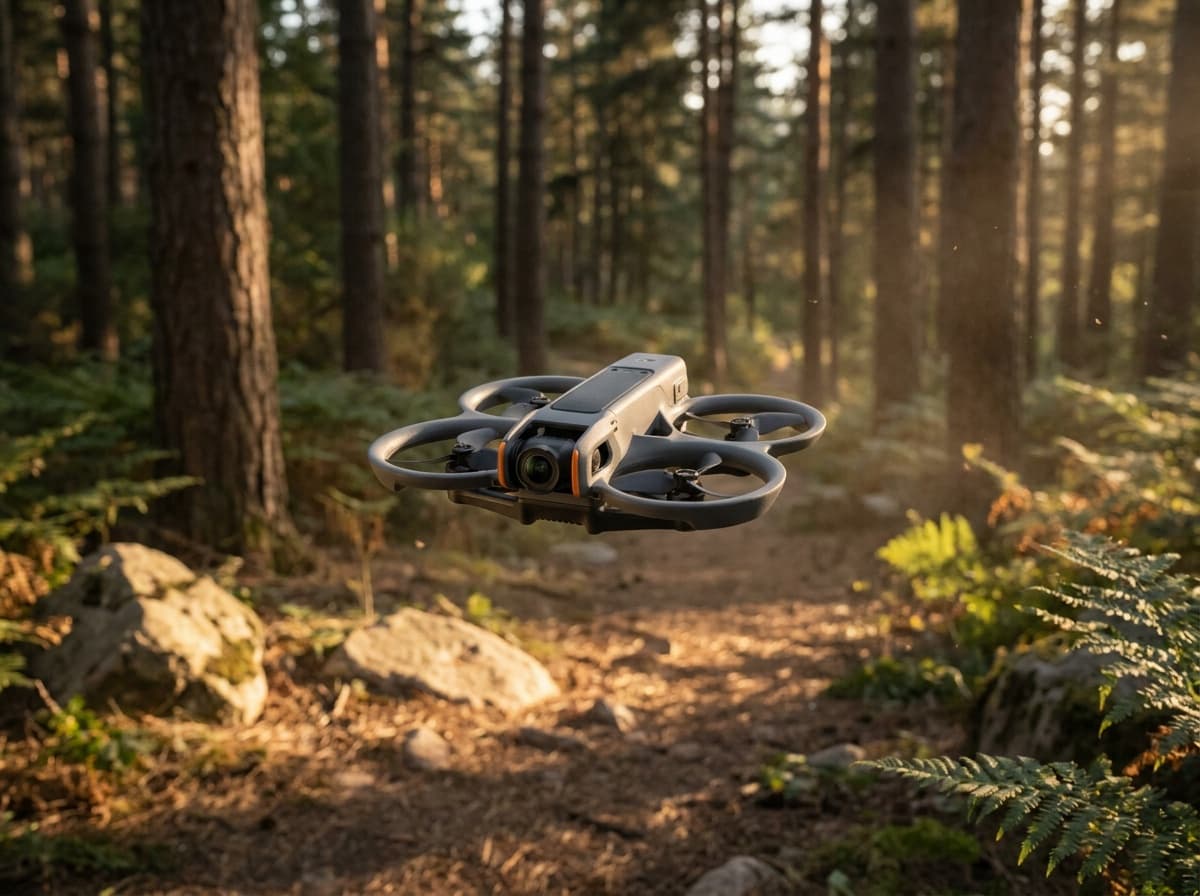
DJI Avata 2
Built from published specifications and cross-checked against the sources listed at the foot of this page. We have not flown this aircraft ourselves.
The finding
Best FPV StarterPilots who want goggle flying today, without building a quad first.
Price band only. Affiliate link: we may earn a commission at no extra cost to you. Disclosure
- Our score
- 8.9/10
- Typical price
- $849 – $1,099 (combo)
- Category
- FPV / cinewhoop drone
Published figures
- Camera
- 1/1.3-in, 4K HDR, 155° FOV
- Kit
- Goggles 3 + RC Motion 3 included (Fly More combo)
- Safety
- Built-in prop guard, RTH, binocular sensing
- Transmission
- O4, up to 8 mi
Against the 250 g registration line
Over 250 g in normal flight configuration. Register this aircraft with the FAA before you fly it, recreationally or under Part 107, and meet Remote ID. Registration rules
Drone Authority score
Editorial composite from researching Avata 2. Not a lab measurement, not an aggregate of retailer stars.
8.9/10
- Flight and cameraCapability for its lane
- Excellent9.2
- Owner sentimentCross-checked owner reports
- Excellent9.0
- Build and reliabilityHardware and dependability
- Excellent8.6
- ValuePrice against category peers
- Excellent8.6
The frictionless door into FPV: goggles, motion controller, and one-button acro out of the box.
In its favour
- Complete FPV kit in one box: no building, binding, or soldering
- Goggles 3 pairing with one-button acro makes immersive flying instantly accessible
- Ducted design is far safer indoors and near people than open-prop quads
Buy it for this. Pilots who want goggle flying today, without building a quad first.
Against it
- Locked DJI ecosystem: no custom parts path when you outgrow it
- Heavier than 250 g, so registration always applies
Skip it if this matters. Locked DJI ecosystem: no custom parts path when you outgrow it
Owner desk
Mature DJI supportLiving with the Avata 2.
Treat the Avata 2 as a complete aircraft, goggles, controller, battery, and practice system. Manual mode is an earned configuration, not a first-flight setting.
Configuration
Immersive FPV system
Weight
Over 250 g in normal flight configuration
Legal configuration
Registration, Remote ID, and what changes them.
Added lights, mounts, or camera protection change handling and can obstruct sensors or ducts even when registration is already required.
- Recreational
- Registration is required because the aircraft is over 250 g.
- Part 107
- Register the aircraft in the Part 107 inventory before any non-recreational flight.
- Remote ID
- Confirm the aircraft serial and Remote ID status in FAA DroneZone after activation. Goggles do not replace the Remote ID requirement.
- Control stack
- DJI Fly with Goggles 3 and RC Motion 3 or FPV Remote Controller 3
First 30 minutes
Set it up before the launch site.
- 01
Charge and inventory the whole system
Charge the aircraft battery and the goggles and chosen controller. Remove every transport protector, confirm the correct propellers, and inspect for shipping damage.
- 02
Activate in DJI Fly
Connect to the internet, activate the aircraft, bind any service plan, and complete every prompted aircraft, controller, and battery update before leaving home.
- 03
Set the safety envelope
Confirm return-to-home altitude, obstacle behavior, signal-loss action, units, storage location, and camera defaults. These are aircraft settings, not assumptions.
- 04
Run a close first hover
Use a wide legal area, wait for a stable home point, hover at eye level, test controls and braking, then verify return-to-home without sending the aircraft far away.
Compatible kit
What to buy first.
Add flight batteries and charging capacity first, then spare Avata 2 propellers and a case that holds the aircraft, Goggles 3 or N3, and the controller actually used.
What not to change
Do not apply generic O3, O4, ELRS, or 5-inch FPV parts logic to the Avata 2. Its aircraft, goggles, controllers, battery, props, and firmware form a documented DJI system.
- Control stack
- Confirm the exact supported goggles and controller generation before buying a replacement or alternate control path.
- Flight parts
- Use Avata 2 batteries and propellers; generic FPV parts are not an equivalent fit path.
- Case
- Choose foam for the complete goggles and controller combination, not the aircraft alone.
Amazon links are affiliate links. We may earn a commission at no extra cost to you. Fit notes and ordering are editorial decisions.
01 · Buy first
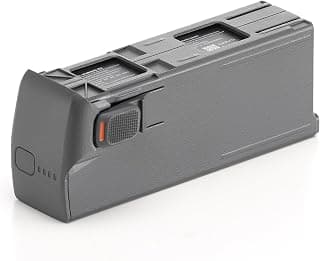
Avata 2 Intelligent Flight Battery
The Avata 2 part most pilots feel immediately.
Check at Amazon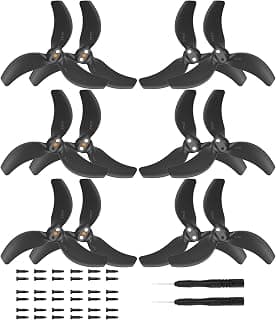
02 · Buy first
Avata 2 Propeller Set
Avata practice makes spare props normal inventory.
Check at Amazon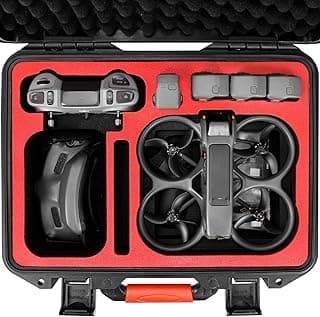
03 · Buy first
Avata 2 Waterproof Hard Case
A real carry solution for the goggles-and-drone problem.
Check at Amazon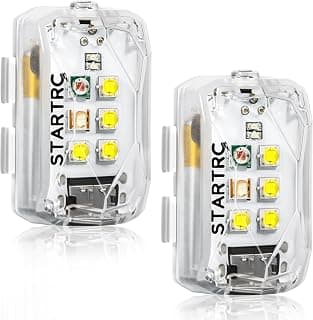
04 · Add later
Rechargeable Drone Strobe 2-Pack
A multi-drone strobe pair for pilots who move lights between aircraft.
Check at Amazon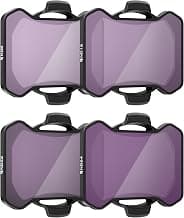
05 · Add later
Avata 2 Standard Day ND Filter 4-Pack
For Avata pilots treating FPV footage like footage.
Check at AmazonModel fit questions
- What DJI Avata 2 accessories should I buy first?
- Additional batteries, charging capacity, Avata 2 propellers, and a fitted case are the useful core. Simulator time is more valuable than many cosmetic add-ons.
- Can the Avata 2 use generic FPV batteries or propellers?
- No direct generic substitution should be assumed. Use parts documented for Avata 2 and keep its DJI control and video system compatibility intact.
- Do I need a different case for Goggles 3 and Goggles N3?
- Fitted foam can differ. Confirm that the case names the exact goggles and controller combination you carry.
Maintenance
What to check, and how often.
- Before every pack
- Check propellers, guards, motor shafts, battery retention, camera angle, video link, and failsafe behavior. A previous impact can loosen more than the visible part.
- After any crash
- Disarm, disconnect the battery, inspect the frame and motors, clear debris, and test at low power before returning to full flight.
- Every session
- Log damaged packs, retire puffed or punctured LiPos, and return reusable packs to storage voltage with the correct charger.
- After firmware or controller changes
- Recheck control direction, arming, mode switches, failsafe, video, and return behavior in a controlled area.
Troubleshooting
Common symptoms and what to check.
The goggles show video but the aircraft will not arm
Confirm controller pairing, beginner-mode status, battery level, firmware alignment, GPS or visual-position status, and every in-goggle warning.
Do not bypass an arming warning or launch without a reliable video and control link.
The aircraft oscillates or sounds different after a bump
Inspect every duct, propeller, motor, and guard. Replace damaged matched propellers and test in Normal mode at low altitude.
Stop if a motor binds, a duct is cracked, or vibration remains.
Manual mode feels uncontrollable
Return to Normal mode, verify stick setup and rates, and rebuild the maneuver in a simulator before another open-loop attempt.
Do not practice Manual mode near people, structures, roads, or unrecoverable terrain.
Official support
Manuals, firmware, parts.
Learn next
Where to go next.
- Registration checkerSee how weight, recreation, and Part 107 change the answer.
- First-flight checklistTurn setup into a controlled first launch.
- Can I fly here?Check airspace, authorization, TFRs, weather, and launch permission.
- FPV simulator guideBuild control memory in a simulator before switching to manual mode.
- First FPV flightSet up a safe progression from stabilized flight to manual control.
The short answer
The DJI Avata 2 is the shortest path from never having flown FPV to flying it well: a ducted 4K cinewhoop that ships in a Fly More combo with Goggles 3 and the RC Motion 3, plus one-button flips and rolls for pilots who are not ready for full acro. At $849 to start it is the best-value complete FPV kit sold, with two honest caveats: everything in the box only talks to DJI hardware, and at well over 250 grams it must be registered no matter how you fly it.
What changes the decision
01
Why the complete kit matters more than the specs
Traditional FPV demands a build: pick a frame, solder a video transmitter, bind a radio, configure Betaflight, then crash a lot while learning acro in a simulator. The Avata 2 deletes that entire on-ramp. The Fly More combo includes the aircraft, Goggles 3, and the RC Motion 3 controller, and the O4 video link between them is already the class leader for latency and image quality. You can be in the air, in goggles, within minutes of opening the box.
The ducted design is the other half of the beginner case. The 1/1.3-inch camera records 4K HDR through a 155-degree field of view, and the integrated prop guards mean a clipped branch or doorway usually ends with a bounce instead of a rebuild. One-button Easy ACRO performs flips, rolls, and drifts without stick skill, which lets a new pilot taste the shots that make FPV worth learning.
02
The two ceilings: ecosystem and the motion controller
The lock-in is real. The Avata 2 flies only with DJI goggles and controllers, takes only DJI parts, and cannot be tuned, rebuilt, or upgraded the way a Betaflight quad can. Pilots who fall hard for FPV usually end up wanting a repairable 5-inch freestyle rig within a year or two; the Avata 2 does not become that rig, it sits beside it as the polished cinewhoop. Budget for that trajectory rather than expecting one aircraft to cover it.
The RC Motion 3 is also both the feature and the ceiling. Point-and-steer motion control makes the first flight easy, but it hides the stick skills that full manual FPV is built on. If your goal is eventually flying acro on a traditional radio, add the DJI FPV Remote Controller 3 and put simulator time in early, because the motion controller will not teach you those reflexes on its own.
Travel, Remote ID, and support
- Battery on a plane
- Intelligent Flight Battery: 31.7 Wh, no airline approval needed. Spares ride in the cabin only. Battery airline check
- Remote ID
- Standard Remote ID built in. FAA declaration RID000001376. Remote ID lookup
- Maker support
- Latest firmware found: V01.00.0500 (July 30, 2026). Support tracker
Compare it with the real alternatives
Sources behind this review
Manufacturer specifications set the hardware claims. Independent reviews are used to test that positioning and surface the practical tradeoffs. We did not receive or fly a review unit.
- DJI: Avata 2 specifications
Weight, camera, transmission, battery, and compatibility specs cited above.
- DJI: Avata 2 product overview
Fly More combo contents, Easy ACRO, and Goggles 3 pairing details.
- DroneDJ: DJI Avata 2 review
Independent hands-on review, used to cross-check the use case and limitations stated above.
- Oscar Liang: DJI Avata 2 review
Independent FPV-specialist review, used to cross-check flight behaviour and who the aircraft suits.
Before you choose
Does the DJI Avata 2 need FAA registration?
Yes, always. At roughly 377 grams it is over the 250-gram threshold, so it must be registered for recreational flying and under Part 107. The sub-250-gram exception that covers the Mini line does not apply here.
Is it legal to fly the Avata 2 with goggles on?
Yes, with a condition: FAA rules require visual line of sight, so when you are in goggles a visual observer standing next to you must keep the aircraft in unaided sight. Flying alone in goggles does not meet the rule.
Should I buy the Avata 2 or build an FPV quad?
Buy the Avata 2 if you want goggle flying now with no soldering and a safety net of prop guards and RTH. Build (or buy a bind-and-fly kit) if repairability, tuning, and full acro freedom matter more than convenience. Many pilots start on the Avata 2 and add a custom quad later.
Ready to buy the DJI Avata 2?
Typical price $849 – $1,099 (combo). Check availability before you commit. Buy through this link and we may earn a commission at no extra cost to you. Disclosure.
Compare with
DJI
Avata
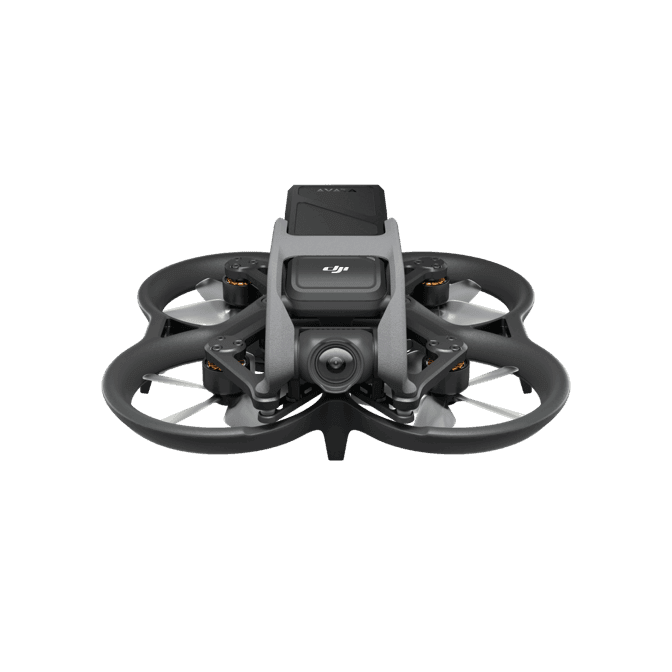
The original Avata remains a capable guarded cinematic FPV system. Owners need an exact goggles-controller compatibility pair, current Remote ID firmware, undamaged ducts and frame, and original-Avata batteries and props rather than Avata 2 parts.
Strengths
- Integrated propeller guards and stabilized modes lower the entry barrier to immersive flight
- 4K/60 capture, 20 GB internal storage, and accepted Standard Remote ID
- Works with several official goggles and controller combinations when firmware is matched
Tradeoffs
- No forward obstacle avoidance and limited published endurance
- Manual-mode skill still requires simulator work and a visual observer where goggles are used
- Avata 2 batteries, props, guards, and body-fit accessories are not interchangeable
- Weight
- Approximately 410 g
- Camera
- 1/1.7in, 12 MP output; 4K/60
- Protection
- Integrated propeller guards
- Flight time
- 18 min published hover time
- Control
- Documented Avata goggles and controller pair
- App
- DJI Fly through compatible goggles; phone GNSS may be required
Best for: Owners who want a supported guarded FPV platform and can verify the exact goggles, controller, firmware, and crash history.
Amazon comes first when available. Official links stay visible for exact specs, stock, and manufacturer support.
DJI
DJI FPV
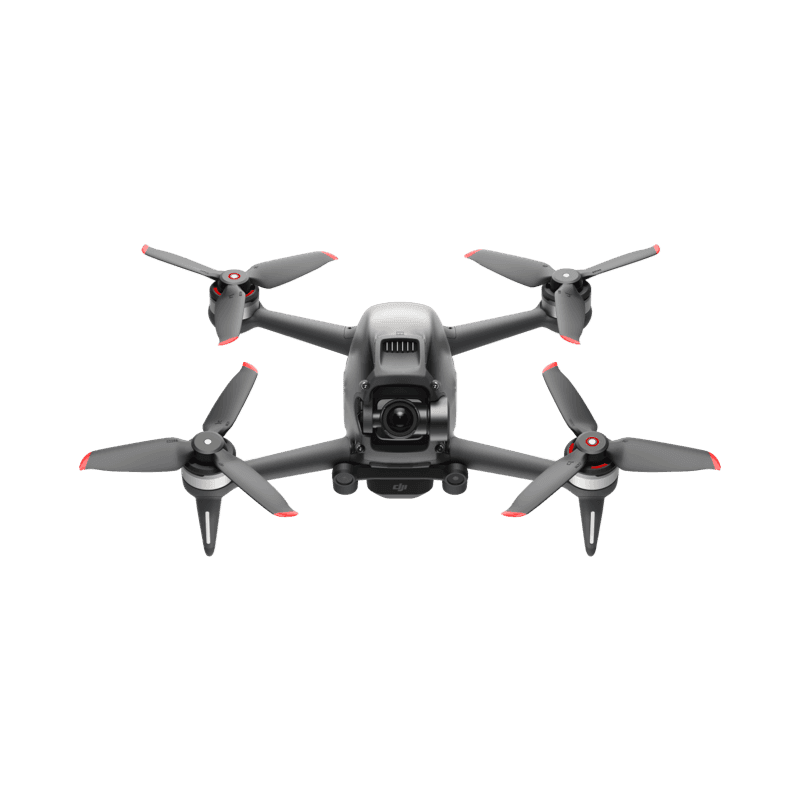
DJI FPV is a fast integrated aircraft, goggles, and controller system rather than a repairable freestyle quad. The safe ownership path is simulator-first manual training, accepted Remote ID firmware, exact marked propellers, healthy batteries, and a sober crash-cost calculation.
Strengths
- Fast stabilized and manual flight with an integrated HD video system
- Emergency brake, GPS return behavior, and accepted Standard Remote ID
- Official replaceable arms, landing gear, shell, and camera-gimbal parts were designed into the platform
Tradeoffs
- Heavy and expensive to crash compared with a conventional repairable FPV quad
- Forward sensors slow the aircraft but do not automatically brake in normal operation
- Manual mode removes most assistance and demands simulator skill plus deliberate field progression
- Weight
- Approximately 795 g
- Camera
- 1/2.3in, 12 MP; 4K/60
- Sensing
- Forward and downward slowdown, not full avoidance
- Flight time
- 20 min published max
- Control
- FPV Remote Controller 2, Motion Controller, or documented Explorer stack
- App
- DJI Fly through compatible goggles
Best for: Existing owners and disciplined pilots who want DJI's integrated fast-FPV experience and accept its repair, battery, and ecosystem limits.
Amazon comes first when available. Official links stay visible for exact specs, stock, and manufacturer support.
Aircraft to operation
Before first launch
Buying the aircraft is one decision. Use this sequence to get from the box to a deliberate, legal first flight.
Aircraft under consideration
DJI Avata 2
DJI Avata 2: Over 250 g in normal flight configuration
- 01Check registration
Aircraft status
Set the registration path
DJI Avata 2 is listed at Over 250 g in normal flight configuration. Plan on registration before launch. Part 107 registration is per aircraft.
- 02Start the airspace check
Launch location
Check the exact airspace
The aircraft does not decide whether a location is clear. Check the launch point, planned altitude, date, and time for controlled airspace, restrictions, and local launch rules.
- 03Check commercial requirements
Only when it is work
ConditionalDecide whether Part 107 applies
A small drone does not create a business-use exception. If the flight serves a client, employer, listing, monetized project, or another non-recreational purpose, check the Part 107 path first.
- 04Open the first-flight checklist
Props still off
Run the first-flight preflight
Confirm aircraft condition, firmware, battery health, controller link, home point, return-to-home settings, weather, people, obstacles, and the lost-link plan before takeoff.
How we score
The score is an editorial composite of four axes: flight and camera capability, owner sentiment drawn from published reviews, build and reliability, and value for the money. It reflects research and cross-checking rather than lab measurement, and we do not invent star counts. Prices are typical U.S. street bands and move around, especially for DJI while the import freeze lasts.
Affiliate relationships do not change our scores or rankings. Read the full affiliate disclosure.