Drone Authority · Review · 360 / immersive drone
Antigravity A1
Built from published specifications and cross-checked against the sources listed at the foot of this page. We have not flown this aircraft ourselves.
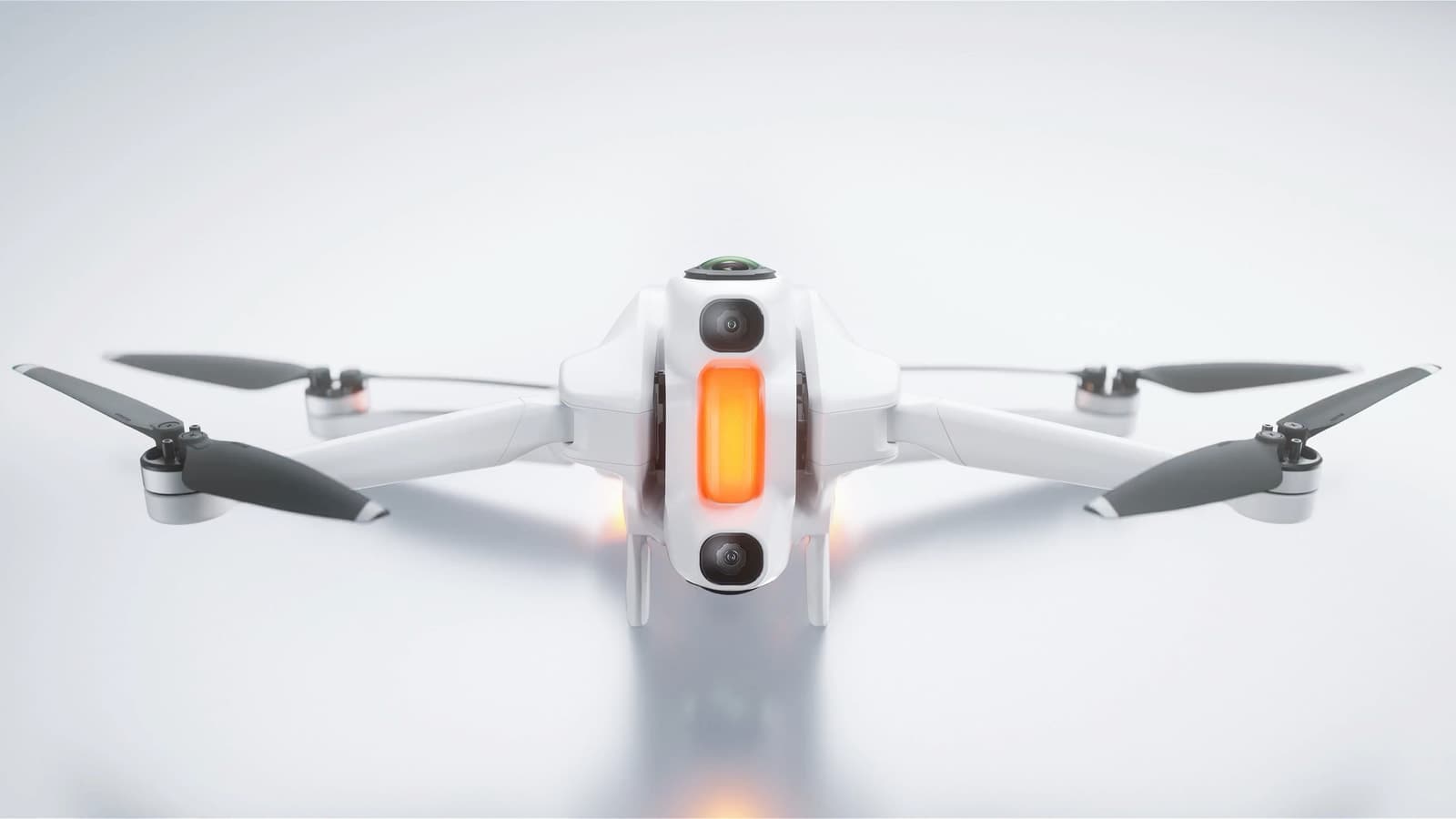
The finding
First 8K 360Creators who want immersive or social-ready footage without pre-planning every shot, and pilots curious about goggle flying without building an FPV rig.
Price band only. Affiliate link: we may earn a commission at no extra cost to you. Disclosure
- Our score
- 8.6/10
- Typical price
- $1,279 – $1,599 (bundle)
- Category
- 360 / immersive drone
Published figures
- Weight
- 249 g (registration-exempt recreational)
- Camera
- Dual-lens 8K/30 360 (5.2K/60, 4K/100)
- Flight time
- ~24 min (39 min high-capacity battery)
- Range
- 10 km transmission
- Control
- Vision goggles + Grip motion controller
- Best use
- Immersive 360 video, shoot-first-frame-later
Against the 250 g registration line
249 g
Below the line. Flown recreationally and unmodified, this aircraft does not need FAA registration. Any Part 107 flight still does, and added gear can push it over. Registration rules
Drone Authority score
Editorial composite from researching A1. Not a lab measurement, not an aggregate of retailer stars.
8.6/10
- Flight and cameraCapability for its lane
- Excellent9.2
- Owner sentimentCross-checked owner reports
- Strong8.4
- Build and reliabilityHardware and dependability
- Strong8.2
- ValuePrice against category peers
- Strong8.4
8K 360 capture with the drone stitched out of the shot; reframe any angle after landing.
Cheaper than a flagship Mavic while doing something no other drone does.
In its favour
- Capture everything, choose the shot later: no missed framing
- 249 g keeps it under registration thresholds for recreational flying
- Goggles + motion controller included at a price below flagship camera drones
Buy it for this. Creators who want immersive or social-ready footage without pre-planning every shot, and pilots curious about goggle flying without building an FPV rig.
Against it
- 360 stitching caps effective per-angle resolution below a dedicated 1-inch camera drone
- First-generation software; editing workflow has a learning curve
- Goggles-first flying means extra situational-awareness discipline (and a VO helps)
Skip it if this matters. 360 stitching caps effective per-angle resolution below a dedicated 1-inch camera drone
Owner desk
First-generation systemLiving with the A1.
The A1 is an aircraft, Vision goggles, Grip controller, app, and reframing workflow. Update and test every component together, then plan for the storage and edit workload after landing.
Configuration
8K 360 capture system
Weight
249 g published aircraft weight with configuration caveats
Legal configuration
Registration, Remote ID, and what changes them.
High-capacity batteries and added equipment can change weight, flight time, and the legal path. Weigh the complete flight configuration.
- Recreational
- A stock 249 g recreational configuration can qualify for the registration exception. Confirm the actual unit and accessories.
- Part 107
- Register the A1 for any Part 107 operation.
- Remote ID
- Confirm the exact Standard Remote ID declaration and serial for the activated aircraft before a registered flight.
- Control stack
- Antigravity app, Vision goggles, Grip controller, and Antigravity Studio or Sync
First 30 minutes
Set it up before the launch site.
- 01
Charge the complete system
Charge the aircraft, every battery, Vision goggles, and Grip controller. Remove lens protection and inspect both 360 lenses carefully.
- 02
Activate and update each battery
Connect in the Antigravity app, update the aircraft, goggles, and controller, then insert and update each battery so one old pack does not create a field mismatch.
- 03
Set the flight and capture defaults
Confirm return behavior, storage, lens protection status, recording mode, controller behavior, and a reframing workflow before the first real shoot.
- 04
Fly close, then reframe
Run a short open-area flight, test stopping and return behavior, capture one simple move, and complete the full ingest and reframing loop before a client or travel day.
Compatible kit
What to buy first.
No current store product is verified for the A1 system. Keep this list empty until its official battery, lens-protection, storage, and media requirements are represented; the camera captures everything, so post-production capacity still belongs in the ownership budget.
What not to change
Do not mount anything that enters either 360 lens, sensor, or propeller view. Antigravity excludes unauthorized disassembly and modifications from after-sales coverage.
We have not verified any third-party exact-fit parts yet.
Nothing has passed our fit check for this model yet, so we are not going to guess. Use the official parts path below and check the model name on every flight-critical part. The wider store still carries field gear that never touches the aircraft.
Browse field gearMaintenance
What to check, and how often.
- Before every flight
- Inspect every propeller, motor bell, arm hinge, sensor window, and gimbal guard area. Replace a nicked or warped propeller instead of trying to straighten it.
- After dust, sand, salt, or moisture
- Power down, remove the battery, brush away loose debris, and let the aircraft dry fully. Do not use compressed air to drive grit into motors or gimbal bearings.
- Every 10 flights
- Review battery swelling, cell warnings, propeller screws, storage capacity, return-to-home altitude, and the app flight log.
- Before storage
- Let intelligent batteries manage themselves at room temperature, keep them out of a hot vehicle, and recheck charge state before the next job.
Troubleshooting
Common symptoms and what to check.
The aircraft drifts, will not hold position, or reports a compass warning
Move away from vehicles, reinforced concrete, speakers, and large metal objects. Confirm satellite status and follow the manufacturer calibration prompt only when the app asks for it.
Do not launch while position or compass warnings remain.
The horizon is tilted or footage vibrates
Remove the gimbal guard, inspect the gimbal dampers and propellers, clean the lens, and run the official gimbal calibration on a level surface.
Stop if the gimbal binds, chatters, or was struck hard enough to deform its mount.
The stitched image shows seams, blur, or a dirty patch
Clean both lenses, remove any protector not intended for flight, confirm the current stitch and export software, and test the same static scene before flying again.
Stop if a lens is chipped, loose, or scratched across the active image area.
Learn next
Where to go next.
- Registration checkerSee how weight, recreation, and Part 107 change the answer.
- First-flight checklistTurn setup into a controlled first launch.
- Can I fly here?Check airspace, authorization, TFRs, weather, and launch permission.
- Better aerial footageUse deliberate moves, exposure, and shot planning instead of relying on automation.
The short answer
The Antigravity A1 is the first drone where framing is a post-production decision: both 8K 360 lenses capture everything and the aircraft is stitched out of the shot. For creators who miss shots because the camera pointed the wrong way, that is transformative. For pilots who want maximum per-angle image quality, a 1-inch-sensor camera drone is still sharper. At $1,279 with goggles and a motion controller included, it undercuts flagship camera drones while doing something none of them can.
What changes the decision
01
What the 360 workflow actually changes
A conventional drone forces you to fly and frame simultaneously, which is why most missed shots are framing errors, not flying errors. The A1 records the full sphere at up to 8K/30 (5.2K/60 and 4K/100 for faster motion), so you extract forward, top-down, side, or tracking views after landing. Antigravity's editing stack, powered by Insta360, does the reframing; the 2026 Big Spring Update added Voice Assistant, Timelapse, and improved Auto Edit.
The cost is per-angle resolution. An 8K sphere divided into a normal field of view yields roughly 1080p-class output per extracted angle. That is excellent for social and immersive delivery, and below what a Mavic 4 Pro or Air 3S produces for a single carefully framed cinematic shot.
02
Who should buy it, and who should not
Buy it if you shoot travel, action, or social content and want every angle of a moment captured in one pass, or if you want goggle flying without building an FPV rig: the kit ships with Vision goggles and the Grip motion controller, and at 249 g the aircraft stays under recreational registration thresholds.
Skip it if your output is client photography or cinematic landscape work where a larger sensor and optical zoom matter, or if you need the mature repair and accessory ecosystem DJI has built. This is a first-generation product from a new brand, and the software is improving monthly rather than finished.
Travel, Remote ID, and support
- Battery on a plane
- A1 Flight Battery: 16.9 Wh, no airline approval needed; A1 High-Capacity Flight Battery: 31.11 Wh, no airline approval needed. Spares ride in the cabin only. Battery airline check
- Remote ID
- Built in; turns on with the heavier battery. FAA declaration RID000002621. Remote ID lookup
Sources behind this review
Manufacturer specifications set the hardware claims. Independent reviews are used to test that positioning and surface the practical tradeoffs. We did not receive or fly a review unit.
- Antigravity: A1 product overview and specifications
Official specs: dual-lens 8K 360, 249 g, transmission range, bundle contents.
- Antigravity: A1 Big Spring Update
2026 firmware and editing-suite additions referenced in this review.
- Tom's Guide: Antigravity A1 review
Independent hands-on review, used to cross-check the use case and limitations stated above.
- Oscar Liang: Antigravity A1 review
Independent FPV-specialist review, used to cross-check range, wind handling, and 360 stitching limits.
Before you choose
Does the Antigravity A1 need FAA registration?
At 249 g it is exempt from registration for purely recreational flying. Register it (and hold Part 107) for any commercial use.
Can I legally fly the A1 with the goggles on?
Yes, but FAA rules require a visual observer who keeps the aircraft in unaided sight while you wear goggles.
Which A1 bundle should I buy?
The Standard bundle ($1,279) includes the goggles and motion controller. The Explorer bundle (~$1,419) adds two extra standard batteries; Infinity (~$1,599) adds high-capacity 39-minute batteries. Buy Explorer if you will fly full sessions; battery swaps are the real constraint.
Ready to buy the Antigravity A1?
Typical price $1,279 – $1,599 (bundle). Check availability before you commit. Buy through this link and we may earn a commission at no extra cost to you. Disclosure.
Compare with
DJI
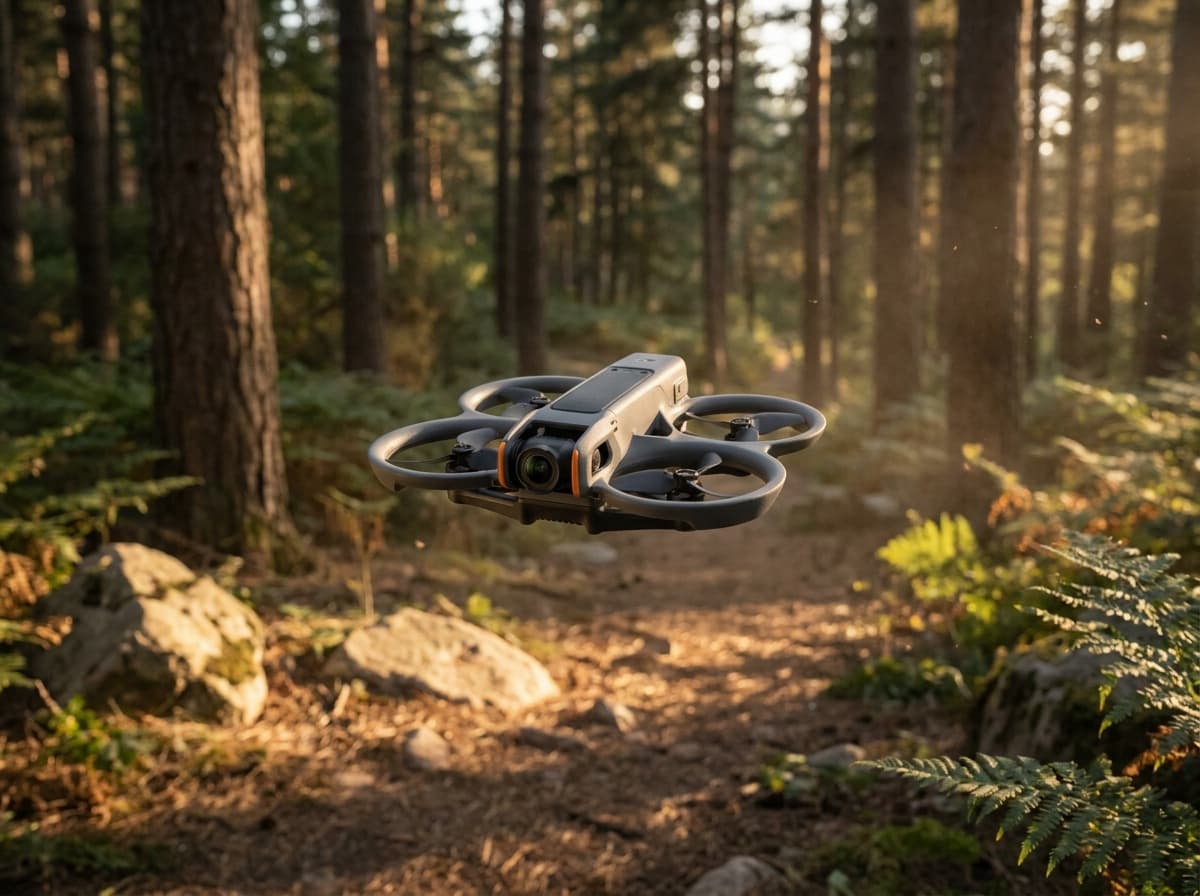
Avata 2
DJI's ready-to-fly FPV package: a ducted 4K cinewhoop with Goggles 3 and the Motion 3 controller in the box, one-button flips and rolls, and prop guards that forgive beginner mistakes.
Strengths
- Complete FPV kit in one box: no building, binding, or soldering
- Goggles 3 pairing with one-button acro makes immersive flying instantly accessible
- Ducted design is far safer indoors and near people than open-prop quads
Tradeoffs
- Locked DJI ecosystem: no custom parts path when you outgrow it
- Heavier than 250 g, so registration always applies
- Camera
- 1/1.3-in, 4K HDR, 155° FOV
- Kit
- Goggles 3 + RC Motion 3 included (Fly More combo)
- Safety
- Built-in prop guard, RTH, binocular sensing
- Transmission
- O4, up to 8 mi
Best for: Pilots who want goggle flying today, without building a quad first.
Amazon comes first when available. Official links stay visible for exact specs, stock, and manufacturer support. We may earn a commission at no extra cost to you. Disclosure
DJI
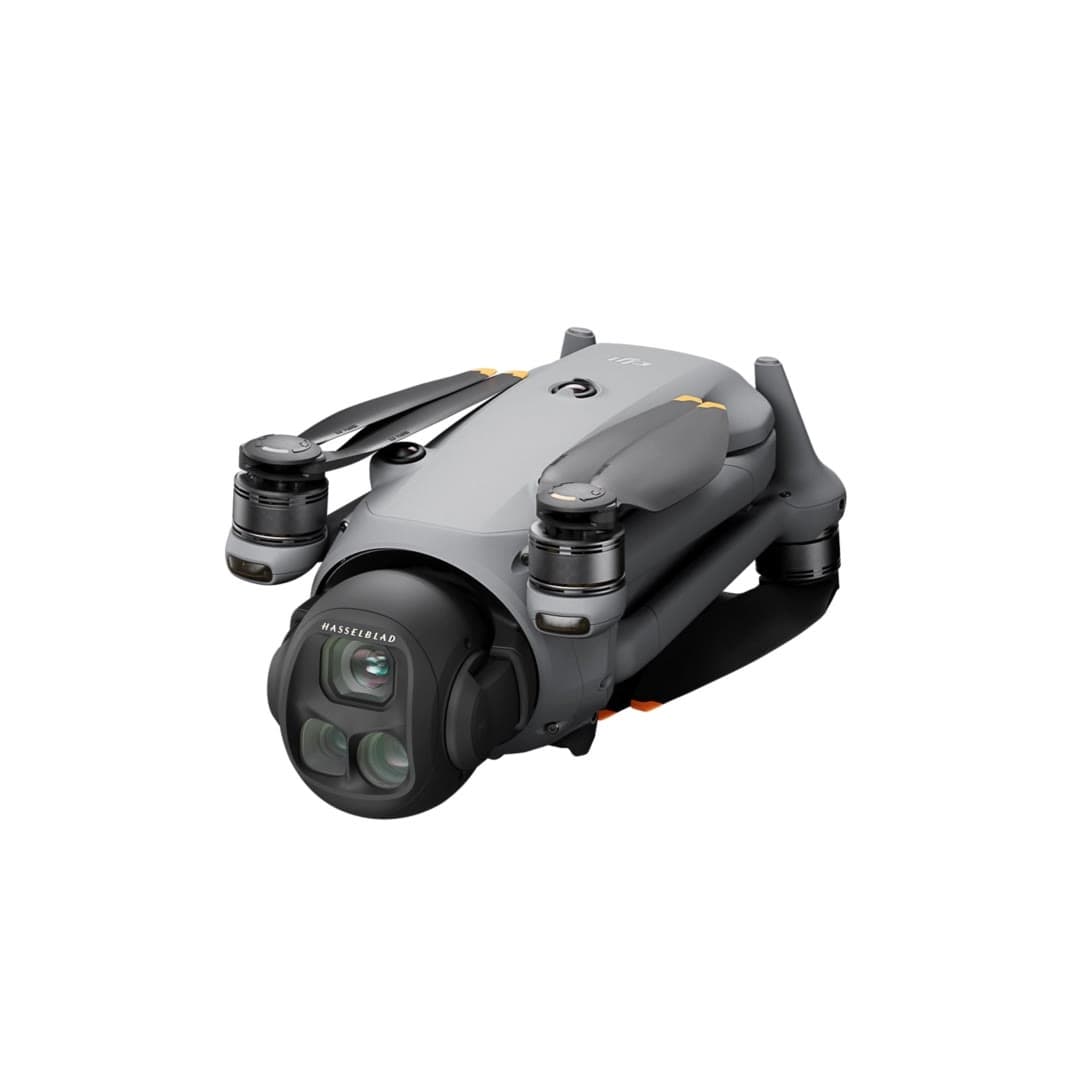
Mavic 4 Pro
DJI's flagship and the most capable consumer camera drone we've researched: a triple-camera system with a 100MP Hasselblad main sensor, a 360-degree rotating gimbal, and roughly 51 minutes of flight time.
Strengths
- Triple-camera system (28/70/168 mm) with a 100MP Hasselblad main sensor
- 360-degree rotating gimbal enables shots other drones can't get
- Class-leading ~51-minute flight time and LiDAR-aided sensing
Tradeoffs
- Premium price, a serious investment for most buyers
- Over 250 g; requires FAA registration
- Most exposed to the DJI import freeze: limited, pricey U.S. stock
- Cameras
- 28 / 70 / 168 mm triple
- Main sensor
- 100MP Hasselblad
- Gimbal
- 360° rotating
- Flight time
- ~51 min
- Obstacle sensing
- Omni + LiDAR
- Weight
- Over 250 g (register)
Best for: Professional and prosumer creators who need the best image quality available.
Amazon comes first when available. Official links stay visible for exact specs, stock, and manufacturer support. We may earn a commission at no extra cost to you. Disclosure
Aircraft to operation
Before first launch
Buying the aircraft is one decision. Use this sequence to get from the box to a deliberate, legal first flight.
Aircraft under consideration
Antigravity A1
Antigravity A1: 249 g (registration-exempt recreational)
- 01Check registration
Aircraft status
Set the registration path
Antigravity A1 is listed at 249 g (registration-exempt recreational). Recreational-only use may qualify for the sub-250 g exception. Part 107 flights still require registration, so confirm takeoff weight with the flight battery and accessories fitted.
- 02Start the airspace check
Launch location
Check the exact airspace
The aircraft does not decide whether a location is clear. Check the launch point, planned altitude, date, and time for controlled airspace, restrictions, and local launch rules.
- 03Check commercial requirements
Only when it is work
ConditionalDecide whether Part 107 applies
A small drone does not create a business-use exception. If the flight serves a client, employer, listing, monetized project, or another non-recreational purpose, check the Part 107 path first.
- 04Open the first-flight checklist
Props still off
Run the first-flight preflight
Confirm aircraft condition, firmware, battery health, controller link, home point, return-to-home settings, weather, people, obstacles, and the lost-link plan before takeoff.
How we score
The score is an editorial composite of four axes: flight and camera capability, owner sentiment drawn from published reviews, build and reliability, and value for the money. It reflects research and cross-checking rather than lab measurement, and we do not invent star counts. Prices are typical U.S. street bands and move around, especially for DJI while the import freeze lasts.
Affiliate relationships do not change our scores or rankings. Read the full affiliate disclosure.